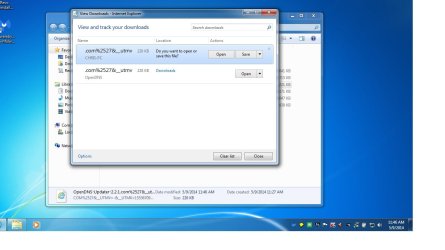
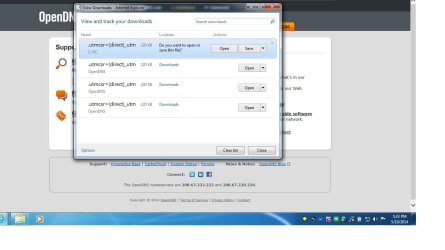
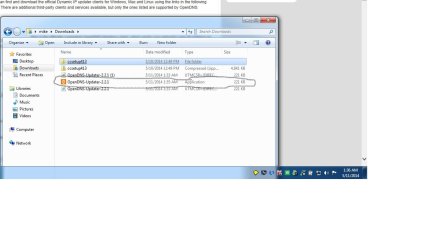
Judging from the screenshot in your first post, the file is being saved with the wrong file extension. As you tried other places to download that same file from, you got different (but still wrong) file extensions. Eventually, you used one of
DavidW7ncus's links - which got you the file with the correct file extension.
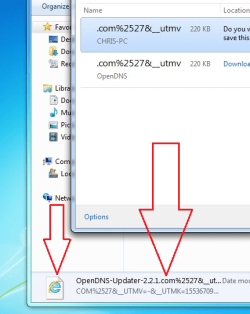
Notice the IE icon by the file and the ".com......" file extension.
Sometimes the period that marks the file extension will be right before the COM part. But other times, one of the underscores that you see in the screenshot above will be replaced with a period and the COM part will be dropped. You are lucky to be getting any file extension.
Sometimes they all stay as underscores:

So, why doesn't every IE user have this problem?
Good question. Let me know if you ever figure it out.
I have several W7 computers at the office that do this...
...and several that never do it.
I've tested with IE8, IE9, IE10 and IE11.
Most of the time, the files download with the wrong extension.
But sometimes, the correct extension comes thru.
Both of these situations happen while getting a file from the exact same webpage internal to the company.
I've reset IE.
I've used the safe mode.
I've started IE without extensions.
I've turned it over to our IT guys.
I'm not messing with it any longer