totalnoob7
New member
- Local time
- 10:07 PM
- Messages
- 5
Hello,
I have a question about deleting an OS from the Boot tab in the System Configuration window.
So our computers are setup in a RAID 1 configuration where everything is mirrored to another physical drive and I guess there is another OS installed. It used to go to a prompt when the PC started to select which operating system and after 30 seconds would go to the default. After a little searching I found we could uncheck the boxes in the startup and recovery under advance system properties and it now just flashes the two operating systems before starting the default OS. My supervisor was wondering if we could get rid of it flashing the two operating systems and just start the default. (I realize this will literally only save .5 seconds, but I said I would look into it. Note: I am not an IT person, I know a little bit and don't mind researching or asking questions when needed (which is most of the time)).
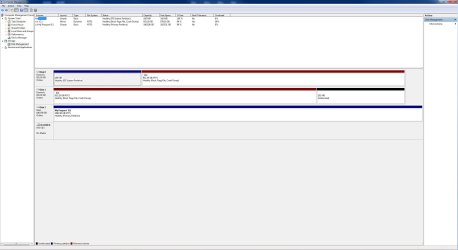
After some looking I have come across the Boot tab in the system configuration and I am wondering if I delete the other OS listed if this will solve the problem AND not screw up the RAID 1 setup and whatever the IT people had setup. The two operating systems listed in the boot tab are:
Windows 7 (C:\Windows): Current OS; Default OS
Windows 7 - secondary plex (c:\Windows)
I really do not want to mess things up, so if it may screw something up I am find leaving it as is. I am just wondering if deleting the OS (secondary plex) from the Boot tab is more of a cosmetic change that will stop it from booting, but not delete it or affect the operations of the PC.
Thanks for any help. Also, as my handle implies I am a total noob about this stuff so avoid big words or small difficult words
PG
ps - oh, I am also wondering why the second OS looks like it is on the C drive?
pps - if I delete the OS is there a way to recover it later?
I have a question about deleting an OS from the Boot tab in the System Configuration window.
So our computers are setup in a RAID 1 configuration where everything is mirrored to another physical drive and I guess there is another OS installed. It used to go to a prompt when the PC started to select which operating system and after 30 seconds would go to the default. After a little searching I found we could uncheck the boxes in the startup and recovery under advance system properties and it now just flashes the two operating systems before starting the default OS. My supervisor was wondering if we could get rid of it flashing the two operating systems and just start the default. (I realize this will literally only save .5 seconds, but I said I would look into it. Note: I am not an IT person, I know a little bit and don't mind researching or asking questions when needed (which is most of the time)).
After some looking I have come across the Boot tab in the system configuration and I am wondering if I delete the other OS listed if this will solve the problem AND not screw up the RAID 1 setup and whatever the IT people had setup. The two operating systems listed in the boot tab are:
Windows 7 (C:\Windows): Current OS; Default OS
Windows 7 - secondary plex (c:\Windows)
I really do not want to mess things up, so if it may screw something up I am find leaving it as is. I am just wondering if deleting the OS (secondary plex) from the Boot tab is more of a cosmetic change that will stop it from booting, but not delete it or affect the operations of the PC.
Thanks for any help. Also, as my handle implies I am a total noob about this stuff so avoid big words or small difficult words
PG
ps - oh, I am also wondering why the second OS looks like it is on the C drive?
pps - if I delete the OS is there a way to recover it later?
My Computer
- Computer type
- PC/Desktop
- OS
- Win 7 Enterprise 64bit