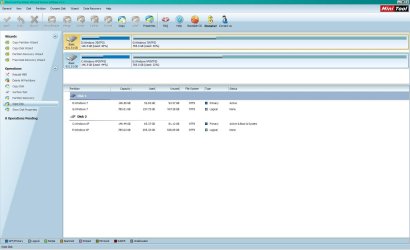
I backed up the Win7 system partition, and a data partition, to an external HD. The system partition is 150 GB, with about 80GB free.
When I set up my dual-boot system, I had to hide the Win7 partitions from XP because XP was erasing my Win7 restore points. Can you remind me again; how do I permit XP to see and access the Win7 partitions? I did not create a boot disk with EaseUS Todo Backup, which I have installed on XP.
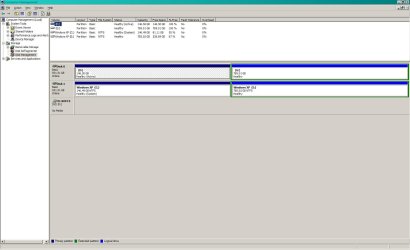
As you can tell from the screenshot, XP cannot see the two Win7 partitions because they both show 100% free space, when I know that there is data on both of them. Also, I labeled them "Windows 7". The Win7 system partition (D is marked "Active" and the XP System partition (C is marked "System."
I was able to create another option in the Boot Manager - an EaseUS Todo Backup Linux boot option. When I boot into this, and attach my USB external HD, I do have an option for restoring the system image I made 2 weeks ago.
Is a boot disk required? What I have done in the past with other systems is do a fresh install of the OS, load the backup software on the system, and then restore a previously backed up system partition using that software. Thanks again!
When I set up my dual-boot system, I had to hide the Win7 partitions from XP because XP was erasing my Win7 restore points. Can you remind me again; how do I permit XP to see and access the Win7 partitions? I did not create a boot disk with EaseUS Todo Backup, which I have installed on XP.
As you can tell from the screenshot, XP cannot see the two Win7 partitions because they both show 100% free space, when I know that there is data on both of them. Also, I labeled them "Windows 7". The Win7 system partition (D
is marked "Active" and the XP System partition (C is marked "System." I was able to create another option in the Boot Manager - an EaseUS Todo Backup Linux boot option. When I boot into this, and attach my USB external HD, I do have an option for restoring the system image I made 2 weeks ago.
Is a boot disk required? What I have done in the past with other systems is do a fresh install of the OS, load the backup software on the system, and then restore a previously backed up system partition using that software. Thanks again!
Attachments
Last edited:
My Computer
- Computer Manufacturer/Model Number
- Home Built
- OS
- Windows 7 64-bit and Windows XP SP3
- CPU
- Core i5-2500K Sandy Bridge 3.3GHz (Overclocked to 4.0GHz)
- Motherboard
- Asus P8P67 Deluxe Intel P67 ATX, Socket H2 (LGA 1155)
- Memory
- Corsair Vengeance 8GB (2 x 4GB) DDR3 SDRAM DDR3 1866
- Graphics Card(s)
- ATI Radeon 5870 1GB 256-bit DDR5 PCI Express 2.1 x 16
- Sound Card
- Creative Labs PCI Express Soundblaster X-Fi Titanium
- Monitor(s) Displays
- Gateway 21"
- Screen Resolution
- 1680 x 1050
- Hard Drives
- (2) 1TB Western Digital Caviar Black 7200 RPM SATA III
- PSU
- Corsair 650W HX Series 80 Plus Bronze Certified Modular PSU
- Case
- Black NZXT M59 Classic Series ATX Mid Tower
- Cooling
- Noctua NH-U12P SE2 w/ 4 Cooler Master 120mm Blue LED Fans
- Keyboard
- Logitech G15 Gaming Keyboard
- Mouse
- Kensington 4-Button USB Expert Pro Trackball
- Other Info
- ASUS DRW-24 Black SATA 24X DVD Burner