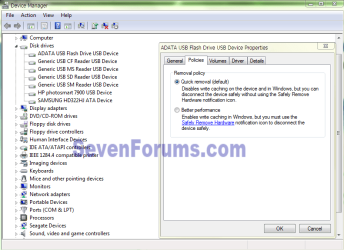
I'm pretty sure now that the culprit is something called the Removable Media Bit (RMB). If you google it you'll find that it is possible with some USB flash devices to use a tool called LexarBootIt to flip that bit and enable users to e.g. partition their flash sticks.
In the OP's case he'd want to flip it the other way, to make his USB drive look like a removable drive, so Windows doesn't give it a $RECYCLE.BIN. But from everything I've read, this "understanding" (that the USB spinner is *not* a removable device) occurs at the controller-requests-from-hardware level. Here's a sampler from Microsoft, which discusses the opposite of what we want but you'll get the point:
Q. What must I do to trigger AutoRun on my USB storage device?
The AutoRun capabilities are restricted to CD-ROM drives and fixed disk drives. If you need to make a USB storage device perform AutoRun, the device must not be marked as a removable media device and the device must contain an Autorun.inf file and a startup application.
The removable media device setting is a flag contained within the SCSI Inquiry Data response to the SCSI Inquiry command. Bit 7 of byte 1 (indexed from 0) is the Removable Media Bit (RMB). An RMB set to zero indicates that the device is not a removable media device. An RMB of one indicates that the device is a removable media device. Drivers obtain this information by using the StorageDeviceProperty request.
Of course, here again they're talking about making a fixed device into a removable one, not the other way around, but it's interesting nonetheless.
I've read that it may be possible to write a "filter" to intercept the comms and thereby fool Windows into thinking a removable-is-a-fixed, but I only found one from Hitachi which operates withing 32-bit XP only, and merely serves the opposite of what the OP needs.
For the best info on this, see "Removable or what" from Uwe Sieber:
Tips for USB pen drives
oprez, I'm afraid there's little hope here!