Reinstalling W7 On Dual Boot System

michael diemer

New member
Guru
VIP
Local time
8:41 PM
Messages
753
Location
Maine
One of the things I've thought about in preparation for W7 EOL is to do the "non-destructive, in-place re-installation." (Fred Langa has an excellent tutorial on that). However, since the original installation of W7, I have created a dual-boot system, with Zorin being the other OS. So, the W7 partition is now smaller than before (when it was the whole hard drive). So, I'm not sure that will work. I can foresee getting an error message like " The partition you are installing to is not the same size as when Windows was originally installed." I'm afraid it either won't work, or it will work, but I'll wipe out Zorin in the process, as Windows will take up the whole drive. Anyone have any thoughts on this?


BTW, the reason I want to do this is to keep all my files and programs, but have a fresh W7 install, so it works flawlessly. I would not do any updates, as I would just keep it offline and use Zorin for online work.
 

My Computer My Computer

Computer type
PC/Desktop
Computer Manufacturer/Model Number
Gateway GT5656
OS
Windows 7 x64 SP1
CPU
AMD Athlon 64 X2 6000+ / 3.0 GHz
Motherboard
NVIDIA GeForce 6150 SE
Memory
6 GB
Monitor(s) Displays
Lenovo LED
Screen Resolution
1920 X 1080
Hard Drives
Windows on 500 GB spinner; Ubuntu 16 on Sandisk 250GB SSD; Bodhi5 on Samsung 250GB SSD; another old spinner for fooling around.
PSU
Original that came with computer
Keyboard
Logitech wireless
Mouse
Logitech wireless
Antivirus
Microsoft Sec Essentials
Browser
Vivaldi
Hi michael diemer,

One of the things I've thought about in preparation for W7 EOL is to do the "non-destructive, in-place re-installation." (Fred Langa has an excellent tutorial on that).

This is a Repair Install.

See my post with information and instructions here => Repair Install.
 

My Computer My Computer

Computer type
Laptop
Computer Manufacturer/Model Number
Fujitsu LIFEBOOK
OS
Win 7 HP SP1 64-bit Vista HB SP2 32-bit Linux Mint 18.3
CPU
Intel(R) Pentium(R) CPU P6200 @ 2.13GHz
Motherboard
FUJITSU FJNBB06
Memory
4.00 GB
Graphics Card(s)
Intel(R) Graphics Media Accelerator HD
Sound Card
[1] Realtek High Definition Audio [2] Intel(R) Display Audio
Screen Resolution
1366 x 768 x 32 bits (4294967296 colors) @ 59 Hz
Hard Drives
TOSHIBA MK5076GSX
Antivirus
AVG FREE
The partition you are installing to is not the same size as when Windows was originally installed." I'm afraid it either won't work, or it will work, but I'll wipe out Zorin in the process, as Windows will take up the whole drive. Anyone have any thoughts on this?

NO, you don't need to be concerned about that.


Repair Install will be fine as long as you have enough free space on the windows partition. IIrc 16gb free space needed. If you don't have , it will just tell you - not enough space.

It might affect to boot files, so it depends how you have set that up. If you are using windows bootmgr to also boot Linux, it should be ok.


Before doing a repair install:

1. Check programs and features and uninstall any programs you don't use/need. Reboot to make sure they are cleared out. That reduces the settings and files that will be transferred during repair install.

2. Have a good clear out of junk files including running diskcleanup - which will probably offer to uninstall superseded updates. Reboot to make sure they are all cleared out. That should also give you more space on the windows partition.

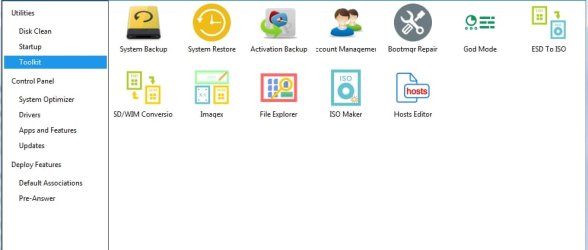
3. Backup Activation using dism++. Then copy the entire dism++ folder to another disk/usb stick for safety. View attachment Dism++10.1.1000.100.zip

dism++ActiveBackup.jpg
 
Last edited:

My Computers My Computers

System One System Two

  • Computer type
    PC/Desktop
    OS
    7 X64
    CPU
    i5 8400
    Motherboard
    gigabyte b365m ds3h
    Memory
    2x8gb 3200mhz
    Hard Drives
    various
    PSU
    pure power 11 400w cm
    Case
    Coolermaster
    Cooling
    cryorig m9i
  • Computer type
    PC/Desktop
    OS
    7x64
    CPU
    g5400
    Motherboard
    ga b365m ds3h
    Memory
    8gb ddr4 2400
    PSU
    xfx pro 450w
Hi michael diemer,


This is a Repair Install.

See my post with information and instructions here => Repair Install.


OK, I'm a bit confused. Langa says, at the point where Windows asks you what kind of install you are performing, "you tell Windows a little lie. You choose the 'upgrade' option."


This installs a fresh copy of Windows without affecting anything else. Also, it is possible to do it with Windows booted, because it is in effect an upgrade, though not really. I have used this method successfully in the past.


So, is this the same as a repair? It doesn't sound like it to me, as the repair option has you doing it with a live CD. Although the result may be the same.
 

My Computer My Computer

Computer type
PC/Desktop
Computer Manufacturer/Model Number
Gateway GT5656
OS
Windows 7 x64 SP1
CPU
AMD Athlon 64 X2 6000+ / 3.0 GHz
Motherboard
NVIDIA GeForce 6150 SE
Memory
6 GB
Monitor(s) Displays
Lenovo LED
Screen Resolution
1920 X 1080
Hard Drives
Windows on 500 GB spinner; Ubuntu 16 on Sandisk 250GB SSD; Bodhi5 on Samsung 250GB SSD; another old spinner for fooling around.
PSU
Original that came with computer
Keyboard
Logitech wireless
Mouse
Logitech wireless
Antivirus
Microsoft Sec Essentials
Browser
Vivaldi
SIW2: I am using the Linux Grub bootloader. But if it doesn't boot, I can probably fix it with a boot repair disc, which I have done successfully in the past. Also, I said I have Zorin on the drive. Actually, it's Solus. Although that doesn't make much difference.


As for cleaning the partition, I have pretty much already done that, I like to keep things stripped down pretty lean.
 

My Computer My Computer

Computer type
PC/Desktop
Computer Manufacturer/Model Number
Gateway GT5656
OS
Windows 7 x64 SP1
CPU
AMD Athlon 64 X2 6000+ / 3.0 GHz
Motherboard
NVIDIA GeForce 6150 SE
Memory
6 GB
Monitor(s) Displays
Lenovo LED
Screen Resolution
1920 X 1080
Hard Drives
Windows on 500 GB spinner; Ubuntu 16 on Sandisk 250GB SSD; Bodhi5 on Samsung 250GB SSD; another old spinner for fooling around.
PSU
Original that came with computer
Keyboard
Logitech wireless
Mouse
Logitech wireless
Antivirus
Microsoft Sec Essentials
Browser
Vivaldi
OK, I'm a bit confused. Langa says, at the point where Windows asks you what kind of install you are performing, "you tell Windows a little lie. You choose the 'upgrade' option."

This installs a fresh copy of Windows without affecting anything else. Also, it is possible to do it with Windows booted, because it is in effect an upgrade, though not really. I have used this method successfully in the past.

So, is this the same as a repair? It doesn't sound like it to me, as the repair option has you doing it with a live CD. Although the result may be the same.

Langa is right. There is no Repair option on Win 7. What you do is "upgrade" installation from one version to same version. It will reinstall Win 7 and keep your data and programs (and unfortunately al the garbage it has collected over the years). You will have to reinstall all updates.
My suggestion is to use Simplix.
MS releases SP2 for Windows 7

I normally do a fresh install (delete everything) every two years to get performance increase.
 

My Computers My Computers

System One System Two

  • Computer type
    PC/Desktop
    Computer Manufacturer/Model Number
    custom build
    OS
    Windows 7 HP 64
    CPU
    i5 6600K - 800MHz to 4200MHz
    Motherboard
    GA-Z170-HD3P
    Memory
    4+4G GSkill DDR4 3000
    Graphics Card(s)
    IG - Intel 530
    Monitor(s) Displays
    Samsung 226BW
    Screen Resolution
    1680x1050
    Hard Drives
    (1) -1 SM951 – 128GB M.2 AHCI PCIe SSD drive for Windows 7 and Lubuntu
    (2) -1 WD SATA 3 - 1T for Data
    (3) -1 WD SATA 3 - 1T for backup
    PSU
    Thermaltake 450W TR2 gold
    Keyboard
    Old and good Chicony mechanical keyboard
    Mouse
    Logitech mX performance - 9 buttons (had to disable some)
    Internet Speed
    500Mb/s
    Browser
    Firefox 64
    Other Info
    TinyWall firewall
  • Computer type
    Laptop
    System Manufacturer/Model Number
    Asus Q550LF
    OS
    Windows 7 Pro
    CPU
    i7-4500U 800MHz to 3.0GHz
    Motherboard
    Asus Q550LF
    Memory
    (4+4)G DDR3 1600
    Graphics Card(s)
    IG intel 4400 + NVIDIA GeForce GT 745M
    Sound Card
    Realtek
    Monitor(s) Displays
    LG Display LP156WF4-SPH1
    Screen Resolution
    1920 x 1080
    Hard Drives
    BX500 120G SSD for Windows and programs +
    1T HDD for data
    Internet Speed
    500 Mb/s
    Browser
    Firefox
    Other Info
    TinyWall firewall
Thanks Megahertz. I'm nor sure I'll do this; I will first see if I can optimize things. I just want a reasonably fast system by the time January rolls around. This W7 install will be essentially a relic, there to access files, use Office, etc. but staying offline. I'll be using Linux for daily online stuff. also, this computer is my test machine, to help me figure out what will work on the wife's laptop, which also has W7-HP. I also have a third rig with W7-Pro, but that's my music machine, and it is basically already in W7-EOL mode, as I rarely take it online.


It looks then like I can do this, that is, do a non-destructive reinstall on a dual boot system. I will refer to this thread if I decide to do it, so I can prime it per SIW2's instructions.


Thanks everyone, this forum is the best!
 

My Computer My Computer

Computer type
PC/Desktop
Computer Manufacturer/Model Number
Gateway GT5656
OS
Windows 7 x64 SP1
CPU
AMD Athlon 64 X2 6000+ / 3.0 GHz
Motherboard
NVIDIA GeForce 6150 SE
Memory
6 GB
Monitor(s) Displays
Lenovo LED
Screen Resolution
1920 X 1080
Hard Drives
Windows on 500 GB spinner; Ubuntu 16 on Sandisk 250GB SSD; Bodhi5 on Samsung 250GB SSD; another old spinner for fooling around.
PSU
Original that came with computer
Keyboard
Logitech wireless
Mouse
Logitech wireless
Antivirus
Microsoft Sec Essentials
Browser
Vivaldi
OK, I'm a bit confused. Langa says, at the point where Windows asks you what kind of install you are performing, "you tell Windows a little lie. You choose the 'upgrade' option."


This installs a fresh copy of Windows without affecting anything else. Also, it is possible to do it with Windows booted, because it is in effect an upgrade, though not really. I have used this method successfully in the past.


So, is this the same as a repair? It doesn't sound like it to me, as the repair option has you doing it with a live CD. Although the result may be the same.


Doing an upgrade install onto the same version of windows is called a repair install, for obvious reasons. It can only be done when booted into windows.

There is no "repair option" in windows 7 boot media. There are system recovery options.
 

My Computers My Computers

System One System Two

  • Computer type
    PC/Desktop
    OS
    7 X64
    CPU
    i5 8400
    Motherboard
    gigabyte b365m ds3h
    Memory
    2x8gb 3200mhz
    Hard Drives
    various
    PSU
    pure power 11 400w cm
    Case
    Coolermaster
    Cooling
    cryorig m9i
  • Computer type
    PC/Desktop
    OS
    7x64
    CPU
    g5400
    Motherboard
    ga b365m ds3h
    Memory
    8gb ddr4 2400
    PSU
    xfx pro 450w
Thank you for clarifying that!
 

My Computer My Computer

Computer type
PC/Desktop
Computer Manufacturer/Model Number
Gateway GT5656
OS
Windows 7 x64 SP1
CPU
AMD Athlon 64 X2 6000+ / 3.0 GHz
Motherboard
NVIDIA GeForce 6150 SE
Memory
6 GB
Monitor(s) Displays
Lenovo LED
Screen Resolution
1920 X 1080
Hard Drives
Windows on 500 GB spinner; Ubuntu 16 on Sandisk 250GB SSD; Bodhi5 on Samsung 250GB SSD; another old spinner for fooling around.
PSU
Original that came with computer
Keyboard
Logitech wireless
Mouse
Logitech wireless
Antivirus
Microsoft Sec Essentials
Browser
Vivaldi
Hi michael diemer,


OK, I'm a bit confused. Langa says, at the point where Windows asks you what kind of install you are performing, "you tell Windows a little lie. You choose the 'upgrade' option."

This installs a fresh copy of Windows without affecting anything else. Also, it is possible to do it with Windows booted, because it is in effect an upgrade, though not really. I have used this method successfully in the past.

So, is this the same as a repair? It doesn't sound like it to me, as the repair option has you doing it with a live CD. Although the result may be the same.

When you perform a Repair Install, when you get to the section that says, Which type of installation do you want screen, you MUST click Upgrade.

A Repair Install [Upgrade] differs from a clean install in the fact that it ONLY replaces the corrupted OS with a new fresh copy. This means that ALL your User Accounts, Folders, Files, Documents, Pictures, Music, Videos, Data Files, Icons, and any installed programs are left intact. It does however, delete ALL the Window updates, and can affect, sounds, services, visual effect settings and device drivers by re-setting them to default. You cannot do a repair install at boot, in Safe Mode, using a system repair disk, or using an integrated Windows update disk. Basically, this process can ONLY be performed from within the LIVE OS.

I hope this clarifies things!
 

My Computer My Computer

Computer type
Laptop
Computer Manufacturer/Model Number
Fujitsu LIFEBOOK
OS
Win 7 HP SP1 64-bit Vista HB SP2 32-bit Linux Mint 18.3
CPU
Intel(R) Pentium(R) CPU P6200 @ 2.13GHz
Motherboard
FUJITSU FJNBB06
Memory
4.00 GB
Graphics Card(s)
Intel(R) Graphics Media Accelerator HD
Sound Card
[1] Realtek High Definition Audio [2] Intel(R) Display Audio
Screen Resolution
1366 x 768 x 32 bits (4294967296 colors) @ 59 Hz
Hard Drives
TOSHIBA MK5076GSX
Antivirus
AVG FREE
Yes, it does clarify things. Now I know why I was not able to do this all those times I tried to use a repair disc or the original install CD to fix W7, when it would not boot. All I would get is "Repair cannot fix this problem" or some such. I ended up having to do clean installs on those occasions. I did not know that you could only do the repair/reinstall option with W7 booted. And now I know that the repair option is the same as what I think of as the in-place or non-destructive reinstall.
 

My Computer My Computer

Computer type
PC/Desktop
Computer Manufacturer/Model Number
Gateway GT5656
OS
Windows 7 x64 SP1
CPU
AMD Athlon 64 X2 6000+ / 3.0 GHz
Motherboard
NVIDIA GeForce 6150 SE
Memory
6 GB
Monitor(s) Displays
Lenovo LED
Screen Resolution
1920 X 1080
Hard Drives
Windows on 500 GB spinner; Ubuntu 16 on Sandisk 250GB SSD; Bodhi5 on Samsung 250GB SSD; another old spinner for fooling around.
PSU
Original that came with computer
Keyboard
Logitech wireless
Mouse
Logitech wireless
Antivirus
Microsoft Sec Essentials
Browser
Vivaldi
Back
Top