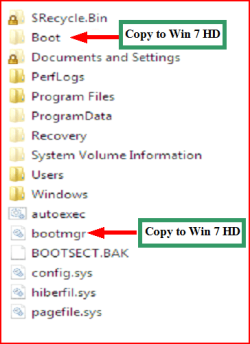
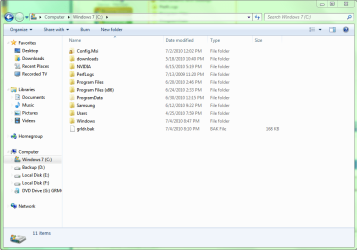
I have Vista on a separate disk from Windows 7. Windows 7 is on one of my partitions on the disk. I tried to format the disk with vista by going in to My Computer, and right clicking on the disk and formating it like that, but it says that Windows was unable to complete the format. I unchecked quick format and put the allocation to default instead of 4096 bytes.
I'm doing it this way because when I go to disk management, it keeps loading, but nothing is shown. I have had it open for a long time now, and still nothing is showing. All it says is "Loading disk configuration." When I close Disk Management and open it again, it stays at "Connection to Virtual Disk Service."
Virtual Disk Service is set to start manually, and it is started.
Is there any other way I can format the disk, or do I have to do it this way. I still want Disk Management to work though.
EDIT:I did some searching and I found out what the allocation unit size is. Is it better for me to decrease the allocation unit size if I'm using the disk as a backup?
I'm doing it this way because when I go to disk management, it keeps loading, but nothing is shown. I have had it open for a long time now, and still nothing is showing. All it says is "Loading disk configuration." When I close Disk Management and open it again, it stays at "Connection to Virtual Disk Service."
Virtual Disk Service is set to start manually, and it is started.
Is there any other way I can format the disk, or do I have to do it this way. I still want Disk Management to work though.
EDIT:I did some searching and I found out what the allocation unit size is. Is it better for me to decrease the allocation unit size if I'm using the disk as a backup?
Last edited:
My Computer
At a glance
Windows 7 Ultimate x64Intel Core 2 Quad 6600OCZ Dual Channel 4GB PlatinumEVGA GTX 480 Superclocked
- OS
- Windows 7 Ultimate x64
- CPU
- Intel Core 2 Quad 6600
- Motherboard
- ASUS Striker II Formula
- Memory
- OCZ Dual Channel 4GB Platinum
- Graphics Card(s)
- EVGA GTX 480 Superclocked
- Sound Card
- Supreme FX II
- Monitor(s) Displays
- Samsung SyncMaster BX2440
- Screen Resolution
- 24" 1920x1080
- Mouse
- Saitek GM2400