- Local time
- 8:22 PM
- Messages
- 95
I don't want to rename a user PROFILE, I want to be able to rename the Users folder (i.e. E:\Users) to Users.old and change every single link in the registry that points to it.
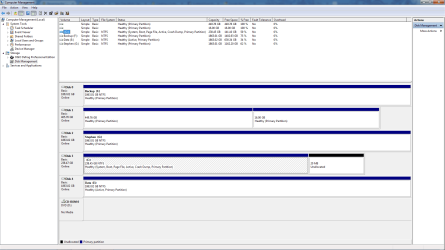
The reason I want to do this is because when I first installed Win 7 Ultimate I forgot to unplug my old Win 7 Pro HDD & also forgot to delete the factory made partition on the SSD, so when I had finished installing Windows 7 Ultimate (including moving my User Profiles to a 2Tb WD Black HDD), I found I couldn't boot into it because I had no "System Reserved" partition and therefore no boot files (as the Ultimate install just added an entry into the Professional bootloader).
I have a new SSD that's the same size as my current one and I can delete the partition off of it so it's completely unused and Windows can create its own partitions, however I want to be able to use the same 2Tb WD Black Drive for my User Profiles, I know how to do move the User Profiles to another HDD at install but I don't want to overwrite the old folders hence why I want to rename the old ones & toggle all the links to suit.
I have Ubuntu installed on a 500Gb HDD which I could use to rename them but I may want to be able to boot between the two OS's to deactivate software and gather license keys etc, so is there a way I can do this?
Or am I better off just booting to Ubuntu, renaming the old "User" folder, plugging in the new SSD and installing windows, moving the User Profiles to the 2Tb HDD and copying the contents from Users.old to Users and hope for the best?
The reason I want to do this is because when I first installed Win 7 Ultimate I forgot to unplug my old Win 7 Pro HDD & also forgot to delete the factory made partition on the SSD, so when I had finished installing Windows 7 Ultimate (including moving my User Profiles to a 2Tb WD Black HDD), I found I couldn't boot into it because I had no "System Reserved" partition and therefore no boot files (as the Ultimate install just added an entry into the Professional bootloader).
I have a new SSD that's the same size as my current one and I can delete the partition off of it so it's completely unused and Windows can create its own partitions, however I want to be able to use the same 2Tb WD Black Drive for my User Profiles, I know how to do move the User Profiles to another HDD at install but I don't want to overwrite the old folders hence why I want to rename the old ones & toggle all the links to suit.
I have Ubuntu installed on a 500Gb HDD which I could use to rename them but I may want to be able to boot between the two OS's to deactivate software and gather license keys etc, so is there a way I can do this?
Or am I better off just booting to Ubuntu, renaming the old "User" folder, plugging in the new SSD and installing windows, moving the User Profiles to the 2Tb HDD and copying the contents from Users.old to Users and hope for the best?
My Computer
- Computer type
- PC/Desktop
- Computer Manufacturer/Model Number
- Self Built
- OS
- Windows 7 Ultimate x64
- CPU
- Intil i7-860
- Motherboard
- Gigabyte GA-P55a-UD6
- Memory
- 16Gb Corsair XMS3 1600MHz
- Graphics Card(s)
- MSI N470GTXTwin FrozR II
- Monitor(s) Displays
- Samsung S23A700D
- Hard Drives
- 1x Samsung 840Pro SSD 256Gb for Windows
2x WD Green 2Tb (for Storage)
1x Western Digital Caviar Black 2 TB 7200 RPM (also for storage)
1x Samsung HD501LJ 500Gb for Ubuntu
- PSU
- Antec TruePower New Blue Modular 750W
- Case
- Antec 300
- Cooling
- Cosair H70
- Internet Speed
- 60Mb/s DL, 3Mb/s UL
- Antivirus
- Norton Internet Security
- Browser
- IE, FF, Chrome