
Within the last month I began seeing this message. I ran Disk Cleanup, and even uninstalled some little used programs, but I kept running low. For years I've kept a compact system volume of about 28GB in the logical 30GB C partition. All User info is on other drives. I've never run short of space before, but just to give me some room, I used Mini Partition Tool to add an additional 5GB to the C partition. This "filled up" within a week without me adding any programs, and now I'm getting the message again. I've tried Disk Cleanup, CCleaner, etc, with no improvement. This is my current status:
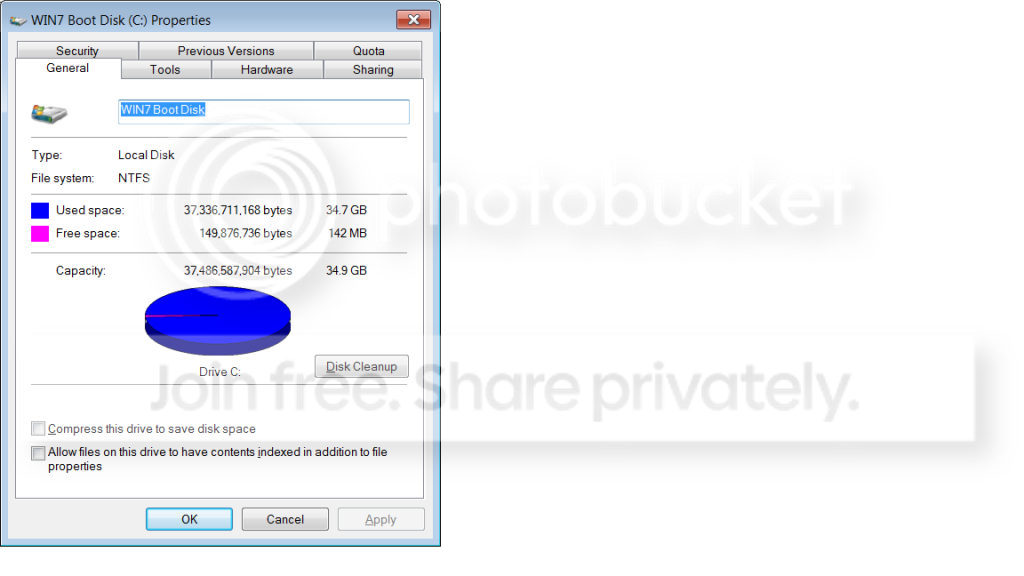
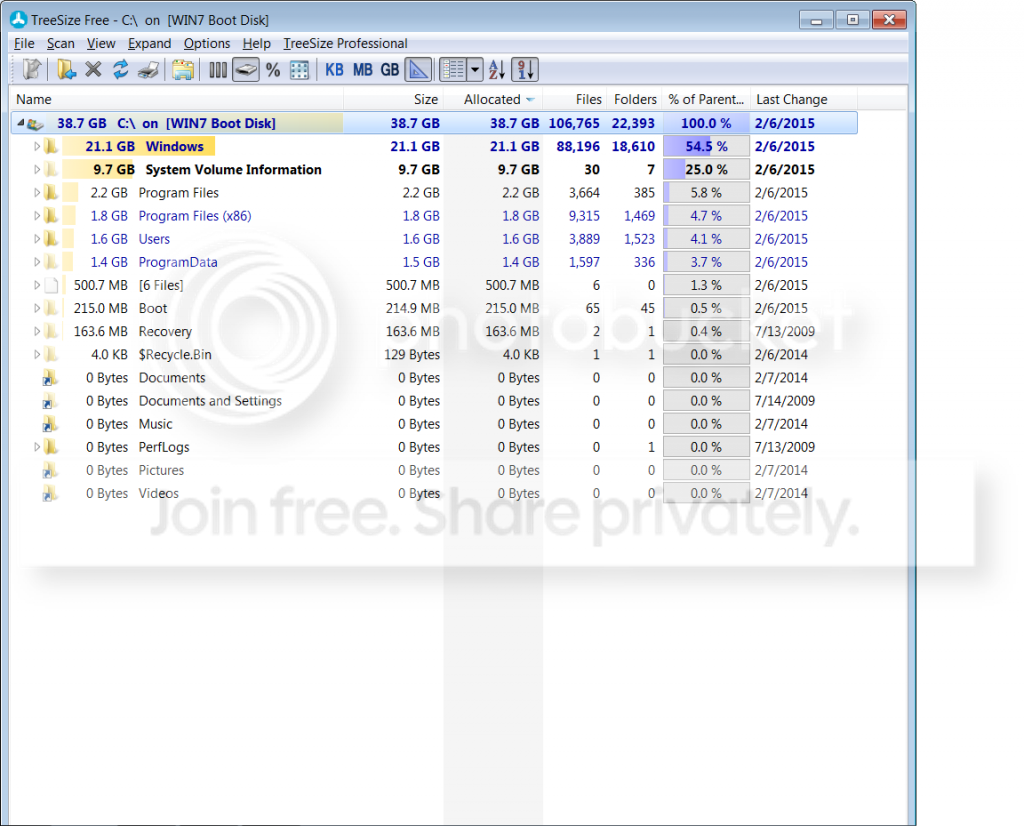
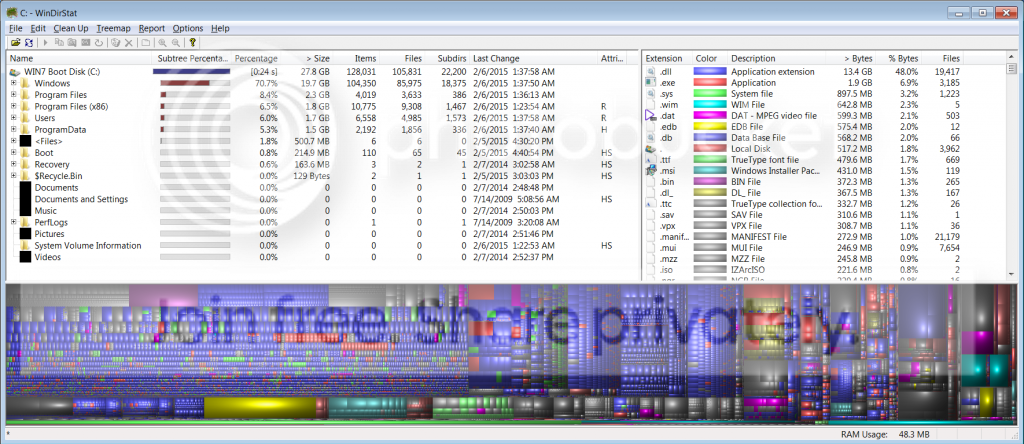
I'm at a loss with this because WinDirStat shows what has always been the historic size of my Boot Disk, but the others do not. Can someone help me solve this dilemma? Thanks
I'm at a loss with this because WinDirStat shows what has always been the historic size of my Boot Disk, but the others do not. Can someone help me solve this dilemma? Thanks
My Computer
- Computer type
- PC/Desktop
- Computer Manufacturer/Model Number
- Custom Build
- OS
- Windows 7 Home Premium 64-bit SP1
- CPU
- AMD Phenom II X2 550 Callisto
- Motherboard
- MSI 970A-G46
- Memory
- 8.00GB Dual-Channel DDR3 @ 805MHz (9-9-9-24)
- Graphics Card(s)
- MSI GT210
- Monitor(s) Displays
- Acer X193W+ (1680x1050@59Hz)
- Screen Resolution
- 1680x1050 pixels
- Hard Drives
- 298GB Seagate ST3320620AS ATA Device (SATA)
932GB Hitachi HDS721010CLA332 ATA Device (SATA)
932GB Seagate ST31000528AS ATA Device (SATA)
- PSU
- ANTEC|EA650 RT
- Case
- ANTEC|THREE HUNDRED BK
- Antivirus
- Avast
- Browser
- Chrome


