
Hi,
I have recently this weird problem:
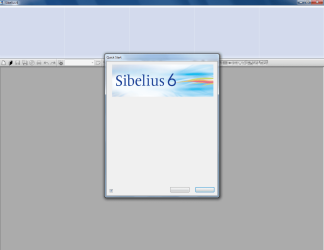
I've working with Sibelius (music notation program) over 1.5 years without any problems. And just out of the blue I get this screen when I start the program as shown below.
The hoizontal bar should be at the top of the screen and the menu that is shown should be filled with text and options you can choose.
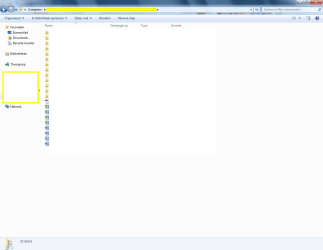
I have the same problem with explorer (also shown below). This happens not with every folder.
I have tried to reinstall Windows and Sibelius (with formatting the computer). Sibelius works untill I restart the computer. Then I've got the same problem.
Can someone help me (it's driving me crazy!!!)
I work with Windows 7 Home Premium.
Kind regards,
Jampie
I have recently this weird problem:
I've working with Sibelius (music notation program) over 1.5 years without any problems. And just out of the blue I get this screen when I start the program as shown below.
The hoizontal bar should be at the top of the screen and the menu that is shown should be filled with text and options you can choose.
I have the same problem with explorer (also shown below). This happens not with every folder.
I have tried to reinstall Windows and Sibelius (with formatting the computer). Sibelius works untill I restart the computer. Then I've got the same problem.
Can someone help me (it's driving me crazy!!!)
I work with Windows 7 Home Premium.
Kind regards,
Jampie
Attachments
My Computer
- OS
- windows 7 home premium

