hmmmm.......I went through all the posts in this thread trying to find out where you and me went wrong.
I was wrong in assuming your 3TB drive was a GPT drive. - TestDisk threw out an error message that woke me up to the fact that could be an Advance formatted MBR disk. Saving grace no harm done.
You went wrong when specific instruction was given not to write anything. At one point you did give a write command but again TestDisk saved you by giving a write error and not writing anything.
But one Himalayan blunder seems to have toppled the cart crushing out everything.
My instructions in post#2 in the very beginning itself:
"I shall straight away get into Data Recovery mode using Test Disk. You must have an empty formatted drive of adequate capacity connected to copy all data into it. If that drive does not have sufficient capacity then you have to select only the important files and copy those to it when we come to that ( and if we come to it  . Yep, Data Recovery is a dirty job with results unpredictable,except in most simple cases.)"
The most important instruction was in bold letters. But you went ahead without connecting an external and being ready to copy at the first instance.If only you had an external connected you could have straightaway copied all the files shown by TestDisk (post #28 dated 09 March 2015) and everything would have ended on a happy note. (Sitting at a distance I can't prevent anything.

)
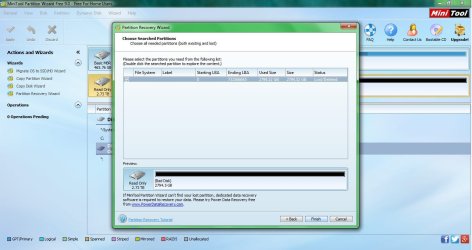
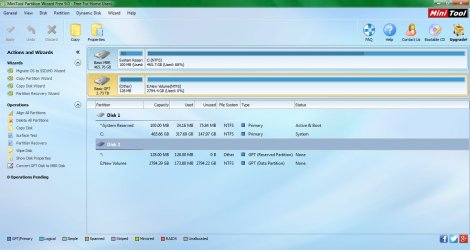
From the RAW condition when the data could have been read and copied, the HDD had regressed to the unknown, not initialized , unallocated condition with Partition Wizard showing it as Read only and Bad disk which perhaps indicates that the HDD was overwhelmed by a deluge of bad sectors and the drive controller shut off the HDD. Now I have formulated my strategy to be adopted in future
. If I feel that the OP has to get into Data recovery mode, I will not indicate how I want to go about it, which program I want to use etc., until the OP is ready with an empty HDD to copy it.
With a faulty HDD anything can happen at anytime and in any case the OP will require a replacement HDD.
With this preamble, I can still say we have atleast in one instance in SevenForums have successfully recovered data from a Read only, Bad disk HDD shown by PW.Whether it will work in this case or not is a million dollar question but that is the last option.
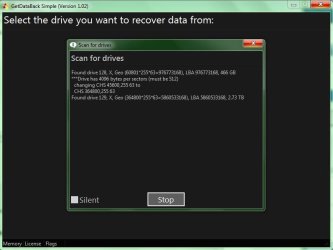
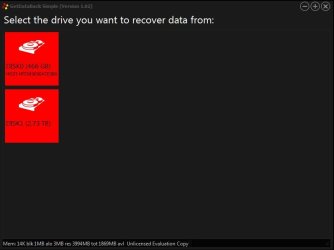
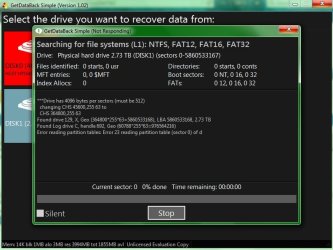
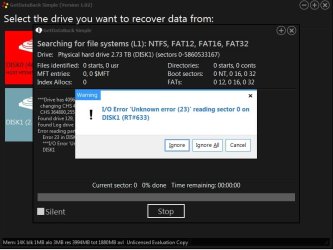
Now just download Getdataback simple here
https://www.runtime.org/data-recovery-software.htm run it and check whether it shows all your data. If it does show, you have to buy it to copy the data shown.You can see some screenshots here
http://www.sevenforums.com/hardware...nclosure-suddenly-became-raw.html#post3034678
Before you run this just post the screenshot of your new 3TB HDD in Partition Wizard which you say you had formatted as GPT, for me to check and clear.