since installing windows 7 cant access internet wireles

andy t

New member
Local time
6:19 AM
Messages
5
since installing windows 7 cant access internet wireles need help big time!
just updated my sony vaio from vista to Win 7 and cant access the internet wirelessly!
can access via ethernet cable no probs!
my driver is a intel (R) 5100 AGN, have updated it via intel website.
spoken to my isp and they guided me through changing my DNS numbers manually, which worked for ten minutes, then they reverted back to auto mode by thereselves.
Have changed my security settings from WPA to WPA 2 to try this as read somewhere on web that this may work , but to no avail.

my wireless connection is looks fine between router and and lap top but no internet connection exists.

any help would appreciated! desperate.
 

My Computer My Computer

At a glance

windows 7
OS
windows 7
Welcome to the forum,

What is the make model and version number of your router please?
 

My Computer My Computer

At a glance

Windows 7 Ult, Windows 8.1 Pro,Q9650-4.275GHz, E8600 4.5GHz, E6750-3.8GHzG.Skill PC2 9600 1200Mhz 5 5 5 15 2TGTX480
Computer type
PC/Desktop
Computer Manufacturer/Model Number
Home built
OS
Windows 7 Ult, Windows 8.1 Pro,
CPU
Q9650-4.275GHz, E8600 4.5GHz, E6750-3.8GHz
Motherboard
Evga 780i FTW
Memory
G.Skill PC2 9600 1200Mhz 5 5 5 15 2T
Graphics Card(s)
GTX480
Sound Card
Asus Xonar D2
Monitor(s) Displays
HannsG
Screen Resolution
1680X1050
Hard Drives
GSkill Phoenix Pro 120GB SSD
PSU
ThermalTake Toughpower 1000Watt modular
Case
ThermalTake XaserV
Cooling
Xigmatek S1283
Keyboard
Logitech G15
Mouse
Logitech G9
Internet Speed
T1
Thanks.
Speed touch 585 v6
 

My Computer My Computer

At a glance

windows 7
OS
windows 7
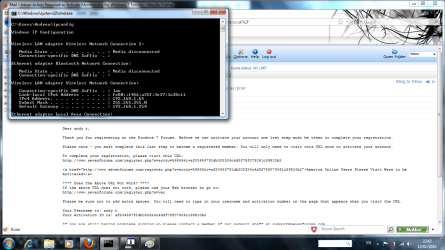
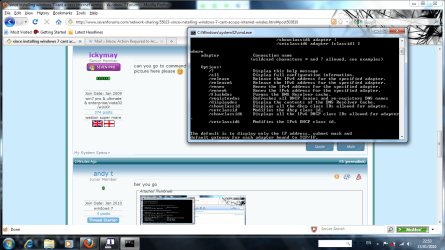
can you go to command prompt and type ipconfig /all observe the space and post a picture here please :)
 

My Computer My Computer

At a glance

win7 ultimate / virtual boxIntel Core i7 3770K,1155, Ivy BridgeGSkill Ripjaws Z Series 1600 CL 9.0 16GBKFA2 GeForce GTX 670 EX OC 2048MB GDDR5 PCI-E...
Computer Manufacturer/Model Number
built my own
OS
win7 ultimate / virtual box
CPU
Intel Core i7 3770K,1155, Ivy Bridge
Motherboard
MSI Z77A-G43
Memory
GSkill Ripjaws Z Series 1600 CL 9.0 16GB
Graphics Card(s)
KFA2 GeForce GTX 670 EX OC 2048MB GDDR5 PCI-E gfx card
Sound Card
onboard Nvidia HDMI audio
Monitor(s) Displays
ASUS VK222H 22" widescreen LCD monitor
Screen Resolution
1680x1050
Hard Drives
Kingston 128gb SSD
OCZ Vertex 90gb SSD
500GB WDCaviar 16mb 5000KS
320GB WDCaviar 16mb 3200AAKS sata 2
1TB Samsung 16mb HD103SJ sata 2
PSU
Corsair HX 750W ATX2.2 Modular
Cooling
Antec 25 Kuhler H2O 620
Keyboard
logitech
Mouse
logitech MX518
Internet Speed
7mb adsl
her you go
 

Attachments

  • Untitled.png
    Untitled.png
    101 KB · Views: 65

My Computer My Computer

At a glance

windows 7
OS
windows 7
Hmmm, sounds to me like you did have access to the wireless already when you set it up with your ISP but the connection wasn't stable for more than ten minutes.

First you might want to try the Intel site again because the drivers for your wifi were recently updated for Windows 7 on 1/7/2010 so that is the first thing I would try.
http://downloadcenter.intel.com/SearchResult.aspx?lang=eng&ProductFamily=Wireless+Networking&ProductLine=Intel%c2%ae+WiFi+Products&ProductProduct=Intel%c2%ae+WiFi+Link+5300+and+Intel%c2%ae+WiFi+Link+5100+products

Test out the new driver before getting to the router. You may need to reset your router to establish a new connection. There should be a reset button for this somewhere on the router.

Your router is not on the Windows 7 compatiblity list so it's never been officially tested.

Your router was discontinued awhile back so there is no support from Thomson for it.
You can download the new firmware from here which came from a German site. ZZQIAA8.225.rar

You need to plug your PC directly into the router and run the Wizard that should be included with the firmware.

I'm sure your ISP has already covered any possible problems with your DNS.
 
Last edited:

My Computer My Computer

At a glance

Windows 7 Ult, Windows 8.1 Pro,Q9650-4.275GHz, E8600 4.5GHz, E6750-3.8GHzG.Skill PC2 9600 1200Mhz 5 5 5 15 2TGTX480
Computer type
PC/Desktop
Computer Manufacturer/Model Number
Home built
OS
Windows 7 Ult, Windows 8.1 Pro,
CPU
Q9650-4.275GHz, E8600 4.5GHz, E6750-3.8GHz
Motherboard
Evga 780i FTW
Memory
G.Skill PC2 9600 1200Mhz 5 5 5 15 2T
Graphics Card(s)
GTX480
Sound Card
Asus Xonar D2
Monitor(s) Displays
HannsG
Screen Resolution
1680X1050
Hard Drives
GSkill Phoenix Pro 120GB SSD
PSU
ThermalTake Toughpower 1000Watt modular
Case
ThermalTake XaserV
Cooling
Xigmatek S1283
Keyboard
Logitech G15
Mouse
Logitech G9
Internet Speed
T1
sorry
 

Attachments

  • cmd.png
    cmd.png
    142.1 KB · Views: 54

My Computer My Computer

At a glance

windows 7
OS
windows 7
Have you tried appending in the DNS suffixes? Connect via cable, obtain the DNS through ipconfig /all (there should be 3) IPs and append these in your tcp/ipv4. Try that.

Otherwise, it could be the router's MAC cloning option.
 

My Computer My Computer

At a glance

Windows 7 Ultimate 64BitGenuineIntel Intel(R) Core(TM) DuoCore T2400 ...2.00 GBMobile Intel(R) 945 Express Chipset
Computer Manufacturer/Model Number
Lenovo ThinkPad T60
OS
Windows 7 Ultimate 64Bit
CPU
GenuineIntel Intel(R) Core(TM) DuoCore T2400 @ 1.83GHz
Motherboard
Intel(R) 82801G (ICH7 Family)
Memory
2.00 GB
Graphics Card(s)
Mobile Intel(R) 945 Express Chipset
Sound Card
SoundMAX Integrated Digital HD Audio
Monitor(s) Displays
ThinkPad Display
Screen Resolution
1400x1050
Hard Drives
100Gb SATA
Keyboard
Standard Keyboard
Mouse
HID-compliant Mouse
Internet Speed
Cable Broadband - 54Mbps
Other Info
Intel(R) PRO/1000 PL Network Connection
11a/b/g Wireless LAN Mini PCI Express Adapter
Back
Top