System Imaging Tool W7

Kado
I have never had a problem with windows locating images but I know some others have. Macrium is fine as well. But I vaguely recall once I had to do something to wake Macrium up.....
was it a refresh button, reconnect the external HDD, reboot the CD ????? sorry for being so vague but it did find it.
 

My Computer

Computer type
PC/Desktop
Computer Manufacturer/Model Number
Own build
OS
Windows 7x64 Home Premium SP1
CPU
Intel i7 2600k
Motherboard
ASUS P8Z68 Deluxe
Memory
G.Skill Ripjaws (DDR3-1600) 2x4GB
Graphics Card(s)
Nvidia GeForce GTS 450; Intel HD Graphics 3000(GT2+)
Monitor(s) Displays
Dell Ultrasharp IPS panel U2311H, Samsung SyncMaster P2350
Screen Resolution
1920x1080
Hard Drives
Samsung 850 Pro SSD 256GB, Samsung SSD 840 120GB, Seagates 1TB Barracuda ST31000528AS x2
PSU
Seasonic M12II 520W
Case
Lian Li Lancool PC-K60
Cooling
Case: 1x120mm, 3x140mm CPU: Hyper 212+
Keyboard
Logitech MK520 (wireless)
Mouse
Logitech MK520
Internet Speed
6-7 Mbps
Antivirus
Norton Security Premium, Malwarebytes on 2 (MSE on 3rd PC)
Browser
FireFox
Other Info
Audio: Logitech Z523 2.1
Kado
I have never had a problem with windows locating images but I know some others have. Macrium is fine as well. But I vaguely recall once I had to do something to wake Macrium up.....
was it a refresh button, reconnect the external HDD, reboot the CD ????? sorry for being so vague but it did find it.

Yes. I had to do something like that with Macrium. Switch the drive off and on and refresh but again it would only pick it up sometimes. I just felt too uncertain about it to trust that it would work when I needed it.
 

My Computer

Computer type
Laptop
Computer Manufacturer/Model Number
Hewlett-Packard/G62-107SA Notebook
OS
Microsoft Windows 7 Home Premium 64-bit Service Pack 1
CPU
Intel(R) Core(TM) i3 CPU M 330 @ 2.13GHz
Motherboard
Hewlett-Packard 1425
Memory
8 GB DDR3
Graphics Card(s)
Intel(R) HD Graphics
Sound Card
Realtek High Definition Audio
Monitor(s) Displays
Builtin
Screen Resolution
1366 x 768 x 32 bits (4294967296 colors) @ 60 Hz
Hard Drives
250 GB SATA Hard Disk Drive 7200 rpm
2TB Seagate GoFlex USB 2 Drive
1TB Iomega Prestige USB 2 Drive
1.5TB Iomega Prestige USB 2 Drive (Samsung)
2TB WD MyBook Live NAS.
Mouse
Logitech Anywhere MX
Internet Speed
152 Mbs download 10 Mbs upload
Antivirus
Norton 360
Browser
Chrome
If you have room on your back up hard drive as I do then use Windows System Image and Backup and free Macrium.
I have reimaged my C/ Win 7 OS twice with Windows Sytem Image and Backup. Did it just yesterday. They do work.
I also have the Macrium if Windows Image doesn't work.
If you have the space available you might as well use some of it. :D

Acronis seems to be good by all that use it. I haven't tried it myself. It would also be a good choice in place of Macrium.

Mike
Very good point, noted for future reference.
 

My Computer

Computer Manufacturer/Model Number
Look in my Signature.
OS
Win7 H.Prem. 32bit+SP1
I had to use the Windows System Image again today. Make it three times. LOL

So far so good! :D

MSE locked up the whole system. I had to use the Win 7 disk to run the System Image and it worked fine.

I'd use two no matter which two but Win 7 does work but may not every time thus Macrium for me or Acronis.

Mike
 

My Computer

Computer Manufacturer/Model Number
Hopalong/ Godzilla
OS
Windows7 Pro 64bit SP-1; Windows XP Pro 32bit
CPU
Intel Core i7-870 Lynnfield 2.93GHz LGA 1156 95W Quad-Core
Motherboard
ASUS P7P55D-E PRO
Memory
8GB@1400MHz Crucial Ballistix DDR3-1600 4x2GB
Graphics Card(s)
ASUS ENGTX460 DirectCU/2DI/1GD5 1GB 256-bit GDDR5
Sound Card
VIA Onboard
Monitor(s) Displays
Asus VS248H-P 24"; Samsung SyncMaster 941BW 19"ws
Screen Resolution
1920x1080; 1440x900
Hard Drives
Samsung 830 120GB SSD
Intel 320 120GB SSD
Western Digital Caviar Black WD7501AALS 750GB 7200 RPM SATA 3.0Gb/s
Western Digital Caviar Black WD6401AALS 640GB 7200 RPM SATA 3.0Gb/s
PSU
COOLER MASTER Silent Pro RS850-AMBAJ3-US 850W Modular
Case
COOLER MASTER HAF 932 RC-932-KKN5-GP Black
Cooling
Scythe "Mugen-2 Rev.B" (2 ScytheKaze-Jyuni PWM fans)
Keyboard
Logitech K-320
Mouse
Kensington
Antivirus
Avast Inernet Suite
Browser
IE 9 ; Chrome
In any case, what I recommend is to test whether those backups work for you. Now you do not want to do that on your real system, but on a test setup. I have detailed this little procedure (which looks like a lot but really is very easy) for the students of my classes at the computer club. Takes maybe half an hour to execute, but then you will have a much better feel for it.

Imaging Test (using Macrium)

1. Shrink 2GBs from C and define a logical drive (partition) - let's call it Y
2. Move some files (any files) into Y - I always also move the sample picture folder in (you'll see why)
3. Define a test folder on your external backup disk - call it Mtest
4. Make an image of Y to Mtest - requires that you make a new definition
5. Delete a couple of pictures from the sample picture folder on Y (I always use the 2 animals)
6. Reboot and tap (ESC, F2 or whatever it is on your system) to get into the BIOS boot sequence
7. Set your boot sequence to CD/DVD reader
8. Throw in the recovery CD and let it run, then hit Enter
9. Now you are in the recovery wizard, set it to Mtest where it says "Locate Image" and to Y where it says "Choose partition to overwrite with the image data".
Note: the partition letters may not be the same as on your system. Macrium uses its own lettering. Best is to go by the size of the partitions and open it with the little + in the front.
10. Watch out when it asks whether to replace the Master Boot Record - in this case say "do not replace" because this is only a data partition. If that were your system partition, you would replace the MBR provided you do not have a separate boot partition.
11. When you get the little window saying "Your computer will now reboot", you have to hit "Cancel" (on the bottom" to get it to reboot. That's a little strange way to end the session, but that's the way it is.
12. Check whether the 2 animals in the sample picture folder are back. That shows you that the recovery worked.

When you have done these steps, you did the whole cycle and have learned

1. That your recovery disk works
2. How to recover
3. That things work

Now you can delete the little 2GB partition and add it back to it's originating partition.
If you are not familiar with the creation and deletion of partitions, watch this tutorial: http://www.sevenforums.com/tutorials/72427-data-partition.html
 

My Computer

Computer Manufacturer/Model Number
HP, Dell, Gateway, Toshiba - 4 laptops and 2 desktops
OS
Vista, Windows7, Mint Mate, Zorin, Windows 8
CPU
from 1.6GHz Duo to i7
Monitor(s) Displays
2x HP w2207
Hard Drives
5x HDD, 7x SSD, 12x Externals
Keyboard
with trackball - no mices
Mouse
Trackball mice
Internet Speed
DSL 6000
I had to use the Windows System Image again today. Make it three times. LOL

So far so good! :D

MSE locked up the whole system. I had to use the Win 7 disk to run the System Image and it worked fine.

I'd use two no matter which two but Win 7 does work but may not every time thus Macrium for me or Acronis.

Mike
You might be interested in this if you haven't seen it
http://www.sevenforums.com/system-security/139571-mse-impact-backup-restore.html
and the linked thread.
I've said goodbye to MSE.
 

My Computer

Computer type
PC/Desktop
Computer Manufacturer/Model Number
Own build
OS
Windows 7x64 Home Premium SP1
CPU
Intel i7 2600k
Motherboard
ASUS P8Z68 Deluxe
Memory
G.Skill Ripjaws (DDR3-1600) 2x4GB
Graphics Card(s)
Nvidia GeForce GTS 450; Intel HD Graphics 3000(GT2+)
Monitor(s) Displays
Dell Ultrasharp IPS panel U2311H, Samsung SyncMaster P2350
Screen Resolution
1920x1080
Hard Drives
Samsung 850 Pro SSD 256GB, Samsung SSD 840 120GB, Seagates 1TB Barracuda ST31000528AS x2
PSU
Seasonic M12II 520W
Case
Lian Li Lancool PC-K60
Cooling
Case: 1x120mm, 3x140mm CPU: Hyper 212+
Keyboard
Logitech MK520 (wireless)
Mouse
Logitech MK520
Internet Speed
6-7 Mbps
Antivirus
Norton Security Premium, Malwarebytes on 2 (MSE on 3rd PC)
Browser
FireFox
Other Info
Audio: Logitech Z523 2.1
Hi All, reading all replys has got me thinking, and it poses 2 things I'm not sure about.
1, W7 backup & restore, have read BUT not understood. Does a system image,
backup the full hdd or just C: drive.
2, on the same subject, the last time I used it was when running Vista Home Prem., backup to an external hdd seemed to cause a problem with the hdd. What I found when doing a restore, was an unexplainable entry on the hdd. It caused the hdd to ask for a chkdsk to be run every time it was powered ON, the only way I could fix it was to copy all my files to another hdd then format it.
Once bitten, twice shy!
 

My Computer

Computer Manufacturer/Model Number
Look in my Signature.
OS
Win7 H.Prem. 32bit+SP1
Hi All, reading all replys has got me thinking, and it poses 2 things I'm not sure about.
1, W7 backup & restore, have read BUT not understood. Does a system image,
backup the full hdd or just C: drive.
2, on the same subject, the last time I used it was when running Vista Home Prem., backup to an external hdd seemed to cause a problem with the hdd. What I found when doing a restore, was an unexplainable entry on the hdd. It caused the hdd to ask for a chkdsk to be run every time it was powered ON, the only way I could fix it was to copy all my files to another hdd then format it.
Once bitten, twice shy!

Windows 7 backup does two type of backup.

1. An image backup of all partitions to either an external HDD or DVD (Rather a lot of them). You have no control over what partitions it backs up. It also limits the number of images it keeps to approximately one third of the HDD you are backing up to. You have to get creative and do images manually and rename old images to change that.

2. Data file backups which you can configure to backup just the folders you need. These are incremental backups collected into backup sets. You have no control over when windows decides a new backup set is started.

Some people have had problems with windows imaging but I have not.
 

My Computer

Computer type
Laptop
Computer Manufacturer/Model Number
Hewlett-Packard/G62-107SA Notebook
OS
Microsoft Windows 7 Home Premium 64-bit Service Pack 1
CPU
Intel(R) Core(TM) i3 CPU M 330 @ 2.13GHz
Motherboard
Hewlett-Packard 1425
Memory
8 GB DDR3
Graphics Card(s)
Intel(R) HD Graphics
Sound Card
Realtek High Definition Audio
Monitor(s) Displays
Builtin
Screen Resolution
1366 x 768 x 32 bits (4294967296 colors) @ 60 Hz
Hard Drives
250 GB SATA Hard Disk Drive 7200 rpm
2TB Seagate GoFlex USB 2 Drive
1TB Iomega Prestige USB 2 Drive
1.5TB Iomega Prestige USB 2 Drive (Samsung)
2TB WD MyBook Live NAS.
Mouse
Logitech Anywhere MX
Internet Speed
152 Mbs download 10 Mbs upload
Antivirus
Norton 360
Browser
Chrome
All the Windows backup and imaging facilities that I have used in XP, Vista and Win7 were flawed. There were always problems of all sorts. That's why I stay away from them and use OEM products that have always worked perfectly. What good is an imaging/backup facility if you cannot be sure what and how it images and cannot rely on it the day you need to restore.
 

My Computer

Computer Manufacturer/Model Number
HP, Dell, Gateway, Toshiba - 4 laptops and 2 desktops
OS
Vista, Windows7, Mint Mate, Zorin, Windows 8
CPU
from 1.6GHz Duo to i7
Monitor(s) Displays
2x HP w2207
Hard Drives
5x HDD, 7x SSD, 12x Externals
Keyboard
with trackball - no mices
Mouse
Trackball mice
Internet Speed
DSL 6000
Summary of results (lets just talk imaging):

1) kado897: Windows - fine; Macrium - bad experience, low confidence
2) whs: Windows - bad; Macrium - brilliant
3) mjf: Windows - never failed; Macrium - minor trouble once

Statistical significance - quite low! But you should get the point.
Don't trust any single imaging program. Use two.
They don't need to be the above two (but they are free).
 

My Computer

Computer type
PC/Desktop
Computer Manufacturer/Model Number
Own build
OS
Windows 7x64 Home Premium SP1
CPU
Intel i7 2600k
Motherboard
ASUS P8Z68 Deluxe
Memory
G.Skill Ripjaws (DDR3-1600) 2x4GB
Graphics Card(s)
Nvidia GeForce GTS 450; Intel HD Graphics 3000(GT2+)
Monitor(s) Displays
Dell Ultrasharp IPS panel U2311H, Samsung SyncMaster P2350
Screen Resolution
1920x1080
Hard Drives
Samsung 850 Pro SSD 256GB, Samsung SSD 840 120GB, Seagates 1TB Barracuda ST31000528AS x2
PSU
Seasonic M12II 520W
Case
Lian Li Lancool PC-K60
Cooling
Case: 1x120mm, 3x140mm CPU: Hyper 212+
Keyboard
Logitech MK520 (wireless)
Mouse
Logitech MK520
Internet Speed
6-7 Mbps
Antivirus
Norton Security Premium, Malwarebytes on 2 (MSE on 3rd PC)
Browser
FireFox
Other Info
Audio: Logitech Z523 2.1
Summary of results (lets just talk imaging):

1) kado897: Windows - fine; Macrium - bad experience, low confidence
2) whs: Windows - bad; Macrium - brilliant
3) mjf: Windows - never failed; Macrium - minor trouble once

Statistical significance - quite low! But you should get the point.
Don't trust any single imaging program. Use two.
They don't need to be the above two (but they are free).

You make a good point. Perhaps I'll look around for a second.
 

My Computer

Computer type
Laptop
Computer Manufacturer/Model Number
Hewlett-Packard/G62-107SA Notebook
OS
Microsoft Windows 7 Home Premium 64-bit Service Pack 1
CPU
Intel(R) Core(TM) i3 CPU M 330 @ 2.13GHz
Motherboard
Hewlett-Packard 1425
Memory
8 GB DDR3
Graphics Card(s)
Intel(R) HD Graphics
Sound Card
Realtek High Definition Audio
Monitor(s) Displays
Builtin
Screen Resolution
1366 x 768 x 32 bits (4294967296 colors) @ 60 Hz
Hard Drives
250 GB SATA Hard Disk Drive 7200 rpm
2TB Seagate GoFlex USB 2 Drive
1TB Iomega Prestige USB 2 Drive
1.5TB Iomega Prestige USB 2 Drive (Samsung)
2TB WD MyBook Live NAS.
Mouse
Logitech Anywhere MX
Internet Speed
152 Mbs download 10 Mbs upload
Antivirus
Norton 360
Browser
Chrome
Summary of results (lets just talk imaging):

1) kado897: Windows - fine; Macrium - bad experience, low confidence
2) whs: Windows - bad; Macrium - brilliant
3) mjf: Windows - never failed; Macrium - minor trouble once

Statistical significance - quite low! But you should get the point.
Don't trust any single imaging program. Use two.
They don't need to be the above two (but they are free).
LOL, you are probably right. If I had to choose a second one, it would probably be Paragon.
 

My Computer

Computer Manufacturer/Model Number
HP, Dell, Gateway, Toshiba - 4 laptops and 2 desktops
OS
Vista, Windows7, Mint Mate, Zorin, Windows 8
CPU
from 1.6GHz Duo to i7
Monitor(s) Displays
2x HP w2207
Hard Drives
5x HDD, 7x SSD, 12x Externals
Keyboard
with trackball - no mices
Mouse
Trackball mice
Internet Speed
DSL 6000
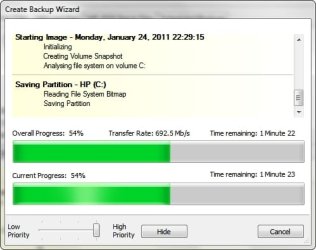
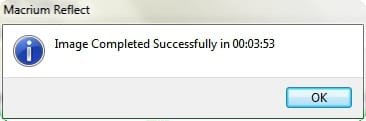
I have never had a problem with Macrium Reflect recognizing a drive. I did some Image Backups of my computer's 18 GB Win 7 partition to an external eSATA drive last night and all went well.

~Maxx~

Reflect_Logo_100-1.png
 

Attachments

  • Macrium Reflect 2011-01-24.jpg
    Macrium Reflect 2011-01-24.jpg
    25.4 KB · Views: 5
  • Macrium Reflect 3-53.jpg
    Macrium Reflect 3-53.jpg
    5.7 KB · Views: 3

My Computer

Computer Manufacturer/Model Number
HP HPE 270f
OS
Windows 7 x64 Home Premium
CPU
Intel Core i7 930 @ 2.8 Ghz Socket 1366 LGA
Motherboard
Pegatron Truckee v1.04E41
Memory
8 GB 1366 Mhz DDR3 (PC3-10700) RAM
Graphics Card(s)
ATI Radeon 5770 1 GB DDR5 RAM
Sound Card
Realtech High Definition
Monitor(s) Displays
32" Sony Bravia
Screen Resolution
1366 X 768
Hard Drives
Intel 25nm 120 GB Series 320 SSD HD Tune- 265 MBps Read/ 130 MBps Write

LaCie 1TB + 1TB RAID 0 eSATA Drive HD Tune- 160 MBps Read/ 90 MBps Write
Keyboard
Logitech Illuminated
Mouse
Logitech MX Revolution
Internet Speed
36.4 Mbps Maximum on a 37 Mbps Motorola SB501 Modem
Yes and if I kept screenshots I could show you the same for Macrium (+I verify and mount the image).
I could also show you the equivalent with windows imaging. Successful image - successful restore. Time and time again.

The simple logic. Others have not been so lucky and maybe one day I won't be so lucky.
 

My Computer

Computer type
PC/Desktop
Computer Manufacturer/Model Number
Own build
OS
Windows 7x64 Home Premium SP1
CPU
Intel i7 2600k
Motherboard
ASUS P8Z68 Deluxe
Memory
G.Skill Ripjaws (DDR3-1600) 2x4GB
Graphics Card(s)
Nvidia GeForce GTS 450; Intel HD Graphics 3000(GT2+)
Monitor(s) Displays
Dell Ultrasharp IPS panel U2311H, Samsung SyncMaster P2350
Screen Resolution
1920x1080
Hard Drives
Samsung 850 Pro SSD 256GB, Samsung SSD 840 120GB, Seagates 1TB Barracuda ST31000528AS x2
PSU
Seasonic M12II 520W
Case
Lian Li Lancool PC-K60
Cooling
Case: 1x120mm, 3x140mm CPU: Hyper 212+
Keyboard
Logitech MK520 (wireless)
Mouse
Logitech MK520
Internet Speed
6-7 Mbps
Antivirus
Norton Security Premium, Malwarebytes on 2 (MSE on 3rd PC)
Browser
FireFox
Other Info
Audio: Logitech Z523 2.1
I use 3 different ones for all the above reasons in this thread. Some programs work for some users but not for others. Just out of curiosity, do you think it possible that it could be hardware setup? Some imaging programs may work better on certain types of hardware than they do on others. Just a thought.

Also: It has probably been mentioned here, but if you have a Seagate or Western Digital internal or external they both offer free versions of a scaled down version of Acronis.
 

My Computers

System One System Two

  • Computer type
    PC/Desktop
    Computer Manufacturer/Model Number
    ALWAYS UNDER CONSTRUCTION
    OS
    Windows 11 Pro
    CPU
    Ryzen 9 5900X
    Motherboard
    Asus X570 Crosshair Viii Hero
    Memory
    32GB G Skill DDR4-3600
    Graphics Card(s)
    EVGA RTX 3080 FTW 3 Ultra
    Sound Card
    On Board/Sennheiser PC37X Headset
    Monitor(s) Displays
    3 X Asus 27"
    Screen Resolution
    2560x1440
    Hard Drives
    2 X 1 TB NVME drives
    PSU
    EVGA 850
    Case
    Phanteks Eclipse P400A
    Cooling
    EVGA 280 AIO
    Keyboard
    Logitech G510s/ Logitech G13
    Mouse
    Logitech G502
    Internet Speed
    24/1
    Antivirus
    ESET/MBAM Pro/SAS Pro
    Browser
    Chrome/ Firefox/ Edge
  • Computer type
    Laptop
    System Manufacturer/Model Number
    Dell 16 Plus
    OS
    Windows 11 Pro
    CPU
    Intel Ultra 9 288V
    Memory
    32 GB LPDDR5X 8533
    Monitor(s) Displays
    16" Mini-LED HDR600 Touch 90 Hz
    Screen Resolution
    2560X1600
    Hard Drives
    1 TB NVME
I think in my case it is probably the hardware setup.
 

My Computer

Computer type
Laptop
Computer Manufacturer/Model Number
Hewlett-Packard/G62-107SA Notebook
OS
Microsoft Windows 7 Home Premium 64-bit Service Pack 1
CPU
Intel(R) Core(TM) i3 CPU M 330 @ 2.13GHz
Motherboard
Hewlett-Packard 1425
Memory
8 GB DDR3
Graphics Card(s)
Intel(R) HD Graphics
Sound Card
Realtek High Definition Audio
Monitor(s) Displays
Builtin
Screen Resolution
1366 x 768 x 32 bits (4294967296 colors) @ 60 Hz
Hard Drives
250 GB SATA Hard Disk Drive 7200 rpm
2TB Seagate GoFlex USB 2 Drive
1TB Iomega Prestige USB 2 Drive
1.5TB Iomega Prestige USB 2 Drive (Samsung)
2TB WD MyBook Live NAS.
Mouse
Logitech Anywhere MX
Internet Speed
152 Mbs download 10 Mbs upload
Antivirus
Norton 360
Browser
Chrome
Hi All, this thread gets more interesting as it grows. As stated above, it can depend on system set up, I don't remember what mine was when I used Macrium, Paragon or Windows, all I do know is my current set up on both my toys means I trust Acronis.
On my L Top, I use Outpost Security Suite Free, Winpatrol, OpenDNS and a weekly 'online scan' by the various top rated companys.
On my D Top, I use Outpost FW Pro, Avast 5.0, (quick scan weekly, full scan monthly). OP FW and most AV's do not work well together, so OP is added to Avast's exclusion list. OP also has the best, IMHO, ad blocker. When both OP's were tested using Comodo's Leak Test gave a perfect score.
Are you sure their is no conflicting app's on your PC ?
 

My Computer

Computer Manufacturer/Model Number
Look in my Signature.
OS
Win7 H.Prem. 32bit+SP1
I have used Acronis for a couple of years, I seem to like version 2010 the most. I bought mine for a really reasonable price at the user group store at ugr.com . I don't have financial interest but at $25 a copy, it is cheap. I have 4 small external usb/esata drives and make images of my C on a weekly basis as well as my D on a irregular basis.

You can never have too many backups but the most important thing is to always make an image before you install any new program. Even those that might not screw up your system.

Microsoft's built in imaging program won't restore to a new drive that is smaller than the one that the image was created from. Larger, yes but not smaller. Even though you might have huge free space on the orginal drive.

YMMV
Rich
 

My Computer

Computer type
Laptop
Computer Manufacturer/Model Number
Toshiba Laptop Qosimo X870
OS
Windows 7 Pro x64 SP1
CPU
Intel Core I7
Motherboard
Toshiba Qosmio
Memory
16 Gigs
Graphics Card(s)
NVIDIA GeForce GTX 670M
Monitor(s) Displays
17.7" laptop
Screen Resolution
1600 x 900
Hard Drives
256 Gig SanDisk SSD for C
256 Gig Intel SSD for D
Internet Speed
50/25 FIOS
Antivirus
Vipre (all you can eat for 10 machines)
Browser
IE and FF
Other Info
I have dos 6.22, wfwg 3.11, win98, 2000 and xp VHD's available for testing. MS's Virtual PC works great.
I think in my case it is probably the hardware setup.

Aha. I have found a technique to reliably find my backup drive with the Macrium boot CD. When I get the available disks display with the backup disk missing I switch off the disk, wait 10 seconds, turn it back on and press refresh. It worked 10 out of 10 times so I am now happy. I have now also done a complete cycle on a small test partition. Marcrium will now be my second imaging tool :D
 

My Computer

Computer type
Laptop
Computer Manufacturer/Model Number
Hewlett-Packard/G62-107SA Notebook
OS
Microsoft Windows 7 Home Premium 64-bit Service Pack 1
CPU
Intel(R) Core(TM) i3 CPU M 330 @ 2.13GHz
Motherboard
Hewlett-Packard 1425
Memory
8 GB DDR3
Graphics Card(s)
Intel(R) HD Graphics
Sound Card
Realtek High Definition Audio
Monitor(s) Displays
Builtin
Screen Resolution
1366 x 768 x 32 bits (4294967296 colors) @ 60 Hz
Hard Drives
250 GB SATA Hard Disk Drive 7200 rpm
2TB Seagate GoFlex USB 2 Drive
1TB Iomega Prestige USB 2 Drive
1.5TB Iomega Prestige USB 2 Drive (Samsung)
2TB WD MyBook Live NAS.
Mouse
Logitech Anywhere MX
Internet Speed
152 Mbs download 10 Mbs upload
Antivirus
Norton 360
Browser
Chrome
Back
Top