
You are using an out of date browser. It may not display this or other websites correctly.
You should upgrade or use an alternative browser.
You should upgrade or use an alternative browser.
System Reserved Partition
- Thread starter Dimesh
- Start date

- Local time
- 6:20 AM
- Messages
- 50,634
You said:
This is the first time you have told us this.
Can you start Win7 now?
Yes or No?
the windows is starting good there is no problem here.
This is the first time you have told us this.
Can you start Win7 now?
Yes or No?
- Local time
- 6:20 AM
- Messages
- 50,634
Nowhere did you tell us that Win7 is working. Instead you let us try to help you fix it.
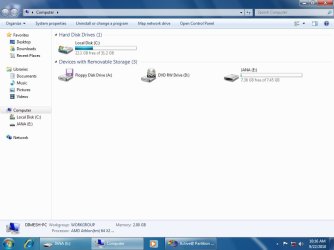
Look for your files in all of the folders in Start>Computer.
You can try using Recuva Data Recovery to scan the HD to recover your lost files. You may have deleted them.
Look for your files in all of the folders in Start>Computer.
You can try using Recuva Data Recovery to scan the HD to recover your lost files. You may have deleted them.
My Computer
- OS
- Windows 7 Professional 32-bit
- Local time
- 6:20 AM
- Messages
- 50,634
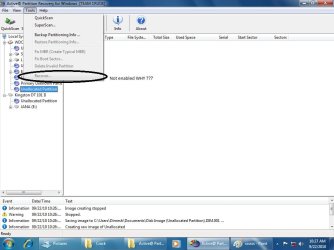
Since DISKPART was wrong about C volume being empty, I thought maybe another drive would show up.
As I said you need to use Data Recovery software like Recuva to recover lost files.
I would guess you have to run the Scan at the top of the menu to see if that program finds anything.
Most people around here recommend Recuva. I've never used it.
As I said you need to use Data Recovery software like Recuva to recover lost files.
I would guess you have to run the Scan at the top of the menu to see if that program finds anything.
Most people around here recommend Recuva. I've never used it.
i try this program right now and it find in simple scan some files on E partition but i try deep scan to see more if it possible.
do you think it will find 232 GB of files aand get it or some only
do you think it will find 232 GB of files aand get it or some only
My Computer
- OS
- Windows 7 Professional 32-bit
please i hope you give an answer for this question:
HOW can i or any program see An Unallocated space ?
If you find an answer may be there is a solution for my problem
no program found any partitions
can you understand me ....
HOW can i or any program see An Unallocated space ?
If you find an answer may be there is a solution for my problem
no program found any partitions
can you understand me ....
My Computer
- OS
- Windows 7 Professional 32-bit

- Local time
- 6:20 AM
- Messages
- 50,634
I believe file recovery software like Recuva scans all of the HD.
In the future, remember to back up your files externally at all times.
In the future, remember to back up your files externally at all times.

I believe file recovery software like Recuva scans all of the HD.
In the future, remember to back up your files externally at all times.
If I remember correctly, Recuva can only scan actual partitions and not unallocated space. I am unaware of any recovery program that can scan unallocated space. (Since the operating system you run on will only see it as literally nothing, nada, ziltch)
My Computer
- Computer Manufacturer/Model Number
- Custom | Whitebox
- OS
- Windows 7 Ultimate, OS X 10.7, Ubuntu 11.04
- CPU
- Intel E6750 @ 3.80GHz
- Motherboard
- Gigabyte GA-EP45-UD3L (Revision 1.1)
- Memory
- 2x2GB & 2x1GB (6GB) OCZ Reaper 1066MHz @ 1080MHz
- Graphics Card(s)
- EVGA nVidia GTX 260 896mb (216 Core) FTW Edition
- Sound Card
- Realtek ALC888
- Monitor(s) Displays
- 21" VIZIO TV
- Screen Resolution
- 1680x1050 @ 60Hz
- Hard Drives
- Western Digital WD6401AALS - 640GB
Hitachi HDP725016GLA380 - 160GB
- PSU
- Corsair 750W
- Case
- NZXT Nemesis Elite
- Cooling
- Thermaltake SpinQ
- Keyboard
- Logitech Wireless S520
- Mouse
- Logitech Wireless S520 - Microsoft Wireless Arc Mouse
- Internet Speed
- Download: 20mbps, Upload: 3mbps
Ok is there any thing you recommend me before formatting ?
If that was directed towards me, then no. Sorry, I do not have much knowledge in regards to recovery of files after being deleted.
Last time I attempted to use Recuva, it failed. Miserably. I wish you the best of luck and hope someone more knowledgeable in this area can help you.
My Computer
- Computer Manufacturer/Model Number
- Custom | Whitebox
- OS
- Windows 7 Ultimate, OS X 10.7, Ubuntu 11.04
- CPU
- Intel E6750 @ 3.80GHz
- Motherboard
- Gigabyte GA-EP45-UD3L (Revision 1.1)
- Memory
- 2x2GB & 2x1GB (6GB) OCZ Reaper 1066MHz @ 1080MHz
- Graphics Card(s)
- EVGA nVidia GTX 260 896mb (216 Core) FTW Edition
- Sound Card
- Realtek ALC888
- Monitor(s) Displays
- 21" VIZIO TV
- Screen Resolution
- 1680x1050 @ 60Hz
- Hard Drives
- Western Digital WD6401AALS - 640GB
Hitachi HDP725016GLA380 - 160GB
- PSU
- Corsair 750W
- Case
- NZXT Nemesis Elite
- Cooling
- Thermaltake SpinQ
- Keyboard
- Logitech Wireless S520
- Mouse
- Logitech Wireless S520 - Microsoft Wireless Arc Mouse
- Internet Speed
- Download: 20mbps, Upload: 3mbps
Hello.
I would also like to create the 100MB system partition.
I cannot use the automated windows installation to do it because my Windows is located on an external disk and common installation and repair methods refuse to work on USB drives.
(I installed it with the deployment tool imagex, before I created a primary partition manually, leaving 100MB of unallocated space)
It works right but it hasn't created the 100MB System reserved partition.
Everything has been installed on to the C: partition instead.
How could I manually create that partition Or how can I get that Windows use the unallocated space for it?
I cannot see the option to "tag" a partition as "system" (keeping it hidden and not primary) on diskpart or Easeus partition master.
Thanks
I would also like to create the 100MB system partition.
I cannot use the automated windows installation to do it because my Windows is located on an external disk and common installation and repair methods refuse to work on USB drives.
(I installed it with the deployment tool imagex, before I created a primary partition manually, leaving 100MB of unallocated space)
It works right but it hasn't created the 100MB System reserved partition.
Everything has been installed on to the C: partition instead.
How could I manually create that partition Or how can I get that Windows use the unallocated space for it?
I cannot see the option to "tag" a partition as "system" (keeping it hidden and not primary) on diskpart or Easeus partition master.
Thanks
My Computer
- Computer type
- PC/Desktop
- OS
- Windows 7 64 bit
- Local time
- 6:20 AM
- Messages
- 50,634
Answered in your other thread: 200 Meg hidden System partition - Page 2 - Windows 7 Help Forums
Similar threads

- Replies
- 3
- Views
- 3K

- Replies
- 5
- Views
- 3K

- Replies
- 2
- Views
- 3K
- Replies
- 6
- Views
- 8K