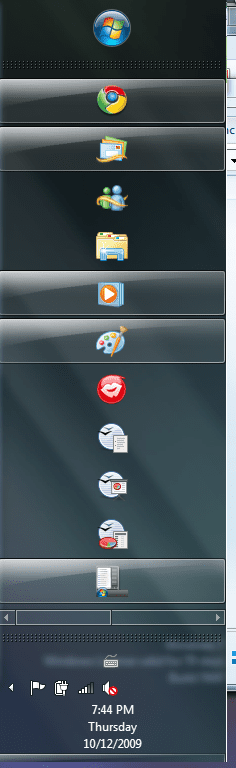
taskbar doesn't stack when vertical?

FuturDreamz

Spacemonaut
Guru
Local time
5:08 AM
Messages
1,660
Location
Lethbridge, AB
Take a look at the following pics.
there's the same number of apps in the taskbar, but when vertically it only scrolls when overfilled, even when you stretch the taskbar for more room. I find this stupid because when it's vertical that's when you need the stacking feature more.
 

Attachments

  • Horizontal.png
    Horizontal.png
    50.7 KB · Views: 28
  • Vertical.png
    Vertical.png
    47.2 KB · Views: 54

My Computer

Computer type
PC/Desktop
Computer Manufacturer/Model Number
Apple 17" iMac MA199LL (Early 2006)
OS
Windows 8 Pro (32-bit)
CPU
1.83GHz Intel Core Duo
Memory
2GB 667MHz DDR2 SDRAM (PC2-5300) (upgrade)
Graphics Card(s)
ATI Radeon X1600 with 128MB GDDR3 memory
Monitor(s) Displays
17-inch TFT active-matrix LCD, millions of colors
Screen Resolution
1440 x 900
Hard Drives
Hitachi 320GB HDT721032SLA360 7200RPM SATA II (upgrade)
Keyboard
Microsoft Wired Keyboard 600
Mouse
Microsoft Basic Optical Mouse v2.0
Internet Speed
4 Mbps
Antivirus
Microsoft Security Essentials
Browser
Google Chrome
Other Info
WEI:
Base Score: 3.9 Processor: 4.4 Memory 4.7
Graphics: 3.9 Gaming Graphics: 4.1 Primary HD: 5.9
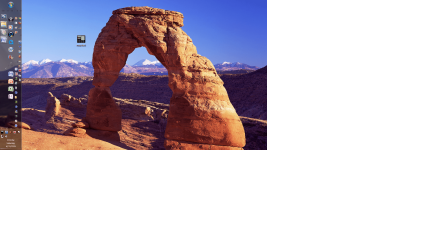
Vertical stacking possible

I tried to create columns of small icons.

It's a mess, but vertical columns can be created if you make a folder, add it as a toolbar. If you have a few, you can drag them to the right and then place them in vertical columns. Maybe someone more creative than me can make it look good, but at least there's possibly a way....
 

Attachments

  • verticalfinal.png
    verticalfinal.png
    431.9 KB · Views: 53

My Computer

OS
W7
Here's an updated and cleaner version of the vertical taskbar with columns:
 

Attachments

  • vertical.png
    vertical.png
    129.8 KB · Views: 65

My Computer

OS
W7
I moved the main taskbar to the right column.
I moved a folder toolbar called Office 2007 with large fonts to the far left top.
I moved a folder toolbar called fun to the bottom and opened it with small icons and text so I could see three common folders I need.
I moved a folder toolbar called Technology to the bottom, and left the quicklaunch arrow there so it opens as you can see.

How does it look?
 

My Computer

OS
W7
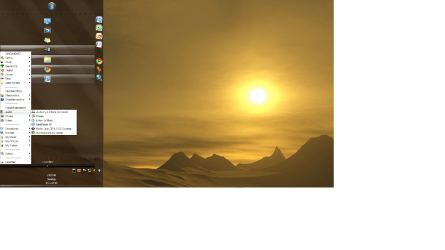
Here is the final version. I opened up the taskbar far right so you could see all the elements, but normally it is very tight to the left.

I am using two columns with one as a folder toolbar with transparent spacers for the right column, and a Launcher folder toolbar that is closed at the bottom where I can hit the arrow and open quickly to multiple folders, and the normal taskbar.

The next prob: If you lock the taskbar, the Launcher folder at the bottom opens up. But if you just auto hide it, or leave it unlocked, it stays the way you see it.
 

Attachments

  • finalpicc.png
    finalpicc.png
    271 KB · Views: 21

My Computer

OS
W7
Way ahead of you.
Over three month latency will do that.
 

My Computer

Computer type
PC/Desktop
Computer Manufacturer/Model Number
Apple 17" iMac MA199LL (Early 2006)
OS
Windows 8 Pro (32-bit)
CPU
1.83GHz Intel Core Duo
Memory
2GB 667MHz DDR2 SDRAM (PC2-5300) (upgrade)
Graphics Card(s)
ATI Radeon X1600 with 128MB GDDR3 memory
Monitor(s) Displays
17-inch TFT active-matrix LCD, millions of colors
Screen Resolution
1440 x 900
Hard Drives
Hitachi 320GB HDT721032SLA360 7200RPM SATA II (upgrade)
Keyboard
Microsoft Wired Keyboard 600
Mouse
Microsoft Basic Optical Mouse v2.0
Internet Speed
4 Mbps
Antivirus
Microsoft Security Essentials
Browser
Google Chrome
Other Info
WEI:
Base Score: 3.9 Processor: 4.4 Memory 4.7
Graphics: 3.9 Gaming Graphics: 4.1 Primary HD: 5.9

I am lame.

I looked around and figured out how to create a new tool bar, but I haven't figured out how to get it not to coexist on the same toolbar as the main task bar.

Any hints welcome. ;)
 

My Computer

Computer Manufacturer/Model Number
Gateway GM5472
OS
Windows 7 Home Premium (64 bit)
CPU
AMD Athlon 56 X2 5000+
Motherboard
ECS MCP61P-AM
Memory
4.0 GB
Graphics Card(s)
Sapphire HD 4350 fanless w/512MB
Monitor(s) Displays
VeiwSonic VX2035WM
Screen Resolution
1680x1050
Other Info
Stock system except for the addition of 2GB memory, a Swann PCDVR 4 Card and a Hauppage dual HD tuner and a Sapphire HD 4550 video card
apparently in Windows 7 all toolbars have to be on the same strip.
 

My Computer

Computer type
PC/Desktop
Computer Manufacturer/Model Number
Apple 17" iMac MA199LL (Early 2006)
OS
Windows 8 Pro (32-bit)
CPU
1.83GHz Intel Core Duo
Memory
2GB 667MHz DDR2 SDRAM (PC2-5300) (upgrade)
Graphics Card(s)
ATI Radeon X1600 with 128MB GDDR3 memory
Monitor(s) Displays
17-inch TFT active-matrix LCD, millions of colors
Screen Resolution
1440 x 900
Hard Drives
Hitachi 320GB HDT721032SLA360 7200RPM SATA II (upgrade)
Keyboard
Microsoft Wired Keyboard 600
Mouse
Microsoft Basic Optical Mouse v2.0
Internet Speed
4 Mbps
Antivirus
Microsoft Security Essentials
Browser
Google Chrome
Other Info
WEI:
Base Score: 3.9 Processor: 4.4 Memory 4.7
Graphics: 3.9 Gaming Graphics: 4.1 Primary HD: 5.9
Back
Top