michmarz24
New member
- Local time
- 3:26 AM
- Messages
- 11
I know there are other threads with this title, however I cannot find a solution.
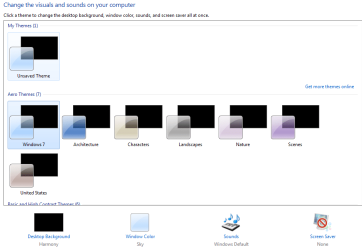
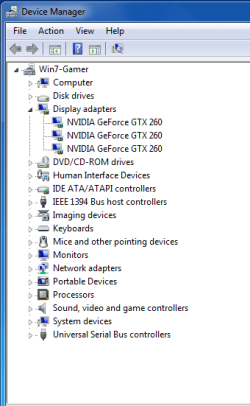
I have done the check the enable thumbnail view and unchecked the always show icons never thumbnails option. However this does not fix the issue. It's not just pictures in folders I am having issues with. When I right click the desktop and select personalize all the preview options are black (no pics or icons).
I don't want to have to re-install the OS so any help would be greatly appreciated.
I have done the check the enable thumbnail view and unchecked the always show icons never thumbnails option. However this does not fix the issue. It's not just pictures in folders I am having issues with. When I right click the desktop and select personalize all the preview options are black (no pics or icons).
I don't want to have to re-install the OS so any help would be greatly appreciated.
My Computer
- Computer Manufacturer/Model Number
- Me
- OS
- Windows 7
- CPU
- Core i7 920
- Motherboard
- EVGA x58 SLI LE
- Memory
- 12gb Corsair
- Graphics Card(s)
- EVGA Geforce 260 superclocked x3
- Sound Card
- n/a
- Monitor(s) Displays
- Samsung SyncMaster T240HD
- Hard Drives
- WD 300gb Velociraptor and 500gb WDC WD5000AAKS
- PSU
- HX1000W Corsair PS
- Case
- Antec 900
- Cooling
- Various Fans