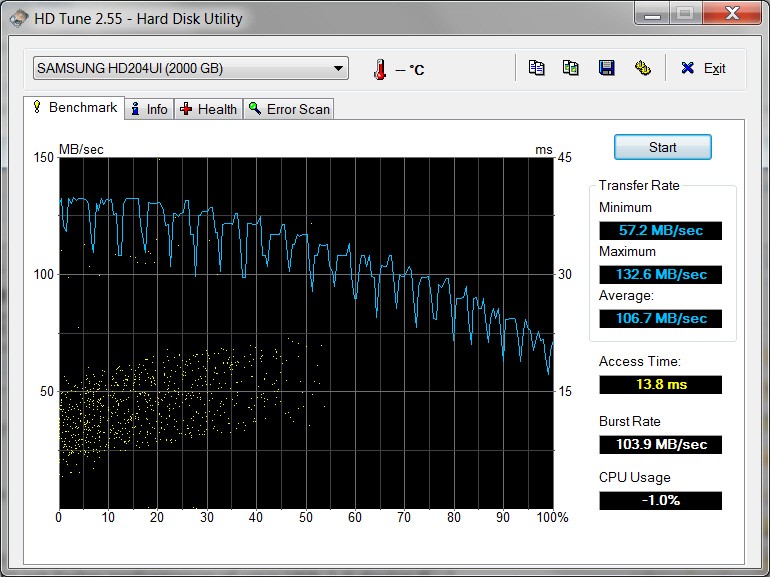
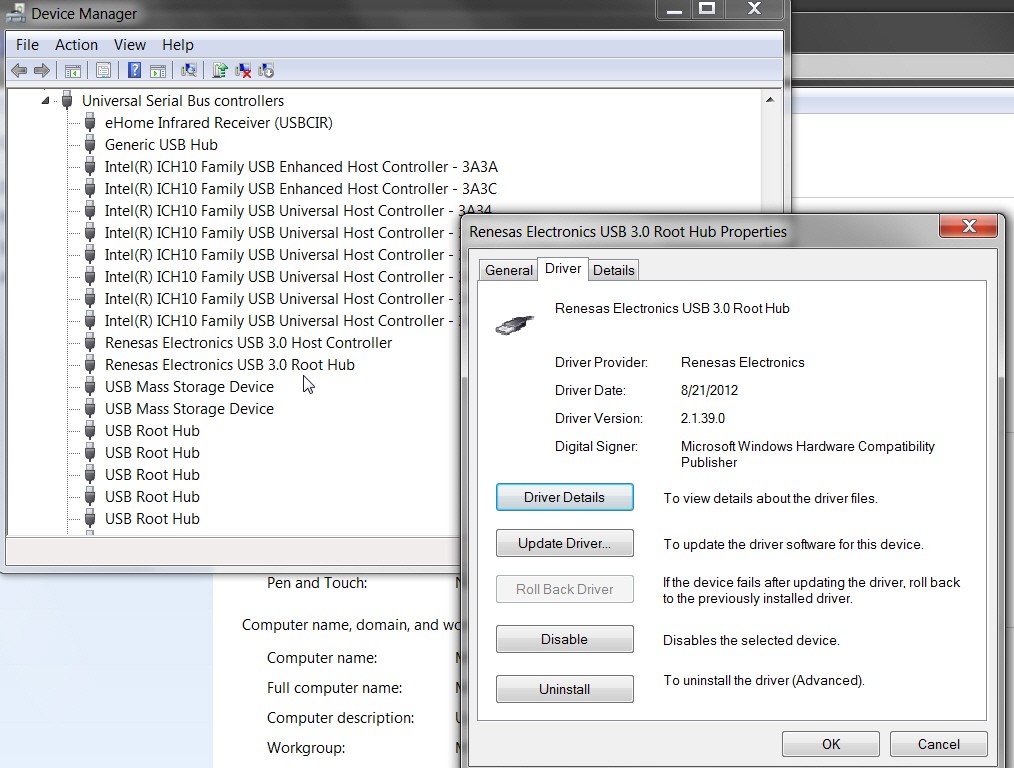
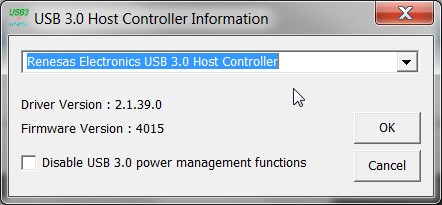
There are LOTS of variables here, but I still think your Transcend card is actually working properly. I think the "culprit" definitely is your Samsung M3 drive.
For example, is it formatted FAT32 (from the factory)? I think if you re-format it to NTFS it might perform a bit better, but don't hold me to it.
Also, just because USB 3.0 "promises" 10X the speed of USB 2.0, things don't happen quite that way in the real world... especially when other factors such as CPU speed, motherboard chipset and SATA/USB controller hardware, data file block size, etc., are taken into consideration. You may get terrific performance (e.g. doing a "system image" backup to a external USB 3.0 drive with Macrium Reflect) which might be up there at about 900Mb/s, or you might get "file copy" showing wide variations depending on source device and source file characteristics.
Just to demonstrate how variable this all can be (and yet it's all absolutely using USB 3.0), I ran some more of my own experiments, using a "decently strong" desktop and a "decently strong" laptop:
(a) desktop - ASUS P8Z77, 8GB, i5-3350p quadcore @ 3.1Ghz, Intel Z77 chipset USB 3.0, Asmedia USB 3.0; multiple SATA hard drives
(b) laptop - Lenovo W530, 8GB, i7-3740QM quadcore @ 2.7Ghz, Intel QM77 chipset USB 3.0; 512GB Samsung 840 Pro SSD
The desktop machine has two different 2TB Verbatim USB 3.0 drives attached. I've installed probably nine different Verbatim drives on assorted machines, and it seems that each one comes with yet another different internal SATA drive inside. These two particular Verbatim drives have (a) Seagate ST2000DL003 in one, and (b) Seagate ST2000DM001 in the other. The DL003 (drive letter W) is a 5900rpm SATA-III 6GB/s drive with 64MB cache and is plugged into one of the Asmedia USB 3.0 ports on the motherboard, and the DM001 (drive letter V) is a 7200rpm SATA-III 6GB/s drive with 64MB cache plugged into one of the Intel USB 3.0 ports on the motherboard.
The laptop machine has one 2TB Verbatim USB 3.0 drive attached, and this time it's actually a Toshiba DT01ACA200 drive inside (drive letter V). This is a 7200rpm SATA-III 6GB/s drive with 32MB cache and is plugged into one of the Intel USB 3.0 ports on the laptop. The laptop has a 512GB Samsung 840 Pro SSD drive in it (no other hard drive).
The experiments involved copying a 5GB file (a WTV recorded TV file), initially located on the M partition of the desktop machine. This is a WD2002FAEX (WD Caviar Black) 7200rpm SATA-III 6GB/s 64MB cache drive. All drives are formatted as NTFS.
The same 5GB file was copied with four different source/destination combinations and resulting elapsed durations:
(1) desktop: copy 5GB file from M to V - 50 seconds
(2) desktop: copy 5GB file from M to W - 1 minute 12 seconds
(3) copy 5GB file from desktop M to D-partition (on SSD) in the laptop via my gigabit network - 54 seconds
(4) laptop: copy 5GB file from D (on SSD) to V (USB 3.0) - 33 seconds
Obviously, (1) and (2) demonstrates that with the same source drive speed, the copy time is a function of the destination drive speed. Since the source is the same and both target drives are USB 3.0, the only possible explanation for the 50 seconds vs. 1 minute 12 seconds different copy durations must be the different speeds of the target drives (I assume the Asmedia and Intel USB 3.0 speeds are the same).
And (4) demonstrates that if the source drive (SSD) is significantly faster (than SATA-III hard drive), once again copy duration can be significantly reduced.
So depending on source and destination hardware characteristics, the same 5GB file copy can take either 33 seconds, 50 seconds, or 1 minute 12 seconds.
==> I think your particular situation is caused by the "very modest performance" of the Samsung M3 drive.
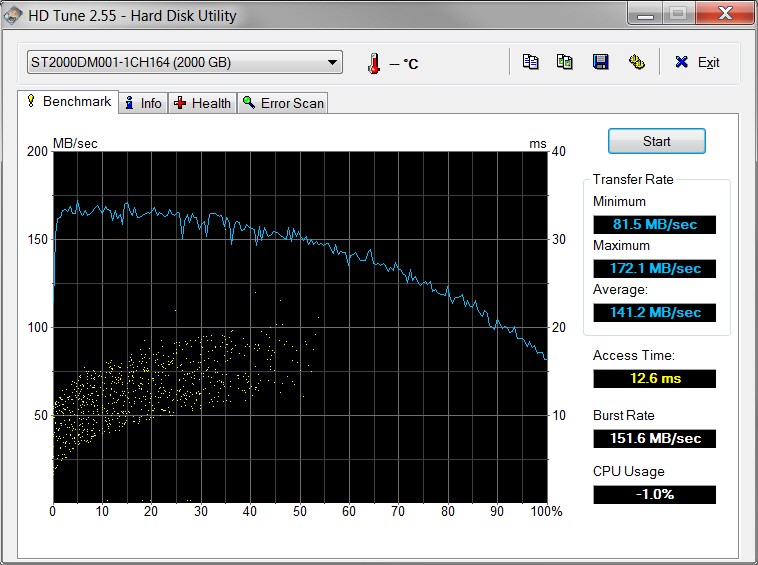
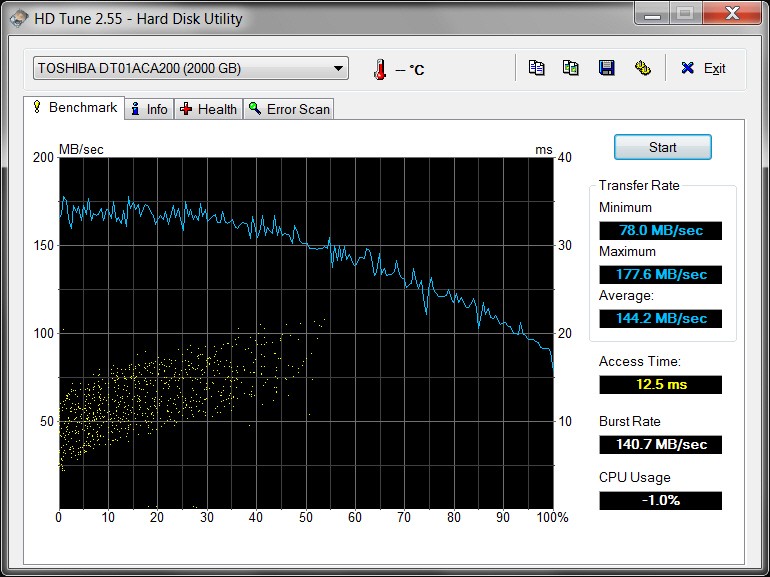
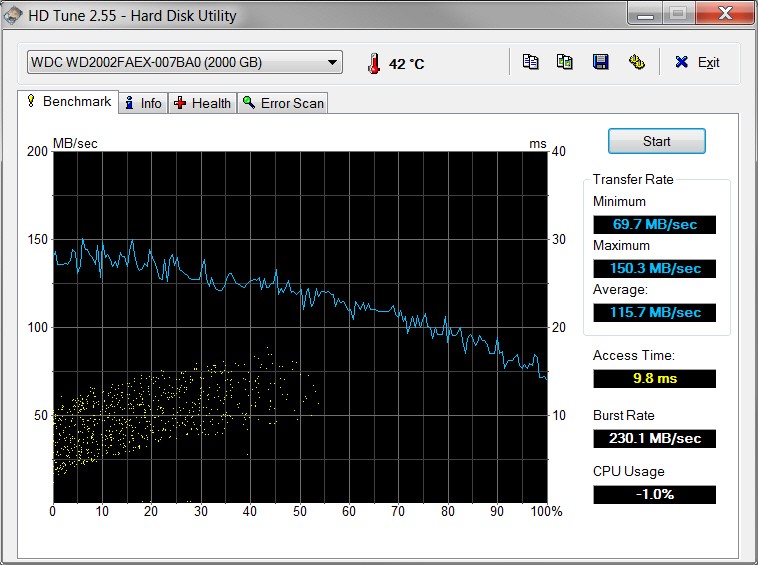
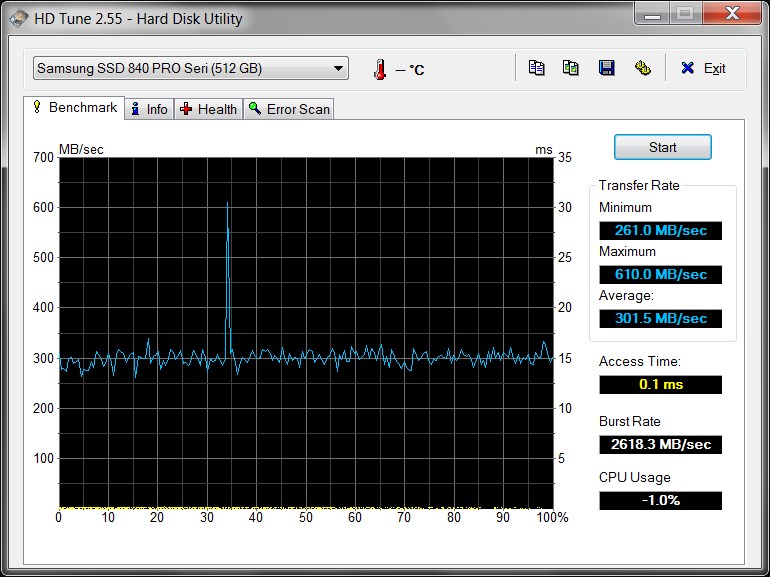
For reference, the following HD Tune benchmarks are provided showing very different performance characteristics between them all. All three different Verbatim drives are provided, along with the WD2002FAEX "source" drive on the desktop, along with the 512GB Samsung 840 Pro SSD on the laptop.
Note the significant increase in performance between the Verbatim DL003 vs. both the Verbatim DM001 as well as the Toshiba DT01ACA200. And yet all three are considered "USB 3.0".
(1) Verbatim DL003 (W - desktop)
(2) Verbatim DM001 (V - desktop)
(3) Verbatim DT01ACA200 (V - laptop)
(4) WD2002FAEX (M - desktop)
(5) 512GB Samsung 840 Pro (laptop), with Samsung Magician software running on the laptop, utilizing "rapid mode" and "over provisioning" for optimized SSD performance: