Unable to access user profile on Windows 7

snakey465

New member
Local time
9:14 PM
Messages
4
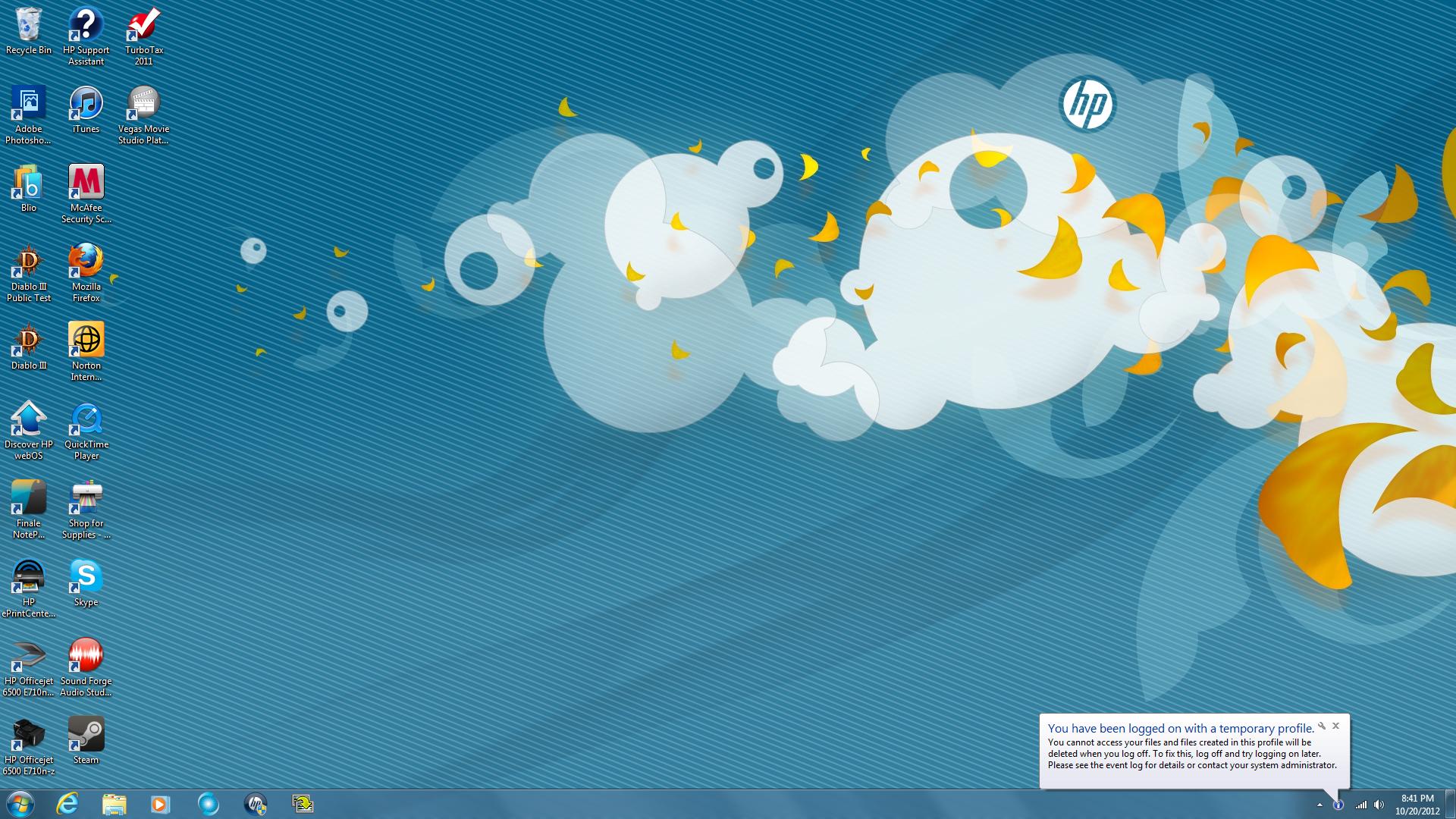
When I try to log onto a user account it logs me into this screen on a temporary profile.
r24iq.jpg


This same problem happened about 1-2 months ago on the first user profile on the computer. My cousin and I searched google and all we could find was deleting 1 of 2 registries or something along those lines, we tried and it didn't work. Since the problem seemed like a one in a million shot, we eventually settled on copying the contents of the other user profile into a new user profile through the hidden administrator account. We just used that account instead. The other account is still on the computer as well and I need help fixing the problem.

I would use the event log as stated by the bubble, but I don't know how to use it.
 

My Computer My Computer

Computer Manufacturer/Model Number
HP Pavillian HPE (h8-1160t)
OS
windows 7 home premium 64-bit
Memory
12 GB RAM (16 GB in the computer, don't ask)
Graphics Card(s)
AMD Radeon HD 6670
After you deleted those registries files did you delete the profile off the C drive under Users?
 

My Computer My Computer

Computer type
PC/Desktop
Computer Manufacturer/Model Number
Apple 2012 Mac Mini
OS
Mac OS X 10.9
CPU
Intel i7 Ivy Bridge (2.3Ghz)
Motherboard
Apple
Memory
8GB's DDR3 (1333 MHz)
Graphics Card(s)
Intel 4000 (1024MB)
Monitor(s) Displays
HP 23inch LED
Screen Resolution
1920 x 1080
Hard Drives
1TB
Case
Mac Mini Case
Keyboard
Mac Logitech Solar Powered
Mouse
Magic Touch Pad
Internet Speed
About 3.00 MBps
Browser
Chrome

My Computer My Computer

Computer Manufacturer/Model Number
Custom built
OS
Windows 7 Ultimate 64 bit
CPU
AMD Phenom II X4 965 Black Edition
Motherboard
Gigabyte GA-MA790X-DS4
Memory
GSkill 4 X 2 GB PC 8500
Graphics Card(s)
XFX Radeon HD 6790 D
Sound Card
On board RealTek HD
Monitor(s) Displays
Dual monitors:Samsung SyncMaster S20B300
Screen Resolution
1600 X 900
Hard Drives
Seagate Barracuda 1TB (primary)
Seagate Barracuda 2 X 320 GB
PSU
Ultra X4 750 watt fully modular
Case
Thermaltake Overseer RX 1 full tower
Cooling
Core-Contact 92 mm CPU Cooler
Keyboard
Logitech G510
Mouse
Razor DeathAdder
Internet Speed
50/5 Mbps UL/DL
Other Info
Optical: Super Muliti DVD burner w/lightscribe, Hauppauge WinTV HVR-1800
After you deleted those registries files did you delete the profile off the C drive under Users?

No. I left everything on C: alone after I couldn't fix the registry.
 

My Computer My Computer

Computer Manufacturer/Model Number
HP Pavillian HPE (h8-1160t)
OS
windows 7 home premium 64-bit
Memory
12 GB RAM (16 GB in the computer, don't ask)
Graphics Card(s)
AMD Radeon HD 6670

My Computer My Computer

Computer Manufacturer/Model Number
HP Pavillian HPE (h8-1160t)
OS
windows 7 home premium 64-bit
Memory
12 GB RAM (16 GB in the computer, don't ask)
Graphics Card(s)
AMD Radeon HD 6670
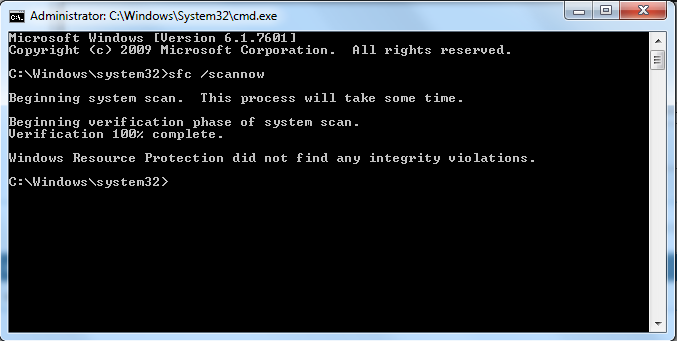
Here are the results from a temporary profile with cmd opened as admin:

IYoFS.png


I assume this means I need another solution?
 

My Computer My Computer

Computer Manufacturer/Model Number
HP Pavillian HPE (h8-1160t)
OS
windows 7 home premium 64-bit
Memory
12 GB RAM (16 GB in the computer, don't ask)
Graphics Card(s)
AMD Radeon HD 6670
Go into the Advanced Security Settings (right click on folder > properties > security > ) for the C:\Users\Default folder and checking the box to "Replace all child object permission with inheritable permissions from this object". Fixed it for me after everything else failed. If you can't see the folder, make sure Hidden files/folders are enabled. My issue was when creating a new profile, it would not create any folders or registries, it was a permissions issue. good luck!
 

My Computer My Computer

OS
win 7 64
Lemme make a note of that.
 

My Computer My Computer

Computer Manufacturer/Model Number
HP Pavillion m7-1015dx
OS
Windows 7 Home Premium 64 bit
CPU
Intel Core i7 3610QM @2.3Ghz w 3.3 Ghz boost
Graphics Card(s)
Intel HD Graphics 4000
Screen Resolution
1600 x 900
Keyboard
Laptop
Mouse
M$ Optical
Internet Speed
10 mbps/1.0 mbps
Back
Top