
AlasdairXIV
New member
- Local time
- 12:38 PM
- Messages
- 1
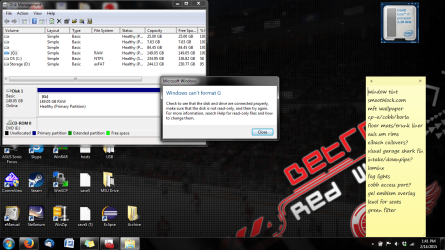
Hi there, I recently found an old 160 gb external hard drive while cleaning the house, so I decided to format it and use it to store a system image, just in case. I started the format and went to bed, but it must have been bumped or something, because the format didn't complete. I tried it a couple more times, and both times it took ~4 hours to tell me that it couldn't complete and that there might be an I/O error, so I uninstalled and reinstalled the driver. Tried it again, and now it tells me that I should check to see if the drive is read only. Not sure how to get around this. Disk management reads the drive as one RAW partition, not active. Any help would be appreciated. Attached is a screenshot of the most recent error.
Attachments
My Computer
- Computer type
- Laptop
- Computer Manufacturer/Model Number
- Asus A53SV
- OS
- Windows 7 Home Premium x64 SP1
- CPU
- Intel Core i7-2670QM
- Motherboard
- Asus K53SV
- Memory
- 8 GB DDR3
- Graphics Card(s)
- nVidia GeForce GT 540M 1 GB RAM
- Hard Drives
- 500 GB Serial ATA, 7200 RPM
- Antivirus
- Trend Micro Maxium Security
- Browser
- Mozilla Firefox


