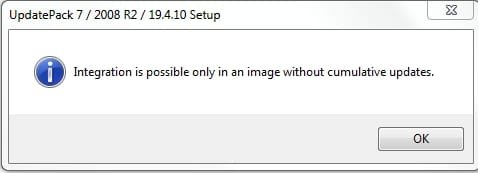
On the main script you have
::for /f "tokens=1,2 delims=- skip=1" %%a in ('bin\ConvertDateHex.exe /d%ndat% /t22:26:11') Do set "HP=%%a"& set "LP=%%b"
Can you please explain, in English, what you do?
The purpose is to change the date that shows when installing. It is not essential, but helps to know when you updated it, and is good cosmetically.
It is complicated because the date is stored in the wim information in hex format in two parts Highpart and Lowpart.
Therefore we want to get those two values HP and LP in the correct format ( using Convertdate.exe ), then write that information to the wim file ( using wimlib)
1.
Code:
for /f "tokens=1,2 delims=- skip=1" %%a in ('bin\ConvertDateHex.exe [B]/d%ndat% /t22:26:11[/B]') Do set "HP=%%a"& set "LP=%%b"
That is to use the date from the Simplix update pack.
For example if you have UpdatePack7R2-19.4.10.exe:
the code /d
%ndat% passes date 10.04.19 to converthexdate.exe.
(The updatepack doesn't have a time, so we just use /t22:26:11)
First,we need to grab the date 19.4.10 off UpdatePack7R2-19.4.10.exe.
Then do some string manipulation to feed 19.4.10 to converdatehex.exe as 10.04.2019
Code:
You extract data from UpdatePack7R2-*.exe
for /f "tokens=1-2 delims=-" %%a in ('dir /b /a-d "%Simplix%\UpdatePack7R2-*.exe"') do set [B]dat[/B]=%%~nb & set PACKNAM="%Simplix%\%%a-%%b"

set "mes=%dat:~3,2%" & set "den=%dat:~6,2%"
if "%mes:~1,1%"=="." (set "mes=0%dat:~3,1%"& set den=%dat:~5,2%)

[B]set "ndat=%den%.%mes%.20%dat:~0,2%"[/B]

for /f "tokens=1,2 delims=- skip=1" %%a in ('bin\ConvertDateHex.exe /d[B]%ndat%[/B] /t22:26:11') Do set "HP=%%a"& set "LP=%%b"
%den% is 10
%mes% is 04
%dat% is 19.4.10
"ndat=%den%.%mes%.20%dat:~0,2%" means
%ndat% is 10.04.2019
2. But if you want to use the current date and time instead of the simplix pack date, it is much easier:
for /f "tokens=1,2 delims=- skip=1" %%a in ('bin\ConvertDateHex.exe /C') Do set "HP=%%a"& set "LP=%%b"
That is how we get the hex values for the HP (highpart) and LP (lowpart) .
3. Wimlib is then used to write those HP and LP values to the wim xml information
Code:
wimlib-imagex.exe info "%wimdir%\sources\install.wim" %INDNO% --image-property CREATIONTIME/HIGHPART=%hp% --image-property CREATIONTIME/LOWPART=%lp%
WIMlib-imagex info command