Hi All,
I would really appreciate if someone could help me out with a problem I've been having that has me completely stumped!
I have a new Lenovo Ideapad 5ARE15 (AMD Ryzen 7 4800U with a Toshiba NVMe SSD (Kbg40znt512g))
It came with DOS installed and I had no issue installing Windows 10. It's just a pity I despise windows 10 and want win7 on it.
I'm having driver issues, I do not know if it is because of the NMVe or the USB3 drivers but I keep getting "A required CD/DVD drive device driver is missing" error on the setup screen. I tried using WinCert, powerISO, Gigabyte-MSI-ASUS tools, CMD - everything to load drivers and hotfixes and every other recommendation online but to no avail. One unknown driver did get it partially installed but I got a bluescreen when it went to restart.
Which brings me to this thread! I thought I followed post #1 correctly but the boot only took me to WinPE from which I could not find the install.wim.
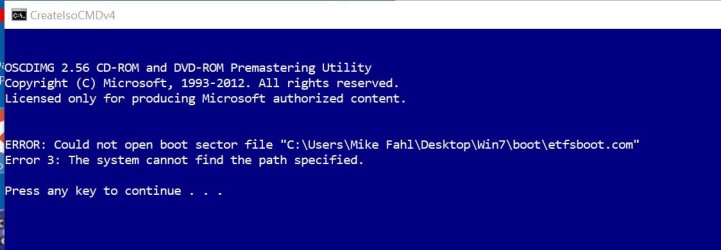
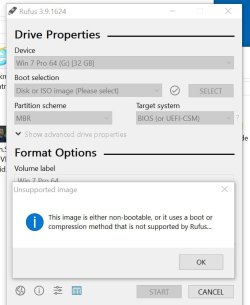
I'm not clear on the instructions in this thread. I have my Windows7 ISO put onto a USB using rufus. Do I add 7UPv50 folder to the root of the installation USB or simply to the root of the C: drive of the computer I'm working on? I tried both but when I try running 7UPDATERv50.cmd it starts extracting packages, asks me to select the installation media then I get this page:
PATH TO INSTALL>WIM IS
"H:"\sources\install.wim
PATH TO BOOT.WIM IS
"H:"\sources\boot.wim
PATH TO DISM IS
"amd64\DISM\DISM.EXE"
Press any key to continue...
Then when I press a key the window closes. This happens everytime and I dont' know where I'm going wrong. The path to the .WIM files looks wrong but I can't control this.
I attempted the DISM++ method but haven't a clue what I'm doing.