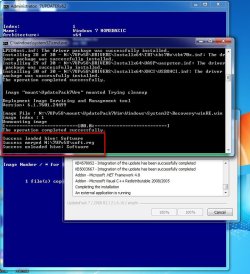
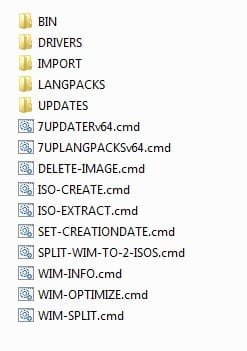
The saga continues
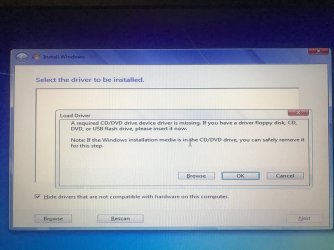
I tried setup 18105 and the SSD could not be found. This is what I get:
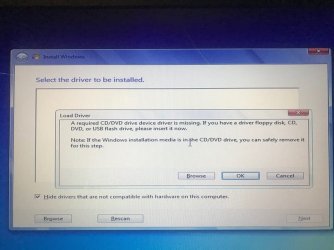
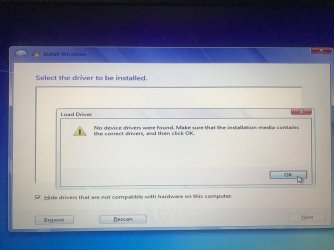
I have no reference in my BIOS about EFI accept this - but when I try it, I get this:
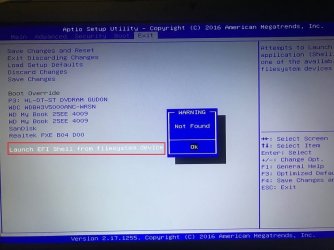
My very basic BIOS has only these options for BOOT:

I've tried every combination of these first two settings (UEFI and CMS) and receive different types of "you shall not pass!" messages such as these:
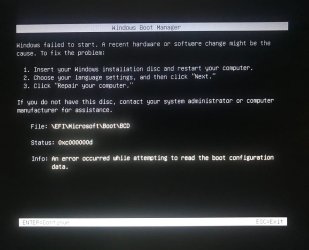
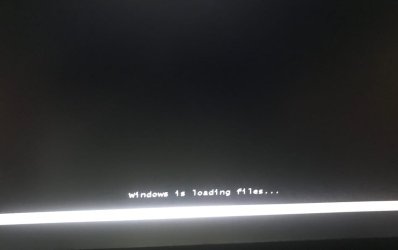
All of this makes sense and I did it. However, it still didn't work. I don't understand how if the PE "sees" the NVMe SSD why, from that same environment, it's undetectable when trying to Install Windows. MAN!, Microshaft really knew what they were doing when they pulled the plug in this. It's so simple (to deny drivers) but so complicated to work around it forcing people to give up and downgrade to their spyware-filled Win10 OS.You could try copying the contents of the sources folder from your updated installation media into the sources folder of your newly created 17514x64v30 bootable usb. Except for the boot.wim, because you want to keep the winpe boot.wim there.
Then boot it up and see if you can install onto the nvme disk. Try running setup18015 from under the startmenu\install folder. If you are going to use windows setup18015, you need to boot the usb in efi mode to install to gpt disk.
I tried setup 18105 and the SSD could not be found. This is what I get:
I have no reference in my BIOS about EFI accept this - but when I try it, I get this:
My very basic BIOS has only these options for BOOT:
I've tried every combination of these first two settings (UEFI and CMS) and receive different types of "you shall not pass!" messages such as these:
Attachments
My Computers
System One System Two
-
- Computer type
- Laptop
- Computer Manufacturer/Model Number
- Sager NP7276 / CLEVO N170RD1
- OS
- Windows 7 Pro 64 bit
- CPU
- i7-6700HQ
- Memory
- 16 GB DDR4
- Graphics Card(s)
- GTX960
- Hard Drives
- WD M.2 SN550 NVMe SSD
- Antivirus
- What that?
- Browser
- Chrome / Edge
-
- Computer type
- PC/Desktop