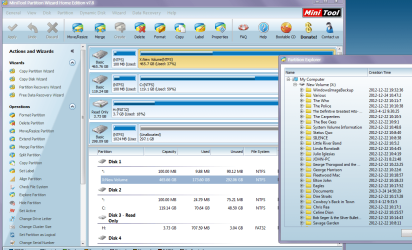
User Profiles - Create and Move During Windows 7 Installation

How to Create User Accounts on another Partition or Disk During Windows 7 Installation

   Information
There are several methods to move user profiles to another disk or partition after you have installed Windows 7. The easiest way is to use Audit Mode and System Preparation Tool, both built-in Windows 7 features, to permanently move the location of the folder Users.

This tutorial shows how to relocate both Users and ProgramData to another disk or partition when doing a new, fresh and clean install of Windows 7. If you have already installed Seven, and you'd like to move those folders away from their default location in C: drive, please read first post number 22 in this thread. Follow the steps told in that post, and continue then from beginning of the page 4 in this tutorial.
When Windows 7 is installed, 5 or 6 system folders are created depending on chosen bit-version:

  • PerfLogs (Performance Logs), where Windows stores performance and reliability logs
  • Program Files, where applications and software are installed. Windows x86 (32-bit) stores all applications here, Windows x64 (64-bit) only native 64-bit applications
  • Program Files (x86), only in Windows x64. All non-x64 applications are stored here
  • Windows, which contains core operating system files and drivers
  • ProgramData, where some applications store application and user specific settings and configuration files
  • Users. This is the "home" of all user folders. When a new user account is created and this new user logs in first time, Windows creates a set of user specific folders Users\New_User
Moving Windows and Program Files folders is not recommend by Microsoft. However, moving both Users and ProgramData folders is safe and can save a lot of space on system disk. Pictures, mp3’s videos, documents and so on, a user folder with its subfolders can be tens, sometimes hundreds of gigabytes.

For instance, using this laptop of mine as an example, the total size of Users folder and subfolders is at the moment about 240 GB. The size of ProgramData folder is at the moment almost 18 GB. I simply could not have these folders stored in my system C: drive, there’s not enough space.

When installing Windows 7, I recommend using Windows System Preparation Tool (Sysprep) in so called Audit Mode to relocate Users and ProgramData, leaving C: drive only for Windows and applications.

   Warning

An upgraded Windows cannot be sysprepped. As this method is based in sysprepping, this tutorial is valid only for Windows setups which have not been upgraded.

This means that if you have for instance in-place upgraded Vista to Seven, you cannot sysprep. The same applies if you have upgraded from a lesser edition to a better edition, for instance from Windows 7 Home Premium to Professional.

Notice that a repair install is also an upgrade install, so if you have ever done a repair install (= in-place upgrade to same edition), you cannot sysprep.

In other words, when sysprepping an existing Windows setup it only works if the Windows was installed clean and has never been upgraded or repaired using repair install, or if it is the original pre-installed Windows.

Using this method causes Windows 7 to lose activation information, and it needs to be reactivated afterwards. If your Windows 7 is an OEM version, you might not be able to reactivate it, at least not without phone activation option.

   Warning
IE10 Users: Please read this article first: Sysprep Fatal Error With IE 10 (FIX) | System Administration


Complete tutorial as PDF: View attachment Relocate User folders during Windows 7 installation.pdf (1.22 MB)

Kari


Last edited:
I had some errors in the file at first - kept getting a window showing how to use sysprep with switches. Also, at one point in fixing the file and re-running sysprep, a fatal error. I killed the WMP network svc at the start of the process when I first brought it into audit mode - is it necessary to kill the process each time you reboot to audit?

Finally got a 'normal' "sysprep is working" response so figured all was well. Problem is, I never checked to see that the folders moved after the first normal boot. In retrospect, I should have realized there was a problem when a couple of the programs I had installed in audit mode weren't there.

I made a backup after leaving audit mode - is it possible to go *back* into audit mode at that point and re-run the script and install the other "base" programs, or will I need to completely reinstall?
 

My Computer My Computer

Computer type
PC/Desktop
Computer Manufacturer/Model Number
Homebuild
OS
Win7 Ultimate 64bit
CPU
I3-3220
Motherboard
MSI H77MA-G43
Memory
2x4GB DDR3 1600
Graphics Card(s)
Nvidia 660 GTX Superclocked 2GB
Sound Card
n/a
Monitor(s) Displays
Hannspree HZ281HPB
Screen Resolution
1920x1200
Hard Drives
Samsung 840 Pro 128Gb SSD
Seagate Barracuda 2TB
Case
Antec Sonata
Cooling
OEM HS
Keyboard
MS Arc
Mouse
Logitech Wireless
You can always boot to Audit Mode, simply type %windir%\system32\sysprep\sysprep.exe /audit /reboot to Run dialog or command prompt and hit Enter.

However, every failed sysprep increases the vulnerability of your system. My recommendation is to reinstall, enter Audit Mode, install what you want to, reboot, run sysprep to move Users, exit Audit Mode and finalize installation.

The WMP sharing service is really problematic, I have made a habit of stopping it every time before running sysprep.
 

My Computer My Computer

Computer type
Laptop
Computer Manufacturer/Model Number
HP ENVY 17-1150eg
OS
Windows 10 Pro x64 EN-GB
CPU
1.6 GHz Intel Core i7-720QM Processor
Memory
6 GB
Graphics Card(s)
ATI Mobility Radeon HD 5850 Graphics
Sound Card
Beats sound system with integrated subwoofer
Monitor(s) Displays
17" laptop display, 22" LED and 32" Full HD TV through HDMI
Screen Resolution
1600*900 (1), 1920*1080 (2&3)
Hard Drives
Internal: 2 x 500 GB SATA Hard Disk Drive 7200 rpm
External: 2TB for backups, 3TB USB3 network drive for media
Cooling
As Envy runs a bit warm, I have it on a Cooler Master pad
Keyboard
Logitech diNovo Media Desktop Laser (bluetooth)
Mouse
Logitech Performance Mouse MX
Internet Speed
50/10 Mbps VDSL
Antivirus
Windows Defender 4.3.9431.0
Browser
Maxthon 3.5.2., IE11
My recommendation is to reinstall, enter Audit Mode, install what you want to, reboot, run sysprep to move Users, exit Audit Mode and finalize installation.

Can do. *note to self: unplug platter drive before starting re-install. Make sure to plug platter drive *back* in before entering audit mode*

The WMP sharing service is really problematic, I have made a habit of stopping it every time before running sysprep.
That was the first thing I did on entering audit mode, just didn't know if it needed to be done on each reboot back into audit mode or not.

Wish there was some way to be sure the script has "taken" before going into the OOBE, though.
 
Last edited:

My Computer My Computer

Computer type
PC/Desktop
Computer Manufacturer/Model Number
Homebuild
OS
Win7 Ultimate 64bit
CPU
I3-3220
Motherboard
MSI H77MA-G43
Memory
2x4GB DDR3 1600
Graphics Card(s)
Nvidia 660 GTX Superclocked 2GB
Sound Card
n/a
Monitor(s) Displays
Hannspree HZ281HPB
Screen Resolution
1920x1200
Hard Drives
Samsung 840 Pro 128Gb SSD
Seagate Barracuda 2TB
Case
Antec Sonata
Cooling
OEM HS
Keyboard
MS Arc
Mouse
Logitech Wireless
Finally got it to work correctly, had to re-run audit mode and then login under a 'temp' logon as shown on page 3. Not sure why, though.
 

My Computer My Computer

Computer type
PC/Desktop
Computer Manufacturer/Model Number
Homebuild
OS
Win7 Ultimate 64bit
CPU
I3-3220
Motherboard
MSI H77MA-G43
Memory
2x4GB DDR3 1600
Graphics Card(s)
Nvidia 660 GTX Superclocked 2GB
Sound Card
n/a
Monitor(s) Displays
Hannspree HZ281HPB
Screen Resolution
1920x1200
Hard Drives
Samsung 840 Pro 128Gb SSD
Seagate Barracuda 2TB
Case
Antec Sonata
Cooling
OEM HS
Keyboard
MS Arc
Mouse
Logitech Wireless
You have now the Users main folder on another location, not on C:?
 

My Computer My Computer

Computer type
Laptop
Computer Manufacturer/Model Number
HP ENVY 17-1150eg
OS
Windows 10 Pro x64 EN-GB
CPU
1.6 GHz Intel Core i7-720QM Processor
Memory
6 GB
Graphics Card(s)
ATI Mobility Radeon HD 5850 Graphics
Sound Card
Beats sound system with integrated subwoofer
Monitor(s) Displays
17" laptop display, 22" LED and 32" Full HD TV through HDMI
Screen Resolution
1600*900 (1), 1920*1080 (2&3)
Hard Drives
Internal: 2 x 500 GB SATA Hard Disk Drive 7200 rpm
External: 2TB for backups, 3TB USB3 network drive for media
Cooling
As Envy runs a bit warm, I have it on a Cooler Master pad
Keyboard
Logitech diNovo Media Desktop Laser (bluetooth)
Mouse
Logitech Performance Mouse MX
Internet Speed
50/10 Mbps VDSL
Antivirus
Windows Defender 4.3.9431.0
Browser
Maxthon 3.5.2., IE11
Yes, they finally moved/created after doing the temp logon.
 

My Computer My Computer

Computer type
PC/Desktop
Computer Manufacturer/Model Number
Homebuild
OS
Win7 Ultimate 64bit
CPU
I3-3220
Motherboard
MSI H77MA-G43
Memory
2x4GB DDR3 1600
Graphics Card(s)
Nvidia 660 GTX Superclocked 2GB
Sound Card
n/a
Monitor(s) Displays
Hannspree HZ281HPB
Screen Resolution
1920x1200
Hard Drives
Samsung 840 Pro 128Gb SSD
Seagate Barracuda 2TB
Case
Antec Sonata
Cooling
OEM HS
Keyboard
MS Arc
Mouse
Logitech Wireless
OK, good to know it finally worked for you.
 

My Computer My Computer

Computer type
Laptop
Computer Manufacturer/Model Number
HP ENVY 17-1150eg
OS
Windows 10 Pro x64 EN-GB
CPU
1.6 GHz Intel Core i7-720QM Processor
Memory
6 GB
Graphics Card(s)
ATI Mobility Radeon HD 5850 Graphics
Sound Card
Beats sound system with integrated subwoofer
Monitor(s) Displays
17" laptop display, 22" LED and 32" Full HD TV through HDMI
Screen Resolution
1600*900 (1), 1920*1080 (2&3)
Hard Drives
Internal: 2 x 500 GB SATA Hard Disk Drive 7200 rpm
External: 2TB for backups, 3TB USB3 network drive for media
Cooling
As Envy runs a bit warm, I have it on a Cooler Master pad
Keyboard
Logitech diNovo Media Desktop Laser (bluetooth)
Mouse
Logitech Performance Mouse MX
Internet Speed
50/10 Mbps VDSL
Antivirus
Windows Defender 4.3.9431.0
Browser
Maxthon 3.5.2., IE11
SSD setup today and moving Users and Progdata

Today was the day I finally got around to setting up my new SSD. What a speed bump. Still working on all the reinstalls of programs, drivers, and the like. But the moving of the User and Programdata folders went as smooth as could be. I will report back later on exactly what I did and what I learned.

Thanks Kari!
 

My Computer My Computer

Computer type
PC/Desktop
Computer Manufacturer/Model Number
Custom Build
OS
Microsoft Windows 7 Professional SP1 (OEM) (64-bit)
CPU
Intel Core i7-875K 2.93Ghz Quad-Core Processor
Motherboard
Asus P7P55D-E ATX LGA1156 Motherboard
Memory
Crucial Ballistix Sport 16GB (4 x 4GB) DDR3-1333 Memory
Graphics Card(s)
Gigabyte GeForce GTX 470 1.25GB Video Card
Sound Card
(1) NVIDIA High Definition Audio
Monitor(s) Displays
Asus VH238H 23.0" Monitor
Screen Resolution
1920 x 1080
Hard Drives
Western Digital Caviar Black 1TB 3.5" 7200RPM Internal Hard Drive
Samsung Electronics 840 Pro Series 2.5-Inch 128 SATA_6_0_gb Solid State Drive MZ-7PD128BW
PSU
Corsair Enthusiast 650W 80 PLUS Certified ATX12V / EPS12V Po
Case
Antec P183 V3 ATX Mid Tower Case
Cooling
Cooler Master Hyper 212 Plus 76.8 CFM Sleeve Bearing CPU Coo
Antivirus
Avast!
Browser
Firefox
You are welcome :).
 

My Computer My Computer

Computer type
Laptop
Computer Manufacturer/Model Number
HP ENVY 17-1150eg
OS
Windows 10 Pro x64 EN-GB
CPU
1.6 GHz Intel Core i7-720QM Processor
Memory
6 GB
Graphics Card(s)
ATI Mobility Radeon HD 5850 Graphics
Sound Card
Beats sound system with integrated subwoofer
Monitor(s) Displays
17" laptop display, 22" LED and 32" Full HD TV through HDMI
Screen Resolution
1600*900 (1), 1920*1080 (2&3)
Hard Drives
Internal: 2 x 500 GB SATA Hard Disk Drive 7200 rpm
External: 2TB for backups, 3TB USB3 network drive for media
Cooling
As Envy runs a bit warm, I have it on a Cooler Master pad
Keyboard
Logitech diNovo Media Desktop Laser (bluetooth)
Mouse
Logitech Performance Mouse MX
Internet Speed
50/10 Mbps VDSL
Antivirus
Windows Defender 4.3.9431.0
Browser
Maxthon 3.5.2., IE11
My Experience With This Tut

I think it important for anyone attempting this tut to understand what Kari intends for it to accomplish. If you try to move other than the Users and Programdata folders you should consult another tut.

What you need:
Two hard drives (typically an SSD for the OS and a HDD for the folders you move and everything else). You can use one drive with multiple partitions, but this is less likely.
You will need a Windows 7 installation disk or USB (must include the install.wim file in the Sources folder). This is NOT an upgrade disk.
You will need access to the relocate.txt file which is linked in post #199 of this tut.

It is a good idea to insure your BIOS, chipset firmware, etc. is up to date before starting.
That said, here is what I did:

1. First I did redundant backups and system images on an external drive.

2. Having done my backups, and having both hard drives installed, I popped the bootable Win 7 OS installation disk into my DVD drive (insure BIOS boot order selects this drive first if necessary). My old HDD had all my files and the OS installed.

3. When I arrived at the install screen asking where to install the OS (steps 7 & 8 in this tut:
http://www.sevenforums.com/tutorials/1649-clean-install-windows-7-a.html), I deleted all the partitions on both drives making them unallocated and selected the SSD as the drive to install the OS. (This wipes the HDD.)

4. At step 10 of the clean install tut, I went back to Kari's (this) tut. After entering Audit Mode but prior to running the relocate script, I entered Windows Disk Management through the Control Panel. Here I assigned the drive letters I wanted for drives and created a partition on the HDD that would be a target for the Users and Programdata folders. I noted the drive letters for the next step.

5. I had previously written to a USB stick a copy of the relocate.txt file and another text file that had the command for stopping the WMP Network Service and the two commands for running Sysprep to run the relocate script (also a bunch of support docs, the tut, drivers, etc.). I clicked on the relocate.txt file and it opens in Notebook. Here I made the required edits using the drive letters I noted in step #4, PROFESSIONAL for ULTIMATE, etc. Then I saved the file as a xml file to the root of the target drive (D drive for me).

6. Now I opened the command prompt and ran the commands to run the relocate script. It was nice to have the text file with the commands open in Notebook directly above the command prompt window to make copying easy.

7. Ran the script and all went exactly as planned.

Done.

There was only one surprise and it turned out to be a welcome one. I opted to allow the 100 MB System Reserved Partition to be created expecting this would be on the C drive, the SSD. However, the partition was created on the D drive, the HDD. This was great as it was one less thing to clutter the SSD.

Now I have copied my font files to Windows/Fonts on C and document folders, music and pictures back to the new users locations on D drive. I have installed most of the software I expect to install. Only 28.7 GB of space is used on the SSD (Full install of Windows 7 Professional). Probably should have left the Programdata file alone and am considering moving it back.

With a little planning this tutorial will do what it intends to do without a hiccup. When I open Windows Explorer, there are no surprises and all Libraries and folders are just as before. There is no way to really tell the files are on D without checking that drive. Works great but much faster with the SSD.

As an aside, I could have installed Windows 8. I understand that MS will be coming out with a retro update soon. However, as I read it, this update will not restore the Aero feature. I love the Aero feature and use it all the time to check an open window when working in another app.

Thanks again.
 

My Computer My Computer

Computer type
PC/Desktop
Computer Manufacturer/Model Number
Custom Build
OS
Microsoft Windows 7 Professional SP1 (OEM) (64-bit)
CPU
Intel Core i7-875K 2.93Ghz Quad-Core Processor
Motherboard
Asus P7P55D-E ATX LGA1156 Motherboard
Memory
Crucial Ballistix Sport 16GB (4 x 4GB) DDR3-1333 Memory
Graphics Card(s)
Gigabyte GeForce GTX 470 1.25GB Video Card
Sound Card
(1) NVIDIA High Definition Audio
Monitor(s) Displays
Asus VH238H 23.0" Monitor
Screen Resolution
1920 x 1080
Hard Drives
Western Digital Caviar Black 1TB 3.5" 7200RPM Internal Hard Drive
Samsung Electronics 840 Pro Series 2.5-Inch 128 SATA_6_0_gb Solid State Drive MZ-7PD128BW
PSU
Corsair Enthusiast 650W 80 PLUS Certified ATX12V / EPS12V Po
Case
Antec P183 V3 ATX Mid Tower Case
Cooling
Cooler Master Hyper 212 Plus 76.8 CFM Sleeve Bearing CPU Coo
Antivirus
Avast!
Browser
Firefox
Good outline of your experience tacenator. I did my w7 install with only the SSD attached, avoids the boot sector placed on another drive. Before I ran the script, I shut down and attached my HDD to be used for Users and Program data.

The 100MB partition is only useful if one uses Bit Locker.
 

My Computer My Computer

Computer type
PC/Desktop
Computer Manufacturer/Model Number
Home Built Desktop By DataTech
OS
Windows 7 Ultimate X64 SP1
CPU
Intel i5-2550K, Differing ~4.4-4.8GHz No built in GPU
Motherboard
ASUS P8Z68-V PRO/GEN3
Memory
16GB G.Skill Sniper 1866MHz @ 2133MHz 2x8GB
Graphics Card(s)
ASUS GTX650TIB-DC2OC-2GD5, (650TI Boost)
Sound Card
Onboard Realtek 5-1
Monitor(s) Displays
Samsung P2570HD
Screen Resolution
1920x1080
Hard Drives
Samsung 840 Pro 256GB SSD for OS, 500GB Seagate Constellation (Enterprise drive) for Data
PSU
Corsair HX650W
Case
Inwin Dragon Rider
Cooling
Hyper 212 EVO w/two Noctua fans, push-pull, @1300 RPM
Keyboard
E-Z Eyes, bright yellow keys with large characters
Mouse
steelseries SENSEI Laser Pro Gaming
Internet Speed
48-51Mbs Mbs down, 11 Mbs up Xfinity Cable
Antivirus
Norton Internet Security 2013
Browser
IE 10, Opera, Pale Moon if needed
Other Info
4 case fans, LG BluRay-RE, ASUS DVD-RW, Mr. Fusion power supply, 1.21 gigawatts.
Hum Kari not being the sharpest knife in the drawer I made a right royal mess of my Ivy build thinking I could just copy / paste the music etc into the back up spinner and ended up with multiple copies of tracks on both drives.

I now don't know how to retrieve music from the back up to play in the WMP on the SSD.

So does this mean a complete reinstall?? :(
 

My Computer My Computer

Computer type
PC/Desktop
Computer Manufacturer/Model Number
Own build (new) Desk1 / Asus ROG Win 7 / Desk2 1st build
OS
Desk1 7 Home Prem / Desk2 10 Pro / Main lap Asus ROG 10 Pro 2 laptop Toshiba 7 Pro Asus P2520 7 & 10
CPU
Desk1 i5 3750K / Laptop i7 GTX 860M / Desk2 i5 2500
Motherboard
Desk1 Asus P877-V / Desk2 Gigabyte H67 UD3H / Laptop ?
Memory
Desk1 8GB (1866) / Desk2 16GB (1333) / Laptop 8Gb DDR3
Graphics Card(s)
Desk 1& 2NVidia GTX 650 & Laptops on board Intel
Sound Card
Desk 1 & 2 -XONAR DG Realtek High Def audio Laptop
Monitor(s) Displays
Desk 1 Benq HD 2450 / Desk2 Philips 24" / Laptop 17.5"
Screen Resolution
1920x1080 D1 & D2 & Laptop 1
Hard Drives
Desk1 Samsung 120GB 830 SSD
Asus ROG 256GB 850 Pro SSD
Desk2 Samsung 840 256 SSD
Toshiba 120GB EVO
PSU
Desk 1 Corsair HX 1050/ Laptop ? / Desk 2 Corsair HX 650
Case
Desk 1 Cooler HAF XM ? Toshiba laptop / Desk2 Coolermaster
Cooling
Fans on all Desk1 -2 Desk2 - all Coolermasters 5 Laptop ?
Keyboard
Desk 1 MS Sidewinder X6 Desk 2 MS Sidewinder X 4
Mouse
Desk 1&2 - Gigabyte MS 900 gamer - laptop - Logitec wireless
Internet Speed
ADSL2+
Other Info
One other Desktop (tester) and spare Toshba laptop both with SSD's
Running Kaspersky 2016 ISS on all machines config'd identically
Logitec audio stereo systems on each machine (x3)
Canon MG5250MFC
Router/modem TP-Link running WPA2SK

My Computer My Computer

Computer type
PC/Desktop
Computer Manufacturer/Model Number
Home Built Desktop By DataTech
OS
Windows 7 Ultimate X64 SP1
CPU
Intel i5-2550K, Differing ~4.4-4.8GHz No built in GPU
Motherboard
ASUS P8Z68-V PRO/GEN3
Memory
16GB G.Skill Sniper 1866MHz @ 2133MHz 2x8GB
Graphics Card(s)
ASUS GTX650TIB-DC2OC-2GD5, (650TI Boost)
Sound Card
Onboard Realtek 5-1
Monitor(s) Displays
Samsung P2570HD
Screen Resolution
1920x1080
Hard Drives
Samsung 840 Pro 256GB SSD for OS, 500GB Seagate Constellation (Enterprise drive) for Data
PSU
Corsair HX650W
Case
Inwin Dragon Rider
Cooling
Hyper 212 EVO w/two Noctua fans, push-pull, @1300 RPM
Keyboard
E-Z Eyes, bright yellow keys with large characters
Mouse
steelseries SENSEI Laser Pro Gaming
Internet Speed
48-51Mbs Mbs down, 11 Mbs up Xfinity Cable
Antivirus
Norton Internet Security 2013
Browser
IE 10, Opera, Pale Moon if needed
Other Info
4 case fans, LG BluRay-RE, ASUS DVD-RW, Mr. Fusion power supply, 1.21 gigawatts.
No mate I just have one image and the music. Two snips for comparison.
 

Attachments

  • X.PNG
    X.PNG
    28.9 KB · Views: 136
  • X2.PNG
    X2.PNG
    106.2 KB · Views: 128

My Computer My Computer

Computer type
PC/Desktop
Computer Manufacturer/Model Number
Own build (new) Desk1 / Asus ROG Win 7 / Desk2 1st build
OS
Desk1 7 Home Prem / Desk2 10 Pro / Main lap Asus ROG 10 Pro 2 laptop Toshiba 7 Pro Asus P2520 7 & 10
CPU
Desk1 i5 3750K / Laptop i7 GTX 860M / Desk2 i5 2500
Motherboard
Desk1 Asus P877-V / Desk2 Gigabyte H67 UD3H / Laptop ?
Memory
Desk1 8GB (1866) / Desk2 16GB (1333) / Laptop 8Gb DDR3
Graphics Card(s)
Desk 1& 2NVidia GTX 650 & Laptops on board Intel
Sound Card
Desk 1 & 2 -XONAR DG Realtek High Def audio Laptop
Monitor(s) Displays
Desk 1 Benq HD 2450 / Desk2 Philips 24" / Laptop 17.5"
Screen Resolution
1920x1080 D1 & D2 & Laptop 1
Hard Drives
Desk1 Samsung 120GB 830 SSD
Asus ROG 256GB 850 Pro SSD
Desk2 Samsung 840 256 SSD
Toshiba 120GB EVO
PSU
Desk 1 Corsair HX 1050/ Laptop ? / Desk 2 Corsair HX 650
Case
Desk 1 Cooler HAF XM ? Toshiba laptop / Desk2 Coolermaster
Cooling
Fans on all Desk1 -2 Desk2 - all Coolermasters 5 Laptop ?
Keyboard
Desk 1 MS Sidewinder X6 Desk 2 MS Sidewinder X 4
Mouse
Desk 1&2 - Gigabyte MS 900 gamer - laptop - Logitec wireless
Internet Speed
ADSL2+
Other Info
One other Desktop (tester) and spare Toshba laptop both with SSD's
Running Kaspersky 2016 ISS on all machines config'd identically
Logitec audio stereo systems on each machine (x3)
Canon MG5250MFC
Router/modem TP-Link running WPA2SK
Icit, I have some difficulties to understand what you mean? You did not relocate the user folders using sysprep, but instead you just copy / pasted the Music folder into a spinner?

If so, you could simply boot to Audit Mode and relocate the Users folder to spinner. Before doing this you need to get that Music folder backed up to an external drive if you only have one partition on that spinner, as the sysprep does not like the target drive or partition to have any system folders present.

Afterwards copy the content of the backed up Music folder to your newly relocated Users\Icit\Music and you are ready to go.

Kari
 

My Computer My Computer

Computer type
Laptop
Computer Manufacturer/Model Number
HP ENVY 17-1150eg
OS
Windows 10 Pro x64 EN-GB
CPU
1.6 GHz Intel Core i7-720QM Processor
Memory
6 GB
Graphics Card(s)
ATI Mobility Radeon HD 5850 Graphics
Sound Card
Beats sound system with integrated subwoofer
Monitor(s) Displays
17" laptop display, 22" LED and 32" Full HD TV through HDMI
Screen Resolution
1600*900 (1), 1920*1080 (2&3)
Hard Drives
Internal: 2 x 500 GB SATA Hard Disk Drive 7200 rpm
External: 2TB for backups, 3TB USB3 network drive for media
Cooling
As Envy runs a bit warm, I have it on a Cooler Master pad
Keyboard
Logitech diNovo Media Desktop Laser (bluetooth)
Mouse
Logitech Performance Mouse MX
Internet Speed
50/10 Mbps VDSL
Antivirus
Windows Defender 4.3.9431.0
Browser
Maxthon 3.5.2., IE11
Ok Kari yes mate I did what yo said in the first statement:o I just thought (in a hurry as usual) that I could just reallocate that data like that:o.

I will read up about that audit mode as I am a hardware plonker if anything at all and get a bit bogged down with the different methods and systems you folks use like second nature.

Anyway I'll try to find out about this. :(
 

My Computer My Computer

Computer type
PC/Desktop
Computer Manufacturer/Model Number
Own build (new) Desk1 / Asus ROG Win 7 / Desk2 1st build
OS
Desk1 7 Home Prem / Desk2 10 Pro / Main lap Asus ROG 10 Pro 2 laptop Toshiba 7 Pro Asus P2520 7 & 10
CPU
Desk1 i5 3750K / Laptop i7 GTX 860M / Desk2 i5 2500
Motherboard
Desk1 Asus P877-V / Desk2 Gigabyte H67 UD3H / Laptop ?
Memory
Desk1 8GB (1866) / Desk2 16GB (1333) / Laptop 8Gb DDR3
Graphics Card(s)
Desk 1& 2NVidia GTX 650 & Laptops on board Intel
Sound Card
Desk 1 & 2 -XONAR DG Realtek High Def audio Laptop
Monitor(s) Displays
Desk 1 Benq HD 2450 / Desk2 Philips 24" / Laptop 17.5"
Screen Resolution
1920x1080 D1 & D2 & Laptop 1
Hard Drives
Desk1 Samsung 120GB 830 SSD
Asus ROG 256GB 850 Pro SSD
Desk2 Samsung 840 256 SSD
Toshiba 120GB EVO
PSU
Desk 1 Corsair HX 1050/ Laptop ? / Desk 2 Corsair HX 650
Case
Desk 1 Cooler HAF XM ? Toshiba laptop / Desk2 Coolermaster
Cooling
Fans on all Desk1 -2 Desk2 - all Coolermasters 5 Laptop ?
Keyboard
Desk 1 MS Sidewinder X6 Desk 2 MS Sidewinder X 4
Mouse
Desk 1&2 - Gigabyte MS 900 gamer - laptop - Logitec wireless
Internet Speed
ADSL2+
Other Info
One other Desktop (tester) and spare Toshba laptop both with SSD's
Running Kaspersky 2016 ISS on all machines config'd identically
Logitec audio stereo systems on each machine (x3)
Canon MG5250MFC
Router/modem TP-Link running WPA2SK

My Computer My Computer

Computer type
PC/Desktop
Computer Manufacturer/Model Number
Home Built Desktop By DataTech
OS
Windows 7 Ultimate X64 SP1
CPU
Intel i5-2550K, Differing ~4.4-4.8GHz No built in GPU
Motherboard
ASUS P8Z68-V PRO/GEN3
Memory
16GB G.Skill Sniper 1866MHz @ 2133MHz 2x8GB
Graphics Card(s)
ASUS GTX650TIB-DC2OC-2GD5, (650TI Boost)
Sound Card
Onboard Realtek 5-1
Monitor(s) Displays
Samsung P2570HD
Screen Resolution
1920x1080
Hard Drives
Samsung 840 Pro 256GB SSD for OS, 500GB Seagate Constellation (Enterprise drive) for Data
PSU
Corsair HX650W
Case
Inwin Dragon Rider
Cooling
Hyper 212 EVO w/two Noctua fans, push-pull, @1300 RPM
Keyboard
E-Z Eyes, bright yellow keys with large characters
Mouse
steelseries SENSEI Laser Pro Gaming
Internet Speed
48-51Mbs Mbs down, 11 Mbs up Xfinity Cable
Antivirus
Norton Internet Security 2013
Browser
IE 10, Opera, Pale Moon if needed
Other Info
4 case fans, LG BluRay-RE, ASUS DVD-RW, Mr. Fusion power supply, 1.21 gigawatts.
This method is a little fiddly John, one has to know how windows will name the drives so to make the answer file with the right drive letters.

you could od it one of these ways too for Users folders.
http://www.sevenforums.com/tutorials/18629-user-folders-change-default-location.html

http://www.sevenforums.com/tutorials/87555-user-profile-change-default-location.html
Jeez Gary that has made it so much clearer thanks so much for both those refs I do like ones that involve the regedit too as I personally find modifying it so easy cos Shawn makes it that way:D
 

My Computer My Computer

Computer type
PC/Desktop
Computer Manufacturer/Model Number
Own build (new) Desk1 / Asus ROG Win 7 / Desk2 1st build
OS
Desk1 7 Home Prem / Desk2 10 Pro / Main lap Asus ROG 10 Pro 2 laptop Toshiba 7 Pro Asus P2520 7 & 10
CPU
Desk1 i5 3750K / Laptop i7 GTX 860M / Desk2 i5 2500
Motherboard
Desk1 Asus P877-V / Desk2 Gigabyte H67 UD3H / Laptop ?
Memory
Desk1 8GB (1866) / Desk2 16GB (1333) / Laptop 8Gb DDR3
Graphics Card(s)
Desk 1& 2NVidia GTX 650 & Laptops on board Intel
Sound Card
Desk 1 & 2 -XONAR DG Realtek High Def audio Laptop
Monitor(s) Displays
Desk 1 Benq HD 2450 / Desk2 Philips 24" / Laptop 17.5"
Screen Resolution
1920x1080 D1 & D2 & Laptop 1
Hard Drives
Desk1 Samsung 120GB 830 SSD
Asus ROG 256GB 850 Pro SSD
Desk2 Samsung 840 256 SSD
Toshiba 120GB EVO
PSU
Desk 1 Corsair HX 1050/ Laptop ? / Desk 2 Corsair HX 650
Case
Desk 1 Cooler HAF XM ? Toshiba laptop / Desk2 Coolermaster
Cooling
Fans on all Desk1 -2 Desk2 - all Coolermasters 5 Laptop ?
Keyboard
Desk 1 MS Sidewinder X6 Desk 2 MS Sidewinder X 4
Mouse
Desk 1&2 - Gigabyte MS 900 gamer - laptop - Logitec wireless
Internet Speed
ADSL2+
Other Info
One other Desktop (tester) and spare Toshba laptop both with SSD's
Running Kaspersky 2016 ISS on all machines config'd identically
Logitec audio stereo systems on each machine (x3)
Canon MG5250MFC
Router/modem TP-Link running WPA2SK
Yeah, Shawn has thought of most everything Windows, not bad for an alien, eh?:p
 

My Computer My Computer

Computer type
PC/Desktop
Computer Manufacturer/Model Number
Home Built Desktop By DataTech
OS
Windows 7 Ultimate X64 SP1
CPU
Intel i5-2550K, Differing ~4.4-4.8GHz No built in GPU
Motherboard
ASUS P8Z68-V PRO/GEN3
Memory
16GB G.Skill Sniper 1866MHz @ 2133MHz 2x8GB
Graphics Card(s)
ASUS GTX650TIB-DC2OC-2GD5, (650TI Boost)
Sound Card
Onboard Realtek 5-1
Monitor(s) Displays
Samsung P2570HD
Screen Resolution
1920x1080
Hard Drives
Samsung 840 Pro 256GB SSD for OS, 500GB Seagate Constellation (Enterprise drive) for Data
PSU
Corsair HX650W
Case
Inwin Dragon Rider
Cooling
Hyper 212 EVO w/two Noctua fans, push-pull, @1300 RPM
Keyboard
E-Z Eyes, bright yellow keys with large characters
Mouse
steelseries SENSEI Laser Pro Gaming
Internet Speed
48-51Mbs Mbs down, 11 Mbs up Xfinity Cable
Antivirus
Norton Internet Security 2013
Browser
IE 10, Opera, Pale Moon if needed
Other Info
4 case fans, LG BluRay-RE, ASUS DVD-RW, Mr. Fusion power supply, 1.21 gigawatts.
This method is a little fiddly John, one has to know how windows will name the drives so to make the answer file with the right drive letters.

you could od it one of these ways too for Users folders.
http://www.sevenforums.com/tutorials/18629-user-folders-change-default-location.html

http://www.sevenforums.com/tutorials/87555-user-profile-change-default-location.html
Never had any issues with drive names when moving stuff with sysprep. First thing I always do in Audit Mode is to go to disk management and set drive letters as I want to, thereafter they will use the letters set by me.

Secondly, there's one major difference between these two methods. The method in tutorial you linked to, you need to do it separately for every user and every folder, whereas using the method in this tutorial absolutely everything under the Users folder is moved by once, for all users both existing and future.
 

My Computer My Computer

Computer type
Laptop
Computer Manufacturer/Model Number
HP ENVY 17-1150eg
OS
Windows 10 Pro x64 EN-GB
CPU
1.6 GHz Intel Core i7-720QM Processor
Memory
6 GB
Graphics Card(s)
ATI Mobility Radeon HD 5850 Graphics
Sound Card
Beats sound system with integrated subwoofer
Monitor(s) Displays
17" laptop display, 22" LED and 32" Full HD TV through HDMI
Screen Resolution
1600*900 (1), 1920*1080 (2&3)
Hard Drives
Internal: 2 x 500 GB SATA Hard Disk Drive 7200 rpm
External: 2TB for backups, 3TB USB3 network drive for media
Cooling
As Envy runs a bit warm, I have it on a Cooler Master pad
Keyboard
Logitech diNovo Media Desktop Laser (bluetooth)
Mouse
Logitech Performance Mouse MX
Internet Speed
50/10 Mbps VDSL
Antivirus
Windows Defender 4.3.9431.0
Browser
Maxthon 3.5.2., IE11
Back
Top