Solved Users folder is gone from C

yoyowhatup22

New member
Local time
9:28 AM
Messages
6
i was trying to show my hidden folder in c\users\ricky\ by going through right click properties- show hidden, after that ricky disappeared, so i did the same in Users, now my users folder is gone, i cant access system restore, Ricky is available through the side pane, but says the folder is empty, cant access hidden options through the control panel, or through tools, or organize, iv searched and all i could find was those fixes, since i cant access them im screwed. i have win7 ultimate 32bit
 

My Computer

OS
Win 7 ultimate
you say you cant access organize whats the error message ?

the normal route would be when in a folder click organize then the view tab then click the radio button show hidden files folders and drives then apply ?
 

My Computer

Computer Manufacturer/Model Number
built my own
OS
win7 ultimate / virtual box
CPU
Intel Core i7 3770K,1155, Ivy Bridge
Motherboard
MSI Z77A-G43
Memory
GSkill Ripjaws Z Series 1600 CL 9.0 16GB
Graphics Card(s)
KFA2 GeForce GTX 670 EX OC 2048MB GDDR5 PCI-E gfx card
Sound Card
onboard Nvidia HDMI audio
Monitor(s) Displays
ASUS VK222H 22" widescreen LCD monitor
Screen Resolution
1680x1050
Hard Drives
Kingston 128gb SSD
OCZ Vertex 90gb SSD
500GB WDCaviar 16mb 5000KS
320GB WDCaviar 16mb 3200AAKS sata 2
1TB Samsung 16mb HD103SJ sata 2
PSU
Corsair HX 750W ATX2.2 Modular
Cooling
Antec 25 Kuhler H2O 620
Keyboard
logitech
Mouse
logitech MX518
Internet Speed
7mb adsl
Maybe you have Hidden the folder.

Try this:

Open Windows Explorer:

Click Organise / Folder Options.

Select the view tab.

And under hidden Files and Folders, click Show hidden files, folders, and drives.

Click Apply and OK.

Now right click the Users Folder and select Properties, unselect Hidden and then you can Select "Don't show hidden files, folders, or drives" again.

It should now be visible if not, maybe you moved the whole actual User Folder. Search for "Users" from the Start Menu and click it to see its location: if you do not have Windows Search either:

How to enable or disable Search in Windows 7 | The Windows Club

Then when you have it's location, move it to it's original location: (C:\) or whatever drive you use for your OS or wherever you will remember.
http://www.sevenforums.com/tutorials/87555-user-profile-change-default-location.html

Good luck and let me know.

Thanks Joe.
 
Last edited:

My Computer

Computer Manufacturer/Model Number
iRush Pro
OS
Windows 7 Ultimate x64
CPU
Intel Core i5 2500K Processor
Motherboard
Intel H67 Chipset Motherboard (Micro ATX)
Memory
2x4GB DDR3 1333Mhz Memory
Graphics Card(s)
Novatech Radeon 6770 1GB Graphics Card
Hard Drives
1TB
PSU
Novatech 500W
Case
Novatech ATX Gaming Case
Cooling
-
Keyboard
Novatech Wired Keyboard
Mouse
Novatech Wired Mouse
Internet Speed
VirginMedia 10MB/s
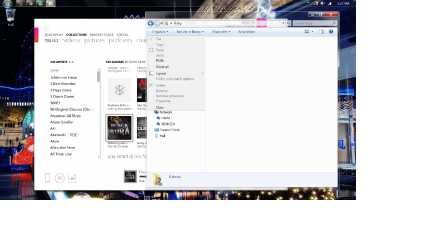
when i click organize, there is no view tab, nor is there a hidden files tab, iv tried searching but to no avail, and i know i didnt move or delete it, all i did was tell the system to show hidden files within that folder and then the file disappeared. :cry:
 

My Computer

OS
Win 7 ultimate

My Computer

Computer Manufacturer/Model Number
iRush Pro
OS
Windows 7 Ultimate x64
CPU
Intel Core i5 2500K Processor
Motherboard
Intel H67 Chipset Motherboard (Micro ATX)
Memory
2x4GB DDR3 1333Mhz Memory
Graphics Card(s)
Novatech Radeon 6770 1GB Graphics Card
Hard Drives
1TB
PSU
Novatech 500W
Case
Novatech ATX Gaming Case
Cooling
-
Keyboard
Novatech Wired Keyboard
Mouse
Novatech Wired Mouse
Internet Speed
VirginMedia 10MB/s
alright i see what your saying its unclickable, btw i am the admin on the cpu.
 

Attachments

  • Untitled.png
    Untitled.png
    235.6 KB · Views: 73

My Computer

OS
Win 7 ultimate

My Computer

Computer Manufacturer/Model Number
HP, Dell, Gateway, Toshiba - 4 laptops and 2 desktops
OS
Vista, Windows7, Mint Mate, Zorin, Windows 8
CPU
from 1.6GHz Duo to i7
Monitor(s) Displays
2x HP w2207
Hard Drives
5x HDD, 7x SSD, 12x Externals
Keyboard
with trackball - no mices
Mouse
Trackball mice
Internet Speed
DSL 6000
its not giving me anything to select, nothing in settings either.
 

Attachments

  • Untitled.png
    Untitled.png
    116.6 KB · Views: 16

My Computer

OS
Win 7 ultimate
its not giving me anything to select, nothing in settings either.
You have no restore points. Too bad. You should activate system restore. But that will only help in the future.
 

My Computer

Computer Manufacturer/Model Number
HP, Dell, Gateway, Toshiba - 4 laptops and 2 desktops
OS
Vista, Windows7, Mint Mate, Zorin, Windows 8
CPU
from 1.6GHz Duo to i7
Monitor(s) Displays
2x HP w2207
Hard Drives
5x HDD, 7x SSD, 12x Externals
Keyboard
with trackball - no mices
Mouse
Trackball mice
Internet Speed
DSL 6000
well crap, i swear i used to have some from the year i updated to 7, so i guess ill just restore from an image, thanks though!
 

My Computer

OS
Win 7 ultimate
Oh good. If you have an image, that should fix it. You could also mount the image VHD and just copy the files in question. What program did you use for imaging.
 

My Computer

Computer Manufacturer/Model Number
HP, Dell, Gateway, Toshiba - 4 laptops and 2 desktops
OS
Vista, Windows7, Mint Mate, Zorin, Windows 8
CPU
from 1.6GHz Duo to i7
Monitor(s) Displays
2x HP w2207
Hard Drives
5x HDD, 7x SSD, 12x Externals
Keyboard
with trackball - no mices
Mouse
Trackball mice
Internet Speed
DSL 6000
alright im feeling either amazing or real dumb, i went through bit torrent inot one of my download files, then properties, and then unchecked hidden, im a dumb!, thanks for your help though!
 

My Computer

OS
Win 7 ultimate
No problem. Any time.
 

My Computer

Computer Manufacturer/Model Number
HP, Dell, Gateway, Toshiba - 4 laptops and 2 desktops
OS
Vista, Windows7, Mint Mate, Zorin, Windows 8
CPU
from 1.6GHz Duo to i7
Monitor(s) Displays
2x HP w2207
Hard Drives
5x HDD, 7x SSD, 12x Externals
Keyboard
with trackball - no mices
Mouse
Trackball mice
Internet Speed
DSL 6000
I had the same problem as the OP. The reason at least in my case was that like the OP I intended to show hidden files inside "user" but in fact I made user and its subdirectories and files hidden files.

This had catastrophic consequences, particularly
1) hiding many programs from the start menu including internet explorer, and
2) preventing explorer and firefox from starting (the latter with the "Firefox is already running, but is not responding...." error message.)

I was fortunately able to open explorer by clicking on a directory on my desktop. I could then navigate to internet explorer in program files. From there I was able to Google this thread.

Using the method described in this thread I first got C: to show hidden folders (in my Japanese system it is Tools > Properties > View, check "show hidden files"), and then inside the hidden "user" folder I unchecked its "hidden" attribution. Everthing is back and functional!

Windows does give a warning saying you need to be administrator to do this, but I was so used to showing hidden files, that I did not stop to think that I was making the folder hidden (and also I don't read Japanese as quickly as I read English).

Since there are hidden folders inside user, and people may want to see them, I wonder how many other people are breaking their system by making their user folder hidden, when they intend to show hidden files.
 

My Computer

Computer Manufacturer/Model Number
self built
OS
Windows 7 Home x64,
CPU
quad pentium
Memory
3GB
Back
Top