SilverlightPony
New member
- Local time
- 7:11 AM
- Messages
- 8
I've seen a couple of other threads about this, but the solutions presented there haven't worked for me.
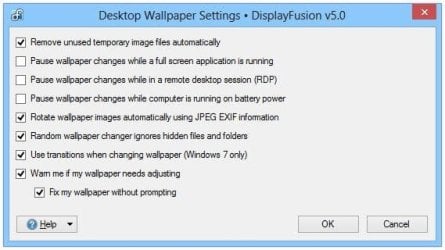
Since I have multiple monitors, and want a separate wallpaper image for each, I use Display Fusion both to set the wallpaper and to change it in a slideshow fashion.
What this means is that Windows itself is set to use a static wallpaper image, but every X minutes (mine is set to 10 minute intervals) Display Fusion selects a new random image for each screen, stitches them together into one big image that spans all the screens and lines everything up properly, and tells Windows "hey, change the wallpaper to this!"
Now, used to be, when the wallpaper changed, I'd get this nice, pleasant fade from the old to the new. But now, it just snaps to the new image(s) with no transition effect whatsoever.
In the Ease of Access Center, "Turn off all unnecessary animations (when possible)" is UNchecked.
In System Properties > Advanced system settings > "Advanced" tab > Performance > Settings, ALL visual effects are ENABLED.
Yes, I AM using an Aero theme.
Halp!
Since I have multiple monitors, and want a separate wallpaper image for each, I use Display Fusion both to set the wallpaper and to change it in a slideshow fashion.
What this means is that Windows itself is set to use a static wallpaper image, but every X minutes (mine is set to 10 minute intervals) Display Fusion selects a new random image for each screen, stitches them together into one big image that spans all the screens and lines everything up properly, and tells Windows "hey, change the wallpaper to this!"
Now, used to be, when the wallpaper changed, I'd get this nice, pleasant fade from the old to the new. But now, it just snaps to the new image(s) with no transition effect whatsoever.
In the Ease of Access Center, "Turn off all unnecessary animations (when possible)" is UNchecked.
In System Properties > Advanced system settings > "Advanced" tab > Performance > Settings, ALL visual effects are ENABLED.
Yes, I AM using an Aero theme.
Halp!
My Computer
- Computer type
- PC/Desktop
- Computer Manufacturer/Model Number
- custom build
- OS
- Windows 7 Ultimate 64-bit
- CPU
- AMD FX 8370
- Motherboard
- Asus M5A99 Pro R2.0
- Memory
- 32GB G.Skill DDR3 @ 1866MHz
- Graphics Card(s)
- GeForce GTX Titan
- Sound Card
- Sound Blaster X-Fi Titanium
- Monitor(s) Displays
- 3x BenQ 24" (nVidia Surround), 46" Samsung TV
- Screen Resolution
- 4x 1920x1080
- Hard Drives
- 1x 256GB SSD
1x 1TB SSD
1x 250GB HDD
1x 1TB HDD
1x 1TB external HDD
- PSU
- Seasonic 860W
- Case
- CoolerMaster Storm Trooper
- Cooling
- Corsair H80i
- Keyboard
- Logitech K800
- Mouse
- Logitech M705
- Internet Speed
- 30Mbps down/5Mbps up
- Antivirus
- Microsoft Security Essentials
- Browser
- Waterfox