- Local time
- 7:22 AM
- Messages
- 124
I use CD/DVD to boot from external CD/DVD.SSD doesn't show up in BIOS. It only shows the following (not necessarily in this order):
- Removeable Drive
- Hard Drive
--- ST1000
- USB
- CD/DVD
- eSATA
- Network
What do you use when booting from dvd? Is that option DVD or USB (you attached DVD drive on usb port?)
I just checked the boot priority order. This is how it is set up right now. This is what it shows when you expand the hard drive and network boot selections.
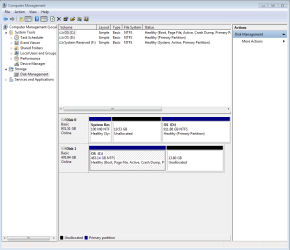
It boots to the SSD at this time.
- Hard Drive
--- ST1000 hard drive
USB storage device
Removable Drive
eSATA
CD/DVD
- Network
--- Realtek PXE B03 DOO
My Computer
At a glance
Windows 7 Ultimate (x64) Service Pack 1 (buil...Intel(R) Core(TM) i5-2450M CPU @ 2.50GHz8 GBIntel HD Graphics 3000 with up to 1.6GB dynam...
- Computer Manufacturer/Model Number
- Dell 17R N7110 Inspiron laptop
- OS
- Windows 7 Ultimate (x64) Service Pack 1 (build 7601)
- CPU
- Intel(R) Core(TM) i5-2450M CPU @ 2.50GHz
- Motherboard
- Dell Inc. 0YH79Y A00
- Memory
- 8 GB
- Graphics Card(s)
- Intel HD Graphics 3000 with up to 1.6GB dynamic video memory
- Sound Card
- SRS Premium Sound - (1) Realtek High Definition Audio
- Monitor(s) Displays
- 17.3" diagonal HD+ TrueLife LED display
- Screen Resolution
- 1600x900 resolution
- Hard Drives
- 1 TB HD #ST1000LM024 HN-M101MBB,
512 GB Samsung 840 Pro SSD
- PSU
- stock
- Case
- stock
- Cooling
- stock
- Keyboard
- stock
- Mouse
- stock
- Internet Speed
- WiFi
- Other Info
- Printer: HP Photosmart C3180