- Local time
- 5:34 PM
- Messages
- 124
I am working on doing this right now. I can almost post results.Make the boot order (in BIOS using F2)
- Removeable Drive (=floppy). If it fails
- USB . if it fails
- CD/DVD .if it fails
- eSATA .if it fails
- Hard Drive --- ST1000. if it fails
- Network
And save it!
I want it to try removable drive, usb,cd/dvd, esata first. All should fail (if no CD/DVD in drive) so it boots from harddrive st1000. Works?
insert a bootable DVD and boot without pressing F12. Boots from DVD?
All works as described above... if so continue. Eject the DVD
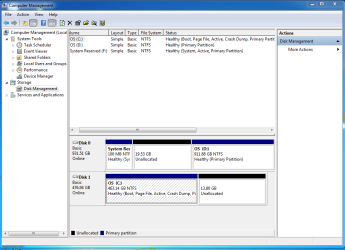
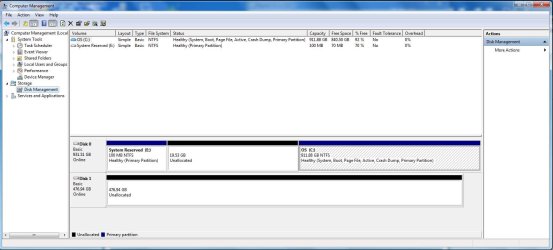
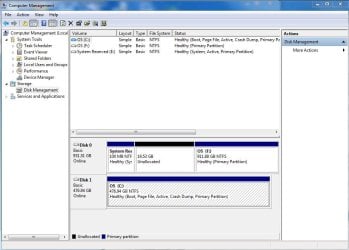
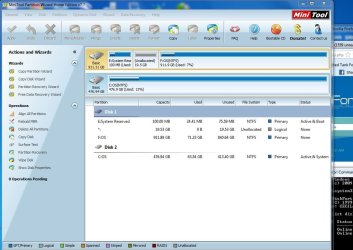
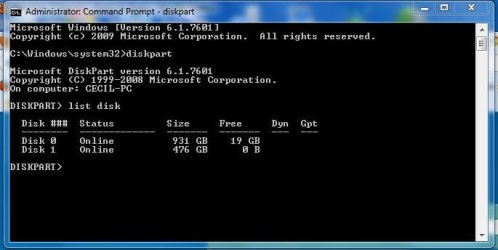
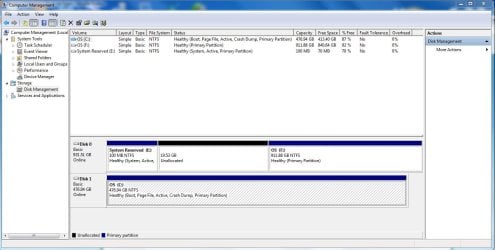
Boot normally. Mark the SSD partition ACTIVE and boot. (you can mark it active in diskmangement, just right click on partition-> "mark partition as active") What error message do you get? I think "bootmgr is missing" (that would be great ...we found the ssd). If it boots normally post screenshot of diskmangement please.
If not booting ... change boot order in bios by placing harddisk before esata in the list. Try to boot. It boots succesfully to win7? If not place harddisk even higher in the list.
post results
My Computer
At a glance
Windows 7 Ultimate (x64) Service Pack 1 (buil...Intel(R) Core(TM) i5-2450M CPU @ 2.50GHz8 GBIntel HD Graphics 3000 with up to 1.6GB dynam...
- Computer Manufacturer/Model Number
- Dell 17R N7110 Inspiron laptop
- OS
- Windows 7 Ultimate (x64) Service Pack 1 (build 7601)
- CPU
- Intel(R) Core(TM) i5-2450M CPU @ 2.50GHz
- Motherboard
- Dell Inc. 0YH79Y A00
- Memory
- 8 GB
- Graphics Card(s)
- Intel HD Graphics 3000 with up to 1.6GB dynamic video memory
- Sound Card
- SRS Premium Sound - (1) Realtek High Definition Audio
- Monitor(s) Displays
- 17.3" diagonal HD+ TrueLife LED display
- Screen Resolution
- 1600x900 resolution
- Hard Drives
- 1 TB HD #ST1000LM024 HN-M101MBB,
512 GB Samsung 840 Pro SSD
- PSU
- stock
- Case
- stock
- Cooling
- stock
- Keyboard
- stock
- Mouse
- stock
- Internet Speed
- WiFi
- Other Info
- Printer: HP Photosmart C3180