[1] Download and run the Windows ISO Downloader.exe, directly download the file from here => Heidoc.
[2] On the right-hand side of the screen under the Windows tab, selectWindows 7.
[3] In the Select edition drop down box, select the Win 7 edition you want an ISO for and click Confirm.
[4] In the Select the product language drop down box, select the language you want the ISO to be and click Confirm.
[5] Under the Downloads section, click the ISO bit-type you want to download.
I hope this helps!
My Computer
At a glance
Win 7 HP SP1 64-bit Vista HB SP2 32-bit Linux...Intel(R) Pentium(R) CPU P6200 @ 2.13GHz4.00 GBIntel(R) Graphics Media Accelerator HD
Computer type
Laptop
Computer Manufacturer/Model Number
Fujitsu LIFEBOOK
OS
Win 7 HP SP1 64-bit Vista HB SP2 32-bit Linux Mint 18.3
CPU
Intel(R) Pentium(R) CPU P6200 @ 2.13GHz
Motherboard
FUJITSU FJNBB06
Memory
4.00 GB
Graphics Card(s)
Intel(R) Graphics Media Accelerator HD
Sound Card
[1] Realtek High Definition Audio [2] Intel(R) Display Audio
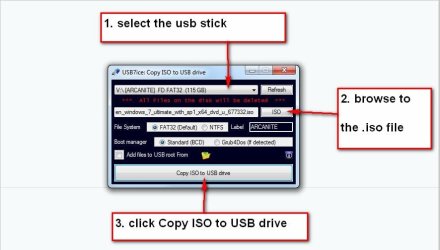
OK the software is no longer available on that downloader but I have downloaded it from your post how do we put it now on a usb drive and it work. I think it is obvious but just check to make sure I do this correctly