Which IE to use with XPMode?

edilee012

New member
Member
VIP
Local time
9:12 AM
Messages
131
By default it has IE6 which is of course outdated and I notice in the windows update IE8 is hidden. Is it safe to use IE8 with XPmode or should I get IE7 instead? Makes me wonder why IE8 is hidden by default.

On Win7 64 bit exactly what XP version is XPmode 32 or 64 bit? it does not state and for downloading some programs I will need to know what bit version the XPmode actually runs in. I am assuming it is 32 bit.
 

My Computer

Computer Manufacturer/Model Number
Custom Asus
OS
Win7 64
CPU
AMD Phenom X4 9950 2.6ghz
Motherboard
Asus Crosshair
Memory
8 gigs Corsair
Graphics Card(s)
2 X Nvidia Geforce 8800 GTS (G92) 512 in SLI
Sound Card
Onboard
Monitor(s) Displays
Samsung 22 inch
Screen Resolution
1920 X 1080
Hard Drives
WD 1 TB, WD 500 Gig, WD 320 Gig
PSU
Thermaltake 850 watt
Case
Raidmax
Cooling
Zalman 9700
Keyboard
Microsoft
Mouse
Logitech MX 518
Internet Speed
25 mbps
The xp mode is 32 bit.

I assume IE8 is just hidden to get you install all the relevant updates first. I would install all the updates, IE7, etc, then install IE8 near the end. It should go fine. I would suggest using IE8 to be up to date with all the reliability and security updates that go along with it.
 

My Computer

Computer type
PC/Desktop
Computer Manufacturer/Model Number
Airbot 2.0
OS
Windows 7 Ultimate x64 SP1
CPU
Core i7 920 (D0) @ 4Ghz, *26c idle *65c full load on air
Motherboard
Asus P6X58D Premium - Sata 6Gb/s - USB 3.0
Memory
12GB DDR3 Corsair Dominator -CMD12GX3M6A1600C8 at 1600MHz
Graphics Card(s)
Zotac Geforce GTX 770
Sound Card
ASUS Xonar D2X
Monitor(s) Displays
1 LG 24" Flatron W2453V-PF 1 Samsung 24" P2450H both 2ms RT
Screen Resolution
1920x1080@60hz
Hard Drives
1 Samsung 250GB 840 Evo SSD
1 OCZ Vertex2 180GB SSD
1 TB Samsung Spinpoint F1 7200RPM 32MB cache
2 500GB WD Caviar Blacks 7200RPM 32MB cache (WD5001AALS)

Pioneer DVD Burner DVR-S18M
PSU
Corsair HX1000W
Case
Cooler Master HAF 932
Cooling
Case Fans *3 230mm, *1 140mm/CPU - *Tuniq Tower 120 Extreme
Keyboard
Logitech Wireless MK700
Mouse
Logitech Wireless MK700
Internet Speed
DL 15 Mbps UL 0.98 Mbps
Antivirus
None
Browser
Firefox Nightly
Other Info
Processor-7.7 *RAM- 7.9 *Graphics-7.9 *Gaming Graphics- 7.9 *SSD- 7.8 W.E.I final score= 7.7
*Phone- LG Nexus 5
Virtual PC can run only 32-bit virtual machines, so A) your XP Mode is 32-bit and B) you can not install any 64-bit OS to a Virtual PC virtual machine.

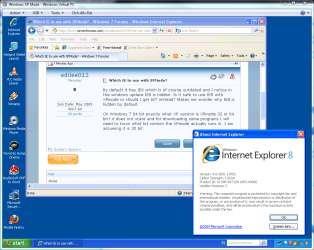
I have three different XP Modes installed, all got the IE8 automatically with Windows Update. See the screenshot under, XP Mode running IE8.

If you don't get it, download and install it separately. It's always better to use latest versions.

Kari
 

Attachments

  • XPM_IE8.PNG
    XPM_IE8.PNG
    56.7 KB · Views: 30

My Computer

Computer type
Laptop
Computer Manufacturer/Model Number
HP ENVY 17-1150eg
OS
Windows 10 Pro x64 EN-GB
CPU
1.6 GHz Intel Core i7-720QM Processor
Memory
6 GB
Graphics Card(s)
ATI Mobility Radeon HD 5850 Graphics
Sound Card
Beats sound system with integrated subwoofer
Monitor(s) Displays
17" laptop display, 22" LED and 32" Full HD TV through HDMI
Screen Resolution
1600*900 (1), 1920*1080 (2&3)
Hard Drives
Internal: 2 x 500 GB SATA Hard Disk Drive 7200 rpm
External: 2TB for backups, 3TB USB3 network drive for media
Cooling
As Envy runs a bit warm, I have it on a Cooler Master pad
Keyboard
Logitech diNovo Media Desktop Laser (bluetooth)
Mouse
Logitech Performance Mouse MX
Internet Speed
50/10 Mbps VDSL
Antivirus
Windows Defender 4.3.9431.0
Browser
Maxthon 3.5.2., IE11
Back
Top