
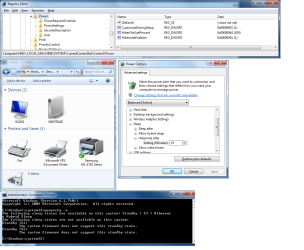
I've done quite a bit of research and I think I've done all of the right things but still I have no Hibernate shutdown option. The attached screenshot shows various things I've looked at but nothing so far indicates any reason why there is no Hibernate shutdown option. There is a Sleep shutdown option which works just fine.
The output of powercfg -a says that I have "Standby (S3) Hibernate Hybrid Sleep" and that's nice I suppose but I'd like plain old fashion Hibernate.
Until a few hours ago this machine had Vista x64 on it and I think that it had a Hibernate shutdown option when it was freshly installed and the C drive still had room for the hiberfil.sys file - but that was a long time ago.
This system has 8G of RAM and I think that I saw a post somewhere that Hibernate is not an option on systems having over 4G of RAM. But 1) I haven't found that statement in MS doc; and 2) Does "not an option" mean that you can't have Hibernate or you must have Hibernate? and 3) if I want to write an 8G file to my harddrive to enter Hibernate and then read that file to wake up the system why would anyone at Microsoft care?
This machine has a Gigabyte motherboard with the AMD AwayMode feature which Win7 does not support so I have Disabled AwayMode in the BIOS. But there was no Hibernate option before I Disabled AwayMode and I can't see why any hardware feature should get in the way of a manual Hibernate.
I really like Hibernate! If anyone can shed some light on this I'd appreciate it.
Thanks, Bob
The output of powercfg -a says that I have "Standby (S3) Hibernate Hybrid Sleep" and that's nice I suppose but I'd like plain old fashion Hibernate.
Until a few hours ago this machine had Vista x64 on it and I think that it had a Hibernate shutdown option when it was freshly installed and the C drive still had room for the hiberfil.sys file - but that was a long time ago.
This system has 8G of RAM and I think that I saw a post somewhere that Hibernate is not an option on systems having over 4G of RAM. But 1) I haven't found that statement in MS doc; and 2) Does "not an option" mean that you can't have Hibernate or you must have Hibernate? and 3) if I want to write an 8G file to my harddrive to enter Hibernate and then read that file to wake up the system why would anyone at Microsoft care?
This machine has a Gigabyte motherboard with the AMD AwayMode feature which Win7 does not support so I have Disabled AwayMode in the BIOS. But there was no Hibernate option before I Disabled AwayMode and I can't see why any hardware feature should get in the way of a manual Hibernate.
I really like Hibernate! If anyone can shed some light on this I'd appreciate it.
Thanks, Bob
Attachments
My Computer
- OS
- Win7 x64
- CPU
- AMD Phenom
- Motherboard
- Gigabyte GA-MA78G-DS3H
- Memory
- 8G


