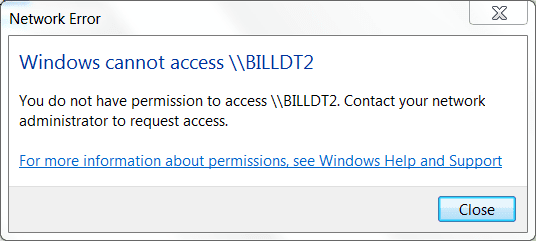
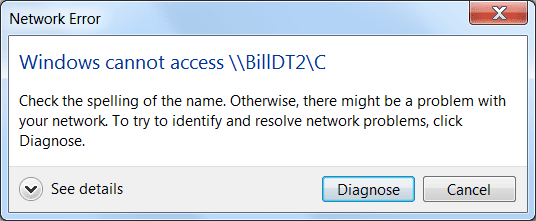
I've a Windows 7 Pro 32/64bit Desktop PC, Say named BILLDT1, I've another Desktop PC with XP SP3 32bit named BILLDT2 and a Wireless Laptop with XP SP3 named BILLLT.
Okay, BILLDT1 sees both BILLDT2 & BILLLT however when I click on BILLDT2 from BILLDT1 it say \\BILLDT2 inaccessable. See System Admin............ Well I'm System Admin and I thought/think I got BILLDT2 permissions set for sharing. I can get on BILLDT2 and see/open files, use printer on BILLDT1 as can BILLLT but BILLDT1 can access files on BILLLT. BILLLT works both ways fine.
In Conclusion,my problem is BILLDT1 sees BILLDT2 but cannot access/read file on BILLDT2 but BILLDT2 can read/open files & use printer on BILLDT1.
Any help appreciated,
Bill
Okay, BILLDT1 sees both BILLDT2 & BILLLT however when I click on BILLDT2 from BILLDT1 it say \\BILLDT2 inaccessable. See System Admin............ Well I'm System Admin and I thought/think I got BILLDT2 permissions set for sharing. I can get on BILLDT2 and see/open files, use printer on BILLDT1 as can BILLLT but BILLDT1 can access files on BILLLT. BILLLT works both ways fine.
In Conclusion,my problem is BILLDT1 sees BILLDT2 but cannot access/read file on BILLDT2 but BILLDT2 can read/open files & use printer on BILLDT1.
Any help appreciated,
Bill
My Computer
At a glance
Windows 7 Professional 64 bitAthlon 640 quad core4gb DDR32
- Computer Manufacturer/Model Number
- HP
- OS
- Windows 7 Professional 64 bit
- CPU
- Athlon 640 quad core
- Motherboard
- quad core
- Memory
- 4gb DDR3
- Graphics Card(s)
- 2
- Sound Card
- 1
- Monitor(s) Displays
- 2
- Hard Drives
- 1-1tb
1-80gb external