TheShadbusher
Mjolnir Mk IV
- Local time
- 11:52 AM
- Messages
- 43
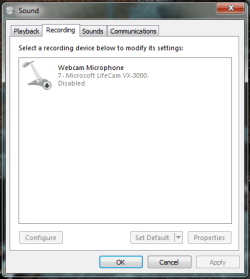
I have a nice Logitech 120 headset that has great microphone quality, but it and any other microphone I plug in to my computer are not detected at all. The speakers in the headset work fine, but the microphone doesn't work. It has separate jacks for the headphone part and the microphone part.
My computer dual-boots with Windows XP 32-bit as well as Windows 7 64-bit, and everything works fine under Windows XP, so it's not the microphones or the hardware.
I tried updating my audio driver, but it appears to be up to date, and I tried using XP's audio driver under Windows 7, which didn't work at all.
Any help is greatly appreciated.
My computer dual-boots with Windows XP 32-bit as well as Windows 7 64-bit, and everything works fine under Windows XP, so it's not the microphones or the hardware.
I tried updating my audio driver, but it appears to be up to date, and I tried using XP's audio driver under Windows 7, which didn't work at all.
Any help is greatly appreciated.
My Computer
- Computer type
- PC/Desktop
- Computer Manufacturer/Model Number
- Custom
- OS
- Windows 8.1 Pro x64
- CPU
- Intel Core i7-4790K @4.0 GHz
- Motherboard
- ASUS Z97I-PLUS
- Memory
- 2 x 8 GB Crucial Ballistix Sport XT @1866 MHz
- Graphics Card(s)
- NVIDIA GTX 660 EVGA Superclocked Edition
- Sound Card
- Integrated
- Monitor(s) Displays
- ASUS VG248QE and Dell 1280x1024 display
- Screen Resolution
- 1920x1080 (main screen)
- Hard Drives
- WD Blue 1 TB 7200 RPM
Dying Seagate Barracuda 300 GB 7200 RPM (for ShadowPlay)
- PSU
- EVGA 500W 80+ Gold
- Case
- EVGA Hadron Air
- Cooling
- Noctua NH-U9B
- Keyboard
- Some Dell multimedia keyboard
- Mouse
- Dell wired mouse
- Internet Speed
- 28/6
- Antivirus
- Malwarebytes
- Browser
- Google Chrome