Windows 7 update error 80246008 - since 08/13/2015

NoeIDP,

I am asking again out of curiosity.... have you review my lest set of logs uploaded and come up with some additional ideas to try? Would like to get this issue resolved.

-Scott
 

My Computer My Computer

At a glance

Windows 7 Home Premium 64-bit SP1AMD A6-3420M APU w/Radeon(tm) HD Graphics 1.5...4.00GB DDR3 @ 665MHz (9-9-9-24)512MB ATI AMD Radeon HD 6520G (Toshiba)
Computer type
Laptop
Computer Manufacturer/Model Number
Toshiba Satellite L775D-S7135
OS
Windows 7 Home Premium 64-bit SP1
CPU
AMD A6-3420M APU w/Radeon(tm) HD Graphics 1.50 GHz
Motherboard
Pegatron Corporation TKBSS (CPU 1)
Memory
4.00GB DDR3 @ 665MHz (9-9-9-24)
Graphics Card(s)
512MB ATI AMD Radeon HD 6520G (Toshiba)
Monitor(s) Displays
Generic PnP Monitor (1440x900@60Hz)
Screen Resolution
96 DPI
Hard Drives
596GB TOSHIBA MK6475GSX SATA Disk Device (SATA)
Cooling
Laptop Fan
Keyboard
Laptop Keyboard
Mouse
Touch Pad
Internet Speed
10 Mb
Antivirus
Avira Free Internet Security v14.0.12.260
Browser
IE 11, FF 40, Opera 31, Chrome 43
Sorry - real life keeps getting in the way :(

I'm a little dazed actually by the mass of AV residuals present!
I think the best thing to do is to run the respective cleanup tools and hope that we can clear everything up.

1) Norton...
Download the Norton Removal Tool from here https://www-secure.symantec.com/nor...10133834EN&product=home&version=1&pvid=f-home

Close all other programs, then run the tool. When it's complete, reboot the machine whether it asks for it or not.

After the reboot, open an Elevated Command Prompt, and run the following command

NETSH WINSOCK RESET

You'll be advised to reboot - do so.
then post another MGADiag report.

2) AVG
AVG | Download tools and utilities
download and run all relevant removers from there - (AVG Remover 32- AND 64-bit, Identity Protection remover) - rebooting in between, and again at the end, then run the WINSOCK reset again.

3) ZoneAlarm
http://download.zonealarm.com/bin/free/support/download/clean.exe
run the download as an Admin, and reboot.

4) Avira
Uninstall in the usual way, then run their cleanup tool...
Instructions for manual uninstallation

Again, run the WINSOCK reset and reboot.

At least for the time being, then install MSE so that we have a base install

How do things work now?
 

My Computer My Computer

At a glance

Win 7 x64 Home Premium (and x86 VirtualBox VM...i3 370M/i7 6500U8GB - finally :)/8GBit's an i3, dude!/dual Intel&nVidia
Computer type
Laptop
Computer Manufacturer/Model Number
Asus K52F or Lenovo B51-80
OS
Win 7 x64 Home Premium (and x86 VirtualBox VM)/Win10
CPU
i3 370M/i7 6500U
Motherboard
Asus/Lenovo
Memory
8GB - finally :)/8GB
Graphics Card(s)
it's an i3, dude!/dual Intel&nVidia
Sound Card
onboard
Monitor(s) Displays
15.6" built-in
Screen Resolution
1366x768/1920x1080
Hard Drives
750GB Seagate internal
Sundry external drives attached to other computers on the local network
1TB SSD on the Lenovo
PSU
n/a
Internet Speed
as much as I can get - usually on a dongle/phone, so <1MB/s
Antivirus
MSE/Defender
Browser
IE11/12/Edge/Chrome/FF(if I must)
NoeIDP,


****> No doubt, I understand "real life" getting in the way of things - THANKS for your on-going help.


I ran the Norton uninstaller and it ran for a few minutes and required a reboot.

<Rebooted>
<Opened cmd prompt as Administrator>
<NETSH WINSOCK RESET>
<Rebooted>

Created MGADiag report (I think I did it right)

Moving on to the rest of the removals. However, AVG has a bunch of removal tools and I do not see / know exactly which on I had installed.
 

My Computer My Computer

At a glance

Windows 7 Home Premium 64-bit SP1AMD A6-3420M APU w/Radeon(tm) HD Graphics 1.5...4.00GB DDR3 @ 665MHz (9-9-9-24)512MB ATI AMD Radeon HD 6520G (Toshiba)
Computer type
Laptop
Computer Manufacturer/Model Number
Toshiba Satellite L775D-S7135
OS
Windows 7 Home Premium 64-bit SP1
CPU
AMD A6-3420M APU w/Radeon(tm) HD Graphics 1.50 GHz
Motherboard
Pegatron Corporation TKBSS (CPU 1)
Memory
4.00GB DDR3 @ 665MHz (9-9-9-24)
Graphics Card(s)
512MB ATI AMD Radeon HD 6520G (Toshiba)
Monitor(s) Displays
Generic PnP Monitor (1440x900@60Hz)
Screen Resolution
96 DPI
Hard Drives
596GB TOSHIBA MK6475GSX SATA Disk Device (SATA)
Cooling
Laptop Fan
Keyboard
Laptop Keyboard
Mouse
Touch Pad
Internet Speed
10 Mb
Antivirus
Avira Free Internet Security v14.0.12.260
Browser
IE 11, FF 40, Opera 31, Chrome 43
NoeIDP....

NO dice!

Did all of the steps, BITS remains in an "blank" status and "Automatic (Delayed)" startup type.

Even tried to start the service by myself, but get the same - (negative) error code message.

The Avira uninstall, I did not have any folders found. The registry cleaner did not find anything in the registry (selected all products).

** is it time to "give up" and remove my HDD, put in an external case, copy the files (user folder) to another HDD via a USB connection and the Windows "Easy Transfer" program. Then reformat the HDD, install my factory WIN 7 Home Premium install. Then re-transfer the files (user folder) from the other HDD back to the laptop HDD?
 

My Computer My Computer

At a glance

Windows 7 Home Premium 64-bit SP1AMD A6-3420M APU w/Radeon(tm) HD Graphics 1.5...4.00GB DDR3 @ 665MHz (9-9-9-24)512MB ATI AMD Radeon HD 6520G (Toshiba)
Computer type
Laptop
Computer Manufacturer/Model Number
Toshiba Satellite L775D-S7135
OS
Windows 7 Home Premium 64-bit SP1
CPU
AMD A6-3420M APU w/Radeon(tm) HD Graphics 1.50 GHz
Motherboard
Pegatron Corporation TKBSS (CPU 1)
Memory
4.00GB DDR3 @ 665MHz (9-9-9-24)
Graphics Card(s)
512MB ATI AMD Radeon HD 6520G (Toshiba)
Monitor(s) Displays
Generic PnP Monitor (1440x900@60Hz)
Screen Resolution
96 DPI
Hard Drives
596GB TOSHIBA MK6475GSX SATA Disk Device (SATA)
Cooling
Laptop Fan
Keyboard
Laptop Keyboard
Mouse
Touch Pad
Internet Speed
10 Mb
Antivirus
Avira Free Internet Security v14.0.12.260
Browser
IE 11, FF 40, Opera 31, Chrome 43
Not yet - please post a set of Event logs, and we'll see what it looks like now.

Open Event Viewer
click on the Windows logs entry in the left pane to expand it.
Now click on the Application entry - wait while it loads.
Click on 'File' in the menu bar and select Save...
Save the file as Appevt.evtx
Repeat for the System log
then zip both, and upload them.
 

My Computer My Computer

At a glance

Win 7 x64 Home Premium (and x86 VirtualBox VM...i3 370M/i7 6500U8GB - finally :)/8GBit's an i3, dude!/dual Intel&nVidia
Computer type
Laptop
Computer Manufacturer/Model Number
Asus K52F or Lenovo B51-80
OS
Win 7 x64 Home Premium (and x86 VirtualBox VM)/Win10
CPU
i3 370M/i7 6500U
Motherboard
Asus/Lenovo
Memory
8GB - finally :)/8GB
Graphics Card(s)
it's an i3, dude!/dual Intel&nVidia
Sound Card
onboard
Monitor(s) Displays
15.6" built-in
Screen Resolution
1366x768/1920x1080
Hard Drives
750GB Seagate internal
Sundry external drives attached to other computers on the local network
1TB SSD on the Lenovo
PSU
n/a
Internet Speed
as much as I can get - usually on a dongle/phone, so <1MB/s
Antivirus
MSE/Defender
Browser
IE11/12/Edge/Chrome/FF(if I must)
Exported Application Events >> Appevnt.evtx
Exported System Events >> Sysevnt.evtx

Compressed into >> Sysevt.zip
 

Attachments

My Computer My Computer

At a glance

Windows 7 Home Premium 64-bit SP1AMD A6-3420M APU w/Radeon(tm) HD Graphics 1.5...4.00GB DDR3 @ 665MHz (9-9-9-24)512MB ATI AMD Radeon HD 6520G (Toshiba)
Computer type
Laptop
Computer Manufacturer/Model Number
Toshiba Satellite L775D-S7135
OS
Windows 7 Home Premium 64-bit SP1
CPU
AMD A6-3420M APU w/Radeon(tm) HD Graphics 1.50 GHz
Motherboard
Pegatron Corporation TKBSS (CPU 1)
Memory
4.00GB DDR3 @ 665MHz (9-9-9-24)
Graphics Card(s)
512MB ATI AMD Radeon HD 6520G (Toshiba)
Monitor(s) Displays
Generic PnP Monitor (1440x900@60Hz)
Screen Resolution
96 DPI
Hard Drives
596GB TOSHIBA MK6475GSX SATA Disk Device (SATA)
Cooling
Laptop Fan
Keyboard
Laptop Keyboard
Mouse
Touch Pad
Internet Speed
10 Mb
Antivirus
Avira Free Internet Security v14.0.12.260
Browser
IE 11, FF 40, Opera 31, Chrome 43
You appear to be having problems with the CFMRD filter driver - from Comodo.
If you no longer have Comodo software installed, uninstall the driver from the Device Manager entry there.
If you do have Comodo installed, uninstall it and run their cleanup tool
 

My Computer My Computer

At a glance

Win 7 x64 Home Premium (and x86 VirtualBox VM...i3 370M/i7 6500U8GB - finally :)/8GBit's an i3, dude!/dual Intel&nVidia
Computer type
Laptop
Computer Manufacturer/Model Number
Asus K52F or Lenovo B51-80
OS
Win 7 x64 Home Premium (and x86 VirtualBox VM)/Win10
CPU
i3 370M/i7 6500U
Motherboard
Asus/Lenovo
Memory
8GB - finally :)/8GB
Graphics Card(s)
it's an i3, dude!/dual Intel&nVidia
Sound Card
onboard
Monitor(s) Displays
15.6" built-in
Screen Resolution
1366x768/1920x1080
Hard Drives
750GB Seagate internal
Sundry external drives attached to other computers on the local network
1TB SSD on the Lenovo
PSU
n/a
Internet Speed
as much as I can get - usually on a dongle/phone, so <1MB/s
Antivirus
MSE/Defender
Browser
IE11/12/Edge/Chrome/FF(if I must)
NoeIDP....

I looked in the device manager (including viewing the "Show Hidden Devices") but I cannot find anything called: CFMRD Filter Driver.

**To the best of my knowledge, I do not have anything installed that is related to Comodo.
- under C:\Program Files\Comodo I have TWO folders
1) Comodo Programs Manager dated 06/27/2015 - 1 file: cu_comp.dat 6 KB
2) Comodo System Utilities dates 10/01/2015
- under C:\Program Files (x86) NO folders for Comodo - but do for others:
1) Norton PC Checkup dated 03/26/2013
2) NortonInstaller dated 07/22/2015
3) Slim Cleaner dated 08/15/2015 (with a Service & Startup Database file)??
- under C:\ProgramData I have some folders/files:
1) AVG Secure Search
2) NortonInstaller dated 08/15/2015 with 2 folders
3) OO Software dated 08/13/2015 with 2 Windows Installer Packages
4) TDSSkiller dates 09/12/2015

================

Nothing in the All Programs >> Folder display for Comodo -or- any programs listed in the start menu.

The only thing I find in the Services w/in the Admin Tools related to Comodo is:
"Comodo LPS Launcher (Comodo LivePCSupport Launcher) /
Status=blank, Startup Type=Disabled, Logon As=Local System

**But I do have "bunches" of different "greyed" items within the device manager - should I go thru and UNINSTALL / delete all of these "greyed" items from the device manager?

**I probably did a NO-NO, but I downloaded & Installed Comodo System Utilities FREE
- looking at the "autoruns" >> Drivers
- I now see "CFRMD" info follows:
v6.1.7600.16385 built by: WinDDK
Windows (R) Win 7 DDK provider
unsigned

Start Type: System (drop-down values Boot, System, Automatic, Demand, Disable)
Error: Normal (drop-down values Severe, Critical, Ignore, Normal)
Type: MiniFilter (drop-down values Driver, FileSystem, MiniFilter)
Order in Group: (drop-down values 1 thru 21)
Load Group: FSFilter Activity Monitor (several other options in drop-down)
Depend on Group: (several options I have NO clue what they mean)
Altitude: 370,031 Flags: 0
Status: Started
----------------------------------------------------------------
[ Stop ] [ Unregister ] [ Remove ]

Any suggestions?

Here is a link to "FreeFixer" info:
What is cfrmd.sys?

Here is another link (probably unreliable):
What's CFRMD.sys?Best How to Fix CFRMD.sys Error Guide
 

My Computer My Computer

At a glance

Windows 7 Home Premium 64-bit SP1AMD A6-3420M APU w/Radeon(tm) HD Graphics 1.5...4.00GB DDR3 @ 665MHz (9-9-9-24)512MB ATI AMD Radeon HD 6520G (Toshiba)
Computer type
Laptop
Computer Manufacturer/Model Number
Toshiba Satellite L775D-S7135
OS
Windows 7 Home Premium 64-bit SP1
CPU
AMD A6-3420M APU w/Radeon(tm) HD Graphics 1.50 GHz
Motherboard
Pegatron Corporation TKBSS (CPU 1)
Memory
4.00GB DDR3 @ 665MHz (9-9-9-24)
Graphics Card(s)
512MB ATI AMD Radeon HD 6520G (Toshiba)
Monitor(s) Displays
Generic PnP Monitor (1440x900@60Hz)
Screen Resolution
96 DPI
Hard Drives
596GB TOSHIBA MK6475GSX SATA Disk Device (SATA)
Cooling
Laptop Fan
Keyboard
Laptop Keyboard
Mouse
Touch Pad
Internet Speed
10 Mb
Antivirus
Avira Free Internet Security v14.0.12.260
Browser
IE 11, FF 40, Opera 31, Chrome 43
NoeIDP,


Man I hate it when real life interferes with your "duties" to us LOST & confused Win 7 users...

Do you have an update to my last post?

**I probably did a NO-NO, but I downloaded & Installed Comodo System Utilities FREE
- looking at the "autoruns" >> Drivers
- I now see "CFRMD" info follows:
v6.1.7600.16385 built by: WinDDK
Windows (R) Win 7 DDK provider
unsigned

Start Type: System (drop-down values Boot, System, Automatic, Demand, Disable)
Error: Normal (drop-down values Severe, Critical, Ignore, Normal)
Type: MiniFilter (drop-down values Driver, FileSystem, MiniFilter)
Order in Group: (drop-down values 1 thru 21)
Load Group: FSFilter Activity Monitor (several other options in drop-down)
Depend on Group: (several options I have NO clue what they mean)
Altitude: 370,031 Flags: 0
Status: Started
----------------------------------------------------------------
[ Stop ] [ Unregister ] [ Remove ]

Let me know... this not downloading the updates is really bumming me out....

-Scott
 

My Computer My Computer

At a glance

Windows 7 Home Premium 64-bit SP1AMD A6-3420M APU w/Radeon(tm) HD Graphics 1.5...4.00GB DDR3 @ 665MHz (9-9-9-24)512MB ATI AMD Radeon HD 6520G (Toshiba)
Computer type
Laptop
Computer Manufacturer/Model Number
Toshiba Satellite L775D-S7135
OS
Windows 7 Home Premium 64-bit SP1
CPU
AMD A6-3420M APU w/Radeon(tm) HD Graphics 1.50 GHz
Motherboard
Pegatron Corporation TKBSS (CPU 1)
Memory
4.00GB DDR3 @ 665MHz (9-9-9-24)
Graphics Card(s)
512MB ATI AMD Radeon HD 6520G (Toshiba)
Monitor(s) Displays
Generic PnP Monitor (1440x900@60Hz)
Screen Resolution
96 DPI
Hard Drives
596GB TOSHIBA MK6475GSX SATA Disk Device (SATA)
Cooling
Laptop Fan
Keyboard
Laptop Keyboard
Mouse
Touch Pad
Internet Speed
10 Mb
Antivirus
Avira Free Internet Security v14.0.12.260
Browser
IE 11, FF 40, Opera 31, Chrome 43
Uninstalling Comodo would be a good start ;) - then delete any remaining references in the driver listing in Device manager. (which should remove the entry from autoruns)
If it's still present, you may need to do some registry hacking to get rid of the links forcing it.
 

My Computer My Computer

At a glance

Win 7 x64 Home Premium (and x86 VirtualBox VM...i3 370M/i7 6500U8GB - finally :)/8GBit's an i3, dude!/dual Intel&nVidia
Computer type
Laptop
Computer Manufacturer/Model Number
Asus K52F or Lenovo B51-80
OS
Win 7 x64 Home Premium (and x86 VirtualBox VM)/Win10
CPU
i3 370M/i7 6500U
Motherboard
Asus/Lenovo
Memory
8GB - finally :)/8GB
Graphics Card(s)
it's an i3, dude!/dual Intel&nVidia
Sound Card
onboard
Monitor(s) Displays
15.6" built-in
Screen Resolution
1366x768/1920x1080
Hard Drives
750GB Seagate internal
Sundry external drives attached to other computers on the local network
1TB SSD on the Lenovo
PSU
n/a
Internet Speed
as much as I can get - usually on a dongle/phone, so <1MB/s
Antivirus
MSE/Defender
Browser
IE11/12/Edge/Chrome/FF(if I must)
NoeIDP,

When I go to uninstall Comodo, should I:

- use the windows un/installer tools, or,
- use the Revo Uninstaller in "deep mode" to uninstall, scan the registry, scan the drive for left over files?

When I look at the Device Manager:

- there has not been any "left over" items that look to be part of Comodo (at least that i can easily ID)

What kinds of registry hacks do you think I would need to do?

- scan for any keys with the word "Comodo" in them?

Plus, what about all of the various grayed out items in the Device Manager currently?

- should I uninstall / delete these?
- there are dozens of them (are they failed driver installs?)

Let me know.
 

My Computer My Computer

At a glance

Windows 7 Home Premium 64-bit SP1AMD A6-3420M APU w/Radeon(tm) HD Graphics 1.5...4.00GB DDR3 @ 665MHz (9-9-9-24)512MB ATI AMD Radeon HD 6520G (Toshiba)
Computer type
Laptop
Computer Manufacturer/Model Number
Toshiba Satellite L775D-S7135
OS
Windows 7 Home Premium 64-bit SP1
CPU
AMD A6-3420M APU w/Radeon(tm) HD Graphics 1.50 GHz
Motherboard
Pegatron Corporation TKBSS (CPU 1)
Memory
4.00GB DDR3 @ 665MHz (9-9-9-24)
Graphics Card(s)
512MB ATI AMD Radeon HD 6520G (Toshiba)
Monitor(s) Displays
Generic PnP Monitor (1440x900@60Hz)
Screen Resolution
96 DPI
Hard Drives
596GB TOSHIBA MK6475GSX SATA Disk Device (SATA)
Cooling
Laptop Fan
Keyboard
Laptop Keyboard
Mouse
Touch Pad
Internet Speed
10 Mb
Antivirus
Avira Free Internet Security v14.0.12.260
Browser
IE 11, FF 40, Opera 31, Chrome 43
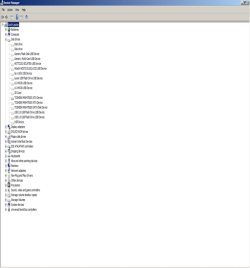
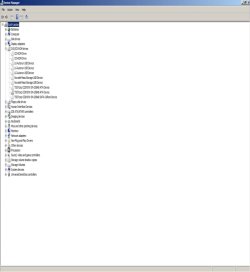
Please take a screenshot to show what you mean about the greyed-out entries - I'm not sure that they are without a good look.
 

My Computer My Computer

At a glance

Win 7 x64 Home Premium (and x86 VirtualBox VM...i3 370M/i7 6500U8GB - finally :)/8GBit's an i3, dude!/dual Intel&nVidia
Computer type
Laptop
Computer Manufacturer/Model Number
Asus K52F or Lenovo B51-80
OS
Win 7 x64 Home Premium (and x86 VirtualBox VM)/Win10
CPU
i3 370M/i7 6500U
Motherboard
Asus/Lenovo
Memory
8GB - finally :)/8GB
Graphics Card(s)
it's an i3, dude!/dual Intel&nVidia
Sound Card
onboard
Monitor(s) Displays
15.6" built-in
Screen Resolution
1366x768/1920x1080
Hard Drives
750GB Seagate internal
Sundry external drives attached to other computers on the local network
1TB SSD on the Lenovo
PSU
n/a
Internet Speed
as much as I can get - usually on a dongle/phone, so <1MB/s
Antivirus
MSE/Defender
Browser
IE11/12/Edge/Chrome/FF(if I must)
NoeIDP,

While I am putting together the "several" screen shots in a Word document, do you want me to:

**I probably did a NO-NO, but I downloaded & Installed Comodo System Utilities FREE
- looking at the "autoruns" >> Drivers
- I now see "CFRMD" info follows:
v6.1.7600.16385 built by: WinDDK
Windows (R) Win 7 DDK provider
unsigned

Start Type: System (drop-down values Boot, System, Automatic, Demand, Disable)
Error: Normal (drop-down values Severe, Critical, Ignore, Normal)
Type: MiniFilter (drop-down values Driver, FileSystem, MiniFilter)
Order in Group: (drop-down values 1 thru 21)
Load Group: FSFilter Activity Monitor (several other options in drop-down)
Depend on Group: (several options I have NO clue what they mean)
Altitude: 370,031 Flags: 0
Status: Started
----------------------------------------------------------------
[ Stop ] [ Unregister ] [ Remove ]

To see if ANY bring the BITS back to life again, first?!?
 

My Computer My Computer

At a glance

Windows 7 Home Premium 64-bit SP1AMD A6-3420M APU w/Radeon(tm) HD Graphics 1.5...4.00GB DDR3 @ 665MHz (9-9-9-24)512MB ATI AMD Radeon HD 6520G (Toshiba)
Computer type
Laptop
Computer Manufacturer/Model Number
Toshiba Satellite L775D-S7135
OS
Windows 7 Home Premium 64-bit SP1
CPU
AMD A6-3420M APU w/Radeon(tm) HD Graphics 1.50 GHz
Motherboard
Pegatron Corporation TKBSS (CPU 1)
Memory
4.00GB DDR3 @ 665MHz (9-9-9-24)
Graphics Card(s)
512MB ATI AMD Radeon HD 6520G (Toshiba)
Monitor(s) Displays
Generic PnP Monitor (1440x900@60Hz)
Screen Resolution
96 DPI
Hard Drives
596GB TOSHIBA MK6475GSX SATA Disk Device (SATA)
Cooling
Laptop Fan
Keyboard
Laptop Keyboard
Mouse
Touch Pad
Internet Speed
10 Mb
Antivirus
Avira Free Internet Security v14.0.12.260
Browser
IE 11, FF 40, Opera 31, Chrome 43
Please do NOT use word docs to post screenshots - it's incredibly messy - simply either attach the jpgs or use the Insert Image option.
 

My Computer My Computer

At a glance

Win 7 x64 Home Premium (and x86 VirtualBox VM...i3 370M/i7 6500U8GB - finally :)/8GBit's an i3, dude!/dual Intel&nVidia
Computer type
Laptop
Computer Manufacturer/Model Number
Asus K52F or Lenovo B51-80
OS
Win 7 x64 Home Premium (and x86 VirtualBox VM)/Win10
CPU
i3 370M/i7 6500U
Motherboard
Asus/Lenovo
Memory
8GB - finally :)/8GB
Graphics Card(s)
it's an i3, dude!/dual Intel&nVidia
Sound Card
onboard
Monitor(s) Displays
15.6" built-in
Screen Resolution
1366x768/1920x1080
Hard Drives
750GB Seagate internal
Sundry external drives attached to other computers on the local network
1TB SSD on the Lenovo
PSU
n/a
Internet Speed
as much as I can get - usually on a dongle/phone, so <1MB/s
Antivirus
MSE/Defender
Browser
IE11/12/Edge/Chrome/FF(if I must)
NoeIDP...

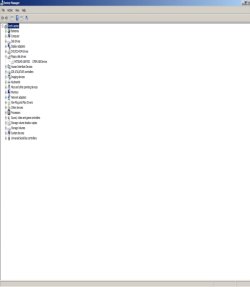
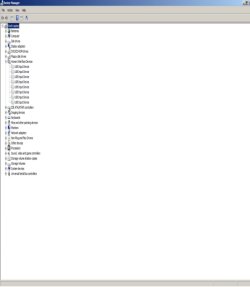
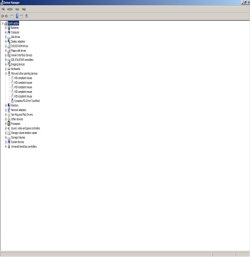
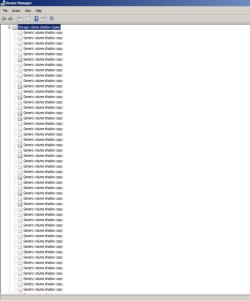
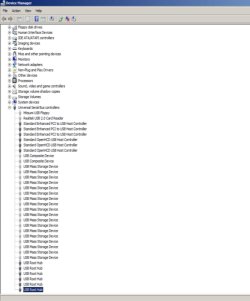
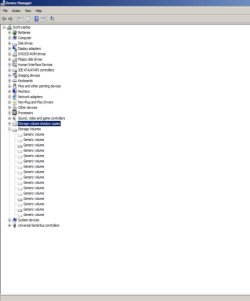
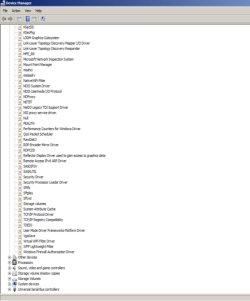
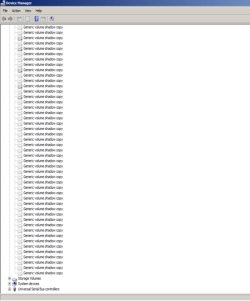
Please find attached all of the screen shots ( I tried my best to create them ) in JPG format.

I have not uninstalled the the Comodo yet waiting to see if you want me to "Unregister" or "Remove" the CFRMD service driver first.

Thanks!

-Scott
 

Attachments

  • DM-disk drives.jpg
    DM-disk drives.jpg
    24.6 KB · Views: 0
  • DM-DVD-CD-Drives.jpg
    DM-DVD-CD-Drives.jpg
    24.5 KB · Views: 0
  • DM-Floppy-Drives.jpg
    DM-Floppy-Drives.jpg
    20.8 KB · Views: 0
  • DM-Human-Interface-Devices.jpg
    DM-Human-Interface-Devices.jpg
    21 KB · Views: 0
  • DM-Mice & other pointing devices.jpg
    DM-Mice & other pointing devices.jpg
    21.2 KB · Views: 0
  • DM-Volume Shadow Copies - part 1.jpg
    DM-Volume Shadow Copies - part 1.jpg
    45 KB · Views: 0
  • DM-Universal Serial Bus Controllers.jpg
    DM-Universal Serial Bus Controllers.jpg
    42.6 KB · Views: 1
  • DM-Storage Volumes.jpg
    DM-Storage Volumes.jpg
    29.9 KB · Views: 0
  • DM-PnP Devices-part 2.jpg
    DM-PnP Devices-part 2.jpg
    39.7 KB · Views: 0
  • DM-PnP Devices-part 1.jpg
    DM-PnP Devices-part 1.jpg
    34.8 KB · Views: 1
  • DM-Volume Shadow Copies - part 2.jpg
    DM-Volume Shadow Copies - part 2.jpg
    44.8 KB · Views: 0

My Computer My Computer

At a glance

Windows 7 Home Premium 64-bit SP1AMD A6-3420M APU w/Radeon(tm) HD Graphics 1.5...4.00GB DDR3 @ 665MHz (9-9-9-24)512MB ATI AMD Radeon HD 6520G (Toshiba)
Computer type
Laptop
Computer Manufacturer/Model Number
Toshiba Satellite L775D-S7135
OS
Windows 7 Home Premium 64-bit SP1
CPU
AMD A6-3420M APU w/Radeon(tm) HD Graphics 1.50 GHz
Motherboard
Pegatron Corporation TKBSS (CPU 1)
Memory
4.00GB DDR3 @ 665MHz (9-9-9-24)
Graphics Card(s)
512MB ATI AMD Radeon HD 6520G (Toshiba)
Monitor(s) Displays
Generic PnP Monitor (1440x900@60Hz)
Screen Resolution
96 DPI
Hard Drives
596GB TOSHIBA MK6475GSX SATA Disk Device (SATA)
Cooling
Laptop Fan
Keyboard
Laptop Keyboard
Mouse
Touch Pad
Internet Speed
10 Mb
Antivirus
Avira Free Internet Security v14.0.12.260
Browser
IE 11, FF 40, Opera 31, Chrome 43
Yikes - you appear to have a lot of duplicated devices!
The Shadow Copies, I'm not worried about - although you appear to have more than I would expect, that may be self-limiting anyhow.
One major problem there - which could be causing a lot of things - appears to be the failed Fs_Rec system driver (in the Non PLug and Play section).

Please right-click on it and select Uninstall - then reboot.

Open Device Manager again, and see if it's still present - is it still greyed out? Has the system behaviour changed at all?
If so, then we may have to get creative.

Post back
 

My Computer My Computer

At a glance

Win 7 x64 Home Premium (and x86 VirtualBox VM...i3 370M/i7 6500U8GB - finally :)/8GBit's an i3, dude!/dual Intel&nVidia
Computer type
Laptop
Computer Manufacturer/Model Number
Asus K52F or Lenovo B51-80
OS
Win 7 x64 Home Premium (and x86 VirtualBox VM)/Win10
CPU
i3 370M/i7 6500U
Motherboard
Asus/Lenovo
Memory
8GB - finally :)/8GB
Graphics Card(s)
it's an i3, dude!/dual Intel&nVidia
Sound Card
onboard
Monitor(s) Displays
15.6" built-in
Screen Resolution
1366x768/1920x1080
Hard Drives
750GB Seagate internal
Sundry external drives attached to other computers on the local network
1TB SSD on the Lenovo
PSU
n/a
Internet Speed
as much as I can get - usually on a dongle/phone, so <1MB/s
Antivirus
MSE/Defender
Browser
IE11/12/Edge/Chrome/FF(if I must)
NoeIDP,

Broken Record....

Uninstalled from the drivers window within My Computer.
Rebooted (took a lot longer to shut doown & restart this time)
Looked at Device Manager - it returned and is still greyed out.

Looked on Google, found a "Severn Forum" thread...

- checked the size in the c:\windows\system32\drivers and it is 22.8 KB
- created Monday, June 11, 2012 @ 12:27:08 PM
- modified Thursday, March 01, 2012 @ 12:46:16 AM
- last accessed Saturday, May 23, 2015 @ 8:26:51 PM

======================

What about the CFRMD item that is only visible in the Comodo System Utilities?
Should I [ Stop ] [ Unregister ] [ Remove ]???
Reboot??

======================

The UNINSTALL Comodo System Utilities using the regular Windows Add/Remove?
Reboot??

======================

In the DM in the PnP I also see:

avgtp - it is STARTED

I am pulling on my last 3 hairs in my scalp...... ARRRRRRRGGGHHHHHHHHHH!!!!!!!
 

My Computer My Computer

At a glance

Windows 7 Home Premium 64-bit SP1AMD A6-3420M APU w/Radeon(tm) HD Graphics 1.5...4.00GB DDR3 @ 665MHz (9-9-9-24)512MB ATI AMD Radeon HD 6520G (Toshiba)
Computer type
Laptop
Computer Manufacturer/Model Number
Toshiba Satellite L775D-S7135
OS
Windows 7 Home Premium 64-bit SP1
CPU
AMD A6-3420M APU w/Radeon(tm) HD Graphics 1.50 GHz
Motherboard
Pegatron Corporation TKBSS (CPU 1)
Memory
4.00GB DDR3 @ 665MHz (9-9-9-24)
Graphics Card(s)
512MB ATI AMD Radeon HD 6520G (Toshiba)
Monitor(s) Displays
Generic PnP Monitor (1440x900@60Hz)
Screen Resolution
96 DPI
Hard Drives
596GB TOSHIBA MK6475GSX SATA Disk Device (SATA)
Cooling
Laptop Fan
Keyboard
Laptop Keyboard
Mouse
Touch Pad
Internet Speed
10 Mb
Antivirus
Avira Free Internet Security v14.0.12.260
Browser
IE 11, FF 40, Opera 31, Chrome 43
This sounds like fun...

Let's have a close look at the services etc.
Please open Regedit
Navigate to the
HKEY_LOCAL_MACHINE\SYSTEM\CurrentControlSet\Services subkey, and right-click on it
Select Export - call the file 'Services' and change the file type to 'Registry Hive'
Click OK
exit Regedit
Post the Services file (compressed) to your reply - I'll see if I can work out what's happening (or not!).
 

My Computer My Computer

At a glance

Win 7 x64 Home Premium (and x86 VirtualBox VM...i3 370M/i7 6500U8GB - finally :)/8GBit's an i3, dude!/dual Intel&nVidia
Computer type
Laptop
Computer Manufacturer/Model Number
Asus K52F or Lenovo B51-80
OS
Win 7 x64 Home Premium (and x86 VirtualBox VM)/Win10
CPU
i3 370M/i7 6500U
Motherboard
Asus/Lenovo
Memory
8GB - finally :)/8GB
Graphics Card(s)
it's an i3, dude!/dual Intel&nVidia
Sound Card
onboard
Monitor(s) Displays
15.6" built-in
Screen Resolution
1366x768/1920x1080
Hard Drives
750GB Seagate internal
Sundry external drives attached to other computers on the local network
1TB SSD on the Lenovo
PSU
n/a
Internet Speed
as much as I can get - usually on a dongle/phone, so <1MB/s
Antivirus
MSE/Defender
Browser
IE11/12/Edge/Chrome/FF(if I must)
NoeIDP....

Wow I am glad you are excited about continuing with this....

The "Services" Registry Hive file is 1.89MB uncompressed.

I have attached the ZIP version which is 392KB.


Thanks!
-Scott
 

Attachments

My Computer My Computer

At a glance

Windows 7 Home Premium 64-bit SP1AMD A6-3420M APU w/Radeon(tm) HD Graphics 1.5...4.00GB DDR3 @ 665MHz (9-9-9-24)512MB ATI AMD Radeon HD 6520G (Toshiba)
Computer type
Laptop
Computer Manufacturer/Model Number
Toshiba Satellite L775D-S7135
OS
Windows 7 Home Premium 64-bit SP1
CPU
AMD A6-3420M APU w/Radeon(tm) HD Graphics 1.50 GHz
Motherboard
Pegatron Corporation TKBSS (CPU 1)
Memory
4.00GB DDR3 @ 665MHz (9-9-9-24)
Graphics Card(s)
512MB ATI AMD Radeon HD 6520G (Toshiba)
Monitor(s) Displays
Generic PnP Monitor (1440x900@60Hz)
Screen Resolution
96 DPI
Hard Drives
596GB TOSHIBA MK6475GSX SATA Disk Device (SATA)
Cooling
Laptop Fan
Keyboard
Laptop Keyboard
Mouse
Touch Pad
Internet Speed
10 Mb
Antivirus
Avira Free Internet Security v14.0.12.260
Browser
IE 11, FF 40, Opera 31, Chrome 43
I was expecting to see corruption present - but if there is any, I can't see it :(

Back to the drawing board :(
 

My Computer My Computer

At a glance

Win 7 x64 Home Premium (and x86 VirtualBox VM...i3 370M/i7 6500U8GB - finally :)/8GBit's an i3, dude!/dual Intel&nVidia
Computer type
Laptop
Computer Manufacturer/Model Number
Asus K52F or Lenovo B51-80
OS
Win 7 x64 Home Premium (and x86 VirtualBox VM)/Win10
CPU
i3 370M/i7 6500U
Motherboard
Asus/Lenovo
Memory
8GB - finally :)/8GB
Graphics Card(s)
it's an i3, dude!/dual Intel&nVidia
Sound Card
onboard
Monitor(s) Displays
15.6" built-in
Screen Resolution
1366x768/1920x1080
Hard Drives
750GB Seagate internal
Sundry external drives attached to other computers on the local network
1TB SSD on the Lenovo
PSU
n/a
Internet Speed
as much as I can get - usually on a dongle/phone, so <1MB/s
Antivirus
MSE/Defender
Browser
IE11/12/Edge/Chrome/FF(if I must)
Back
Top