
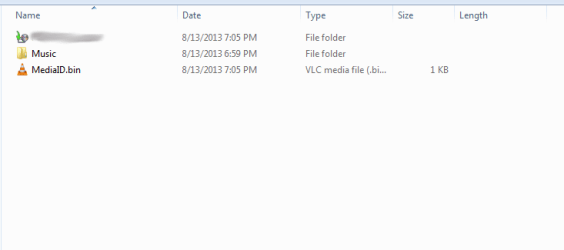
I've had my machine for quite some time now, and I just now got my hard drive set up for Windows backup. When I go to the root of a hard drive, not just my backup HDD, but every external and internal hard drive (other than the bootable), there will be an empty folder labeled, "Music." I have no idea where this came from, or why I don't have permissions to delete it. I am the administrator of the machine, and have full access to the root and subfolders.
I used cmd with elevated privileges to delete the folder off one drive at some point, but came back as soon as Windows Backup was ran. I'm at a loss, any help is appreciated. Thanks.
I used cmd with elevated privileges to delete the folder off one drive at some point, but came back as soon as Windows Backup was ran. I'm at a loss, any help is appreciated. Thanks.
Attachments
My Computer
At a glance
Windows 7 Professional 64 BitAMD FX-61004 x 4GB DDR3-12800HIS IceQ Radeon HD 6870
- Computer type
- PC/Desktop
- Computer Manufacturer/Model Number
- Custom Build
- OS
- Windows 7 Professional 64 Bit
- CPU
- AMD FX-6100
- Motherboard
- ASUS M5A97 Rev2
- Memory
- 4 x 4GB DDR3-12800
- Graphics Card(s)
- HIS IceQ Radeon HD 6870
- Hard Drives
- 750GB Seagate Barracuda (Boot)
2TB Seagate Barracuda (Mass Storage)
2TB WD Black Caviar (Backup)
- Antivirus
- Webroot Complete
- Browser
- Chromium


