- Local time
- 2:37 PM
- Messages
- 2,774
Just before doing any clean install, if you are able:
Save to external media all of your data folders; all of your desktop folders & desktop icons; save all downloads from Downloads folder; and so on. After your clean install -- you can use the desktop folders and icons as roadmaps -- telling you what to reinstall and where.
Save to external media all of your data folders; all of your desktop folders & desktop icons; save all downloads from Downloads folder; and so on. After your clean install -- you can use the desktop folders and icons as roadmaps -- telling you what to reinstall and where.
My Computer
- Computer type
- PC/Desktop
- Computer Manufacturer/Model Number
- Antec desktop; Acer Aspire laptops
- OS
- Windows 7 Professional 64-bit
- CPU
- Desktop i5; Acers i5 & i7
- Memory
- desktop 16GB; 1 Acer 8GB & 1 Acer 16GB
- Hard Drives
- 1TB split into 2 equal partitions [OS and data] usable by RJS
- Internet Speed
- AT&T DSL
- Browser
- FF, GChrome, msIE
- Other Info
- Windows 7 Firewall, Emsisoft AM/AV, MSE [scan-only], SpywareBlaster, Ruiware/BillP combine


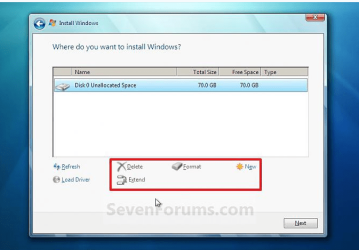

 . I was wondering already if I could treat this iso-file the same way as my normal data files.