
Windows Live Mail 2012 will not connect to Outlook.com

Brink

Administrator
Staff member
Local time
5:54 AM
Messages
74,889
Location
Oklahoma
Effective late June 2016, Windows Live Mail 2012 will no longer synchronize emails, contacts, and calendar events from email accounts ending in @outlook.com, @hotmail.com, @live.com, or @msn.com. These email accounts are powered by Outlook.com.

Outlook.com is being upgraded to a new infrastructure that delivers innovative email and calendar experiences with enhanced performance, security, and reliability. The Windows Live 2012 email application does not support the modern synchronization technologies used by the new Outlook.com, so once your account is upgraded to the new Outlook.com, you will no longer be able to send or receive Outlook.com email from Windows Live Mail 2012.

Rest assured, you can always access your Outlook.com account via any web browser at any time. You will also continue to have access your emails, contacts, and calendar data that is currently stored in Windows Live Mail 2012.

This article summarizes the alternatives available to you when Windows Live Mail 2012 stops connecting to your Outlook.com account.

Access Outlook.com via a web browser

The enhanced Outlook.com web interface gives you a powerful way to manage email, contacts, and calendar data via all major web browsers. Simply navigate to www.outlook.com and enter your Outlook.com email address and password to log in.

Use the Mail app on Windows

The built-in Mail app on Windows is the recommended replacement for Windows Live Mail 2012, and is the most-used email application among Outlook.com users today. It is designed to work with the new Outlook.com, offers a more modern and touch-friendly interface, and integrates elegantly with the Windows platform. Like Windows Live Mail 2012, the Mail app on Windows is free.

The Mail app comes pre-installed in Windows 8.1 and Windows 10. To begin using the Mail app on Windows 8.1 or Mail app on Windows 10:

  1. Select
    37a67cc0-2a88-456f-b68b-11484f074de0.png
    > All apps > Mail to launch the app.
  2. Select Get started > Add account. (If you've been to the Mail app before you won't see the get started option.)
  3. Enter your @outlook.com, @hotmail.com, @live.com or @msn.com email address and password, and select Sign in.
  4. Select
    0c7d1229-3ad5-4ca6-813a-f927c5a4fd7d.png
    > Manage Accounts > Change mailbox sync settings to set how far back in time you want to synchronize your Outlook.com data with the Mail app.
Your calendar events will synchronize with the Calendar app on Windows, and contact data will synchronize with the People app on Windows.

If you're using Windows 7, you can upgrade to a newer version of Windows to enjoy the Mail app and the other benefits, or you can access your account via a web browser.

Use Outlook 2016 for Windows

You can also take advantage of a free one-year subscription of Office 365 Personal and use Outlook 2016 to connect to your account. This Office 365 subscription includes the Outlook 2016 email application as well as other productivity applications such as Word, PowerPoint, and Excel. Learn more here. It works on Windows 7, Windows 8, 8.1, and Windows 10.

Details on how to redeem this offer are included in the email communications from the Outlook.com team. See Additional information to Windows Live Mail 2012 users regarding the offer for Office 365 Personal here.

See Add your Outlook.com account in Outlook 2016 for Windows to get started.

Special instructions for users of locally stored data in Windows Live Mail 2012

Note: This section applies only to users who have locally stored emails in Storage Folders or locally stored contacts in Windows Live Mail 2012.

Windows Live Mail 2012 allows you to move emails out of your Outlook.com account and store it offline in local storage folders. Similarly, contacts data can be locally stored offline. If you've used this feature to take data out of your Outlook.com account, we recommend that you move that data back into your Outlook.com account prior to the upgrade so that it can synchronize with any new email application you may want to use. The following steps describing how to move data will ensure that your data is accessible in the Outlook.com account via a web browser, and in your new email application when you connect it to your Outlook.com account.

Move data to Mail app for Windows

Follow these steps to move locally stored data from Windows Live Mail 2012 to your Outlook.com account. Complete this prior to the account upgrade starting in late June 2016.

For locally stored emails
  1. Open the Windows Live Mail 2012 email application.
  2. Create one or more folders in the list of folders that synchronize with your Outlook.com account. Your Outlook.com account might be of the form @outlook.com, @hotmail.com, @live.com or @msn.com. It might also be referred to as Windows Live or Microsoft account.
  3. In the list of storage folders, open the folder with the emails that you want to move.
  4. Select all messages (Ctrl+A) in the local folder and drag and drop or copy/paste the emails to the new folder created in step 2. Perform this step for all local storage folders that you wish to upload to your Outlook.com account.
  5. Synchronize your email account to create the folders on Outlook.com and upload the emails.
  6. Log in to your email account on a web browser at www.outlook.com to confirm that the emails were uploaded.
For locally stored contacts
  1. Export locally stored contacts from Windows Live Mail 2012.
    1. Open the Windows Live Mail 2012 email application.
    2. Select Contacts.
    3. Select the locally stored contacts that you want to upload.
    4. Click Export on the ribbon.
    5. Select .csv file format in the drop-down menu.
    6. Click Browse and select where to save your contacts.
    7. Enter a file name and click Save.
    8. Click Next and then select the check boxes next to the fields that you want to export. Only selected fields are exported, so make sure to select everything you might want later.
    9. Click Finish.
  2. Import .csv file to People (contacts) on the web.
    1. Log in to your email account on a web browser at www.outlook.com.
    2. Click on the app launcher icon and select People.
      2b1b832c-a978-4a83-850f-eaf510067f76.png
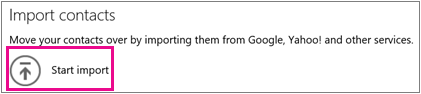
    3. Click Start import to import contacts on the People main page.
      b609ab44-91cd-45b2-bdc6-2d79e05ad937.png
    4. Select Windows Live Mail 2012.
    5. Browse for and select the file created in step 7 in Export locally stored contacts.
    6. Click Upload.
      Note: Calendar items are not stored locally in Windows Live Mail 2012 when you're connected to the Outlook.com account. When Windows Live Mail 2012 synchronizes data with your Outlook.com account after you sign in with your email address, calendar items are automatically synchronized.
Move data to Outlook 2016 for Windows

If you choose to use the Outlook 2016 for Windows application, you can move data directly from Windows Live Mail into Outlook 2016. Refer to detailed instructions at Export Windows Live Mail emails, contacts, and calendar data to Outlook to learn how to move emails and contacts to Outlook 2016. Locally stored data can be moved from Windows Live Mail 2012 to Outlook 2016 before or after your Outlook.com account is upgraded.

Note: You'll continue to have access to locally stored data in Windows Live Mail 2012 after the Outlook.com account upgrade.

Need more help moving your data?

For more assistance with moving data from Windows Live Mail 2012 to the Mail app for Windows or Outlook 2016 for Windows, submit your questions to the Windows Essentials community forum.

Frequently asked questions

Why is Microsoft making this change?

We are upgrading Outlook.com to a new infrastructure, powered by Office 365, that helps you collaborate effortlessly with Office documents, get more done using partner add-ins, and focus on what matters. This new infrastructure uses modern synchronization protocols that provide enhanced performance, security, and reliability. Windows Live Mail 2012 uses an older synchronization protocol which is incompatible with this new infrastructure.

Who needs to take action?

Anyone who currently uses Windows Live Mail 2012 to connect to Outlook.com needs to switch to an alternate email application or start accessing their email via web browser. People who use Windows Live Mail 2012 to connect to email services other than Outlook.com, including Gmail, Yahoo Mail, or other services that use POP3 or IMAP protocols, do not need to take action. Outlook.com users who do not use Windows Live Mail 2012 also do not need to take action.

Do I need to wait until my Outlook.com account is upgraded before I switch to the Mail app on Windows?

We recommend you switch now. The Mail app on Windows works with both the old and new versions of Outlook.com. Switching now will help you have a seamless transition when your account is upgraded. Migrations for Windows Live Mail 2012 users of Outlook.com are set to begin in late June, 2016.

What happens if I don’t stop using Windows Live Mail 2012 before my account is upgraded?
After your account is upgraded, Windows Live Mail 2012 will no longer connect to Outlook.com. You will be able to read, send, and receive email in a web browser by accessing www.outlook.com, but within Windows Live Mail 2012, you will only be able to access your locally-stored email data.

How long do I have before I must stop using Windows Live Mail 2012?

Windows Live Mail 2012 will stop connecting to Outlook.com after your account is upgraded. Upgrades for Windows Live Mail 2012 users of Outlook.com will begin in late June, 2016. We recommend migrating to the Mail app on Windows before that date.

I'm having trouble using the Mail app on Windows. Can someone at Microsoft help me?

If you need technical assistance, contact our community support in the Mail on Windows 8.1 community forum or Mail on Windows 10 community forum.

What are my options if I am on Windows 7 and cannot upgrade to a newer version of Windows to use the Mail app?

You may always continue to access Outlook.com from any web browser at www.outlook.com. Alternatively, you may use Outlook 2016, which works on Windows 7, 8, 8.1, and 10. We are happy to offer a free one-year subscription to Office 365 Personal for this purpose. An email with details of this offer is being sent to your email address. An Office 365 subscription includes the Outlook 2016 desktop app as well as other productivity applications such as Word, PowerPoint, Excel, and OneNote.

What if I have more questions about my Outlook.com account not answered here?

If you have more questions, you can refer to the Microsoft support page.

Additional information to Windows Live Mail 2012 users regarding the offer for Office 365 Personal

Terms and conditions of the free one-year subscription of Office 365 Personal

Offer valid for a free one-year subscription of Office 365 Personal. Must redeem by October 15, 2016. Payment instrument required, and will be automatically charged the current subscription price after one year unless you cancel your subscription at www.office.com/myaccount. Valid only if you are an original recipient of this offer, have accessed Outlook.com email account via Windows Live Mail within the last three months, and are a first-time Office 365 subscriber. Offer must be redeemed via the Microsoft online store. Valid only where Office 365 is available. Limit of one per person/Microsoft account; must use the account associated with your Outlook.com email address. May not be redeemed by or transferred to another customer, or combined with other offers. Not valid on prior orders or purchases; may not be redeemed for cash or gift cards. Microsoft reserves the right to modify or discontinue the offer at any time.

If you need help to redeem the offer, please contact Answer Desk accounts & billing for Office and Office 365.


Source: Windows Live Mail 2012 will not connect to Outlook.com - Outlook
 

My Computer My Computer

At a glance

64-bit Windows 11 Pro for WorkstationsIntel i7-8700K OC'd to 5 GHz64 GB (4x16GB) G.SKILL TridentZ RGB DDR4 3600...ASUS ROG-STRIX-GTX1080TI-O11G-GAMING
Computer type
PC/Desktop
Computer Manufacturer/Model Number
Self built custom
OS
64-bit Windows 11 Pro for Workstations
CPU
Intel i7-8700K OC'd to 5 GHz
Motherboard
ASUS ROG Maximus XI Formula Z390
Memory
64 GB (4x16GB) G.SKILL TridentZ RGB DDR4 3600 MHz
Graphics Card(s)
ASUS ROG-STRIX-GTX1080TI-O11G-GAMING
Sound Card
Integrated
Monitor(s) Displays
2 x Samsung Odyssey G7 27"
Screen Resolution
2560x1440
Hard Drives
1TB Samsung 990 PRO M.2,
4TB Samsung 990 PRO PRO M.2,
TerraMaster F8 SSD Plus NAS
PSU
Seasonic Prime Titanium 850W
Case
Thermaltake Core P3
Cooling
Corsair Hydro H115i
Keyboard
Logitech wireless K800
Mouse
Logitech MX Master 4
Internet Speed
2 Gb/s Download and 100 Mb/s Upload
Antivirus
Malwarebyte Anti-Malware Premium
Browser
Google Chrome
Other Info
Logitech Z625 speaker system,
Logitech BRIO 4K Pro webcam,
HP Color LaserJet Pro MFP M477fdn,
APC SMART-UPS RT 1000 XL - SURT1000XLI,
Galaxy S23 Plus phone
Well this sucks! Been using WLM2012 for years with no issues.
What do people recommend as good alternatives?
 

My Computer My Computer

At a glance

Win 7 Ultimate, Win 8.1 Pro, Linux Mint 19 Ci...Intel i5 4690KCorsair Vengeance LP 32GB DDR3MSI GTX 1060 GAMING X 6GB
Computer type
PC/Desktop
Computer Manufacturer/Model Number
Custom Build
OS
Win 7 Ultimate, Win 8.1 Pro, Linux Mint 19 Cinnamon (All 64-Bit)
CPU
Intel i5 4690K
Motherboard
Gigabyte Z97X-UD3H
Memory
Corsair Vengeance LP 32GB DDR3
Graphics Card(s)
MSI GTX 1060 GAMING X 6GB
Sound Card
Onboard
Hard Drives
Samsung 850 EVO 250GB SSD (x2)
Samsung 860 EVO 1TB SSD (x2)
Crucial MX300 525GB SSD
WD Blue 2TB 5400rpm Intellipark Disabled (x2)
PSU
Corsair HX750i
Case
Phanteks Enthoo Pro
Cooling
CM Hyper 212 EVO on CPU, Noctua Redux NF-P14S 1500rpm (x6)
Keyboard
Corsair K70 RGB LUX
Mouse
Corsair Sabre RGB
Antivirus
Avast Free, MalwareBytes, SAS & CryptoPrevent
Browser
Chrome
Other Info
StarTech PEXESAT322I 2 Port PCI-E SATA Card
ASUS PCE-AC56 Dual-band AC1300 Wireless Card
Akasa FC.Six Manual Fan Controller
And a Partridge in a Pear Tree!
Darn good example of why I never used it :)
Givith and takith away.
Code:
Get-AppxPackage *windowscommunicationsapps* | Remove-AppxPackage
Code:
Get-AppxPackage *people* | Remove-AppxPackage
 

My Computer My Computer

At a glance

Win-7-Pro64bit 7-H-Prem-64biti7-5930K 2nd i9-9940x both water blocked VRM'...Trident-z 3200C14 2nd Trident-z 3600C16EVGA 1080ti ftw3 2nd Titan Xp both water blocked
Computer type
PC/Desktop
Computer Manufacturer/Model Number
Custom assembled by me :}
OS
Win-7-Pro64bit 7-H-Prem-64bit
CPU
i7-5930K 2nd i9-9940x both water blocked VRM's too
Motherboard
ASUS SABERTOOTH X99 2nd ASUS x299 Apex
Memory
Trident-z 3200C14 2nd Trident-z 3600C16
Graphics Card(s)
EVGA 1080ti ftw3 2nd Titan Xp both water blocked
Sound Card
Built-in Realtek
Monitor(s) Displays
1-AOC G2460PG 24"G-Sync 144Hz/ 2nd 1-ASUS VG248QE 24" 144Hz
Screen Resolution
1920 x 1080 144Hz
Hard Drives
2-Samsung M.2 Evo & Evo Plus
2-Samsung 850 EVO 500GB SSD's/ 3-2.5 W.D. Black 1tb-&3-1tb/3-3.5 WD Black 1tb hdd's
PSU
EVGA SuperNOVA 1000-P2 2nd 1200-P2
Case
2-Corsair Obsidian Series 450D Black ATX Mid Tower
Cooling
Custom water loops
Keyboard
Logitech G710+/ 2nd Logitech G910
Mouse
2-RedDragon M901 Perdition 16400 dpi Gaming mouse = wired
Internet Speed
Comcast Ping 19ms 89.31mbps download speed 6.12mbps upload
Antivirus
Malwarebytes Pro/ Superantispyware Pro
Browser
FireFox & Pale moon
Other Info
2nd ASUS X299 Apex/Intel i9-9940x with Custom water loop/7H-Prem-x64/Corsair 450D case/Ram Trident-z 3600C16 4x8gb / Samsung970Evo plus 500gb SSD/Dual ssd EZ swap evo/PSU EVGA SuperNova 1200w-P2 80+Platinum/GPU Titan Xp /8-ML-140 on push-pull on 2-280GTX rads
:D
Might give Thunderbird a whirl. I have Office 2007 but I've never been that keen on Outlook. WLM was a lighter alternative.
It hasn't been updated for a long time so guess it's retirement was on the cards.
Not interested in any subscription based software though.
 

My Computer My Computer

At a glance

Win 7 Ultimate, Win 8.1 Pro, Linux Mint 19 Ci...Intel i5 4690KCorsair Vengeance LP 32GB DDR3MSI GTX 1060 GAMING X 6GB
Computer type
PC/Desktop
Computer Manufacturer/Model Number
Custom Build
OS
Win 7 Ultimate, Win 8.1 Pro, Linux Mint 19 Cinnamon (All 64-Bit)
CPU
Intel i5 4690K
Motherboard
Gigabyte Z97X-UD3H
Memory
Corsair Vengeance LP 32GB DDR3
Graphics Card(s)
MSI GTX 1060 GAMING X 6GB
Sound Card
Onboard
Hard Drives
Samsung 850 EVO 250GB SSD (x2)
Samsung 860 EVO 1TB SSD (x2)
Crucial MX300 525GB SSD
WD Blue 2TB 5400rpm Intellipark Disabled (x2)
PSU
Corsair HX750i
Case
Phanteks Enthoo Pro
Cooling
CM Hyper 212 EVO on CPU, Noctua Redux NF-P14S 1500rpm (x6)
Keyboard
Corsair K70 RGB LUX
Mouse
Corsair Sabre RGB
Antivirus
Avast Free, MalwareBytes, SAS & CryptoPrevent
Browser
Chrome
Other Info
StarTech PEXESAT322I 2 Port PCI-E SATA Card
ASUS PCE-AC56 Dual-band AC1300 Wireless Card
Akasa FC.Six Manual Fan Controller
And a Partridge in a Pear Tree!
Yea I don't know if the outlook connector is still compatible either ?
 

My Computer My Computer

At a glance

Win-7-Pro64bit 7-H-Prem-64biti7-5930K 2nd i9-9940x both water blocked VRM'...Trident-z 3200C14 2nd Trident-z 3600C16EVGA 1080ti ftw3 2nd Titan Xp both water blocked
Computer type
PC/Desktop
Computer Manufacturer/Model Number
Custom assembled by me :}
OS
Win-7-Pro64bit 7-H-Prem-64bit
CPU
i7-5930K 2nd i9-9940x both water blocked VRM's too
Motherboard
ASUS SABERTOOTH X99 2nd ASUS x299 Apex
Memory
Trident-z 3200C14 2nd Trident-z 3600C16
Graphics Card(s)
EVGA 1080ti ftw3 2nd Titan Xp both water blocked
Sound Card
Built-in Realtek
Monitor(s) Displays
1-AOC G2460PG 24"G-Sync 144Hz/ 2nd 1-ASUS VG248QE 24" 144Hz
Screen Resolution
1920 x 1080 144Hz
Hard Drives
2-Samsung M.2 Evo & Evo Plus
2-Samsung 850 EVO 500GB SSD's/ 3-2.5 W.D. Black 1tb-&3-1tb/3-3.5 WD Black 1tb hdd's
PSU
EVGA SuperNOVA 1000-P2 2nd 1200-P2
Case
2-Corsair Obsidian Series 450D Black ATX Mid Tower
Cooling
Custom water loops
Keyboard
Logitech G710+/ 2nd Logitech G910
Mouse
2-RedDragon M901 Perdition 16400 dpi Gaming mouse = wired
Internet Speed
Comcast Ping 19ms 89.31mbps download speed 6.12mbps upload
Antivirus
Malwarebytes Pro/ Superantispyware Pro
Browser
FireFox & Pale moon
Other Info
2nd ASUS X299 Apex/Intel i9-9940x with Custom water loop/7H-Prem-x64/Corsair 450D case/Ram Trident-z 3600C16 4x8gb / Samsung970Evo plus 500gb SSD/Dual ssd EZ swap evo/PSU EVGA SuperNova 1200w-P2 80+Platinum/GPU Titan Xp /8-ML-140 on push-pull on 2-280GTX rads
Oh yeah, forgot about that.
Shows how long it's been since I used Outlook. :D
 

My Computer My Computer

At a glance

Win 7 Ultimate, Win 8.1 Pro, Linux Mint 19 Ci...Intel i5 4690KCorsair Vengeance LP 32GB DDR3MSI GTX 1060 GAMING X 6GB
Computer type
PC/Desktop
Computer Manufacturer/Model Number
Custom Build
OS
Win 7 Ultimate, Win 8.1 Pro, Linux Mint 19 Cinnamon (All 64-Bit)
CPU
Intel i5 4690K
Motherboard
Gigabyte Z97X-UD3H
Memory
Corsair Vengeance LP 32GB DDR3
Graphics Card(s)
MSI GTX 1060 GAMING X 6GB
Sound Card
Onboard
Hard Drives
Samsung 850 EVO 250GB SSD (x2)
Samsung 860 EVO 1TB SSD (x2)
Crucial MX300 525GB SSD
WD Blue 2TB 5400rpm Intellipark Disabled (x2)
PSU
Corsair HX750i
Case
Phanteks Enthoo Pro
Cooling
CM Hyper 212 EVO on CPU, Noctua Redux NF-P14S 1500rpm (x6)
Keyboard
Corsair K70 RGB LUX
Mouse
Corsair Sabre RGB
Antivirus
Avast Free, MalwareBytes, SAS & CryptoPrevent
Browser
Chrome
Other Info
StarTech PEXESAT322I 2 Port PCI-E SATA Card
ASUS PCE-AC56 Dual-band AC1300 Wireless Card
Akasa FC.Six Manual Fan Controller
And a Partridge in a Pear Tree!
Yep as far as I know it's still in windows essentials 2012
 

My Computer My Computer

At a glance

Win-7-Pro64bit 7-H-Prem-64biti7-5930K 2nd i9-9940x both water blocked VRM'...Trident-z 3200C14 2nd Trident-z 3600C16EVGA 1080ti ftw3 2nd Titan Xp both water blocked
Computer type
PC/Desktop
Computer Manufacturer/Model Number
Custom assembled by me :}
OS
Win-7-Pro64bit 7-H-Prem-64bit
CPU
i7-5930K 2nd i9-9940x both water blocked VRM's too
Motherboard
ASUS SABERTOOTH X99 2nd ASUS x299 Apex
Memory
Trident-z 3200C14 2nd Trident-z 3600C16
Graphics Card(s)
EVGA 1080ti ftw3 2nd Titan Xp both water blocked
Sound Card
Built-in Realtek
Monitor(s) Displays
1-AOC G2460PG 24"G-Sync 144Hz/ 2nd 1-ASUS VG248QE 24" 144Hz
Screen Resolution
1920 x 1080 144Hz
Hard Drives
2-Samsung M.2 Evo & Evo Plus
2-Samsung 850 EVO 500GB SSD's/ 3-2.5 W.D. Black 1tb-&3-1tb/3-3.5 WD Black 1tb hdd's
PSU
EVGA SuperNOVA 1000-P2 2nd 1200-P2
Case
2-Corsair Obsidian Series 450D Black ATX Mid Tower
Cooling
Custom water loops
Keyboard
Logitech G710+/ 2nd Logitech G910
Mouse
2-RedDragon M901 Perdition 16400 dpi Gaming mouse = wired
Internet Speed
Comcast Ping 19ms 89.31mbps download speed 6.12mbps upload
Antivirus
Malwarebytes Pro/ Superantispyware Pro
Browser
FireFox & Pale moon
Other Info
2nd ASUS X299 Apex/Intel i9-9940x with Custom water loop/7H-Prem-x64/Corsair 450D case/Ram Trident-z 3600C16 4x8gb / Samsung970Evo plus 500gb SSD/Dual ssd EZ swap evo/PSU EVGA SuperNova 1200w-P2 80+Platinum/GPU Titan Xp /8-ML-140 on push-pull on 2-280GTX rads
:D
Might give Thunderbird a whirl. I have Office 2007 but I've never been that keen on Outlook. WLM was a lighter alternative.
It hasn't been updated for a long time so guess it's retirement was on the cards.
Not interested in any subscription based software though.

I got rid of WLM 2012 a while ago because some of my MS email accounts had been converted, and some hadn't been converted.
I switched to Mozilla Thunderbird portable available at
Portable App Directory | PortableApps.com - Portable software for USB, portable and cloud drives
Then you could test it without installing the program.

It's more complicated configuring than WLM, but it works well for me, and i like it better than WLM.
 

My Computer My Computer

At a glance

Multi-Boot W7_Pro_x64 W8.1_Pro_x64 W10_Pro_x6...AMD Athlon II x4 6206GB GSkill DDR2 800AMD 4670 GPU + AMD 4200 IGP
Computer type
PC/Desktop
Computer Manufacturer/Model Number
home built
OS
Multi-Boot W7_Pro_x64 W8.1_Pro_x64 W10_Pro_x64 +Linux_VMs +Chromium_VM
CPU
AMD Athlon II x4 620
Motherboard
Gigabyte GA-MA785G-UD3H
Memory
6GB GSkill DDR2 800
Graphics Card(s)
AMD 4670 GPU + AMD 4200 IGP
Sound Card
on board Realtek ALC889A
Monitor(s) Displays
RCA 40" LCD TV, Insignia 32" LCD TV, HP 15" LCD monitor
Screen Resolution
1680 x 1050
Hard Drives
OCZ Vertex 3 120GB,
Samsung F3 1TB (3),
Several others - WD, Seagate, Hitachi, ...
PSU
Corsair 500 W
Case
Rosewill mid tower
Cooling
CM 90mm rifle
Keyboard
Gyration wireless, Logitech wireless, Dell USB wired
Mouse
Gyration wireless, Logitech wireless, V7 USB wired
Internet Speed
Spectrum - 100Mbps D / 10Mbps U
Antivirus
Avast, MBAM3, EMET, WinPatrol
Browser
Pale Moon, Firefox, IE
Other Info
2 multi-boot PC's
Mainly HTPC/Office/Gen purpose (no gaming).
Trendnet USB KVM.
LG DVD burner/Blue Ray Player.
Tray system for removable SATA backup drives.

Not currently OCd, under-volted.
I use Hybrid sleep, rarely re-boot or shutdown.

Hauppauge HD-PVR, Avermedia PCIe TV Tuner, Hauppauge PCI TV Tuner.
:D
Might give Thunderbird a whirl. I have Office 2007 but I've never been that keen on Outlook. WLM was a lighter alternative.
It hasn't been updated for a long time so guess it's retirement was on the cards.
Not interested in any subscription based software though.

I got rid of WLM 2012 a while ago because some of my MS email accounts had been converted, and some hadn't been converted.
I switched to Mozilla Thunderbird portable available at
Portable App Directory | PortableApps.com - Portable software for USB, portable and cloud drives
Then you could test it without installing the program.

It's more complicated configuring than WLM, but it works well for me, and i like it better than WLM.

Great idea David, thanks! :thumbsup:
I didn't realise there was a portable version of Thunderbird, so I'll give that a try first.
 

My Computer My Computer

At a glance

Win 7 Ultimate, Win 8.1 Pro, Linux Mint 19 Ci...Intel i5 4690KCorsair Vengeance LP 32GB DDR3MSI GTX 1060 GAMING X 6GB
Computer type
PC/Desktop
Computer Manufacturer/Model Number
Custom Build
OS
Win 7 Ultimate, Win 8.1 Pro, Linux Mint 19 Cinnamon (All 64-Bit)
CPU
Intel i5 4690K
Motherboard
Gigabyte Z97X-UD3H
Memory
Corsair Vengeance LP 32GB DDR3
Graphics Card(s)
MSI GTX 1060 GAMING X 6GB
Sound Card
Onboard
Hard Drives
Samsung 850 EVO 250GB SSD (x2)
Samsung 860 EVO 1TB SSD (x2)
Crucial MX300 525GB SSD
WD Blue 2TB 5400rpm Intellipark Disabled (x2)
PSU
Corsair HX750i
Case
Phanteks Enthoo Pro
Cooling
CM Hyper 212 EVO on CPU, Noctua Redux NF-P14S 1500rpm (x6)
Keyboard
Corsair K70 RGB LUX
Mouse
Corsair Sabre RGB
Antivirus
Avast Free, MalwareBytes, SAS & CryptoPrevent
Browser
Chrome
Other Info
StarTech PEXESAT322I 2 Port PCI-E SATA Card
ASUS PCE-AC56 Dual-band AC1300 Wireless Card
Akasa FC.Six Manual Fan Controller
And a Partridge in a Pear Tree!
I've been using WLM since I switched to Win 7 back in 2009, never had any problems with it. I'm leaning toward going with the free 1 yr subscription to Office 365 Personal. At the end of that year I'll decide whether to keep subscribing to it or move on to something like Thunderbird. I know I'd rather access outlook.com via browser than use the Mail app that comes with Win 8.x or 10.
 

My Computer My Computer

At a glance

W10 Pro desktop, W11 laptop, W11 Pro tablet (...3.7Ghz 8700K i7, i7-11800H, i7-1065G716G desktop, 16G laptop, 4G tabletAMD Radeon RX580, RTX 3060, Intel Iris Plus
Computer type
PC/Desktop
Computer Manufacturer/Model Number
Home Built desktop, Dell G15 5511 Gaming laptop,MS Surface Pro 7 tablet
OS
W10 Pro desktop, W11 laptop, W11 Pro tablet (all 64-bit)
CPU
3.7Ghz 8700K i7, i7-11800H, i7-1065G7
Motherboard
ASUS TUF Z370-Pro Gaming in desktop
Memory
16G desktop, 16G laptop, 4G tablet
Graphics Card(s)
AMD Radeon RX580, RTX 3060, Intel Iris Plus
Sound Card
High Definition Audio (Built-in to mobo)
Monitor(s) Displays
Samsung U32J59 32" (2x), 15.6", 12"
Screen Resolution
3840x2160, 3840x2160, 1920x1080, 2160x1440
Hard Drives
500G SSD for OS; 2T, 10T & 15T HDDs for Data on Desktop, 1TB SSD laptop, 128G SSD tablet.
PSU
Corsair CX 750M
Case
Antec 100
Cooling
CM 212+
Keyboard
IBM Model M - used continuously since 1986
Mouse
Microsoft Pro IntelliMouse
Internet Speed
400M down 8M up
Antivirus
Windows Defender
Browser
FireFox
Other Info
Built my first computer (8Mhz 8088cpu, 640K RAM, 20MB HDD, 2 360K floppy drives) in 1985 and have been building them for myself, relatives and friends ever since.
So I gave Thunderbird portable a try and found it easy to setup and configure. I've now installed it the desktop client and I'm liking it already.
Took no time to setup and configure and has a lot of customise options. :thumbsup:
Though I probably won't remove WLM 2012 until June when it stops working.
 

My Computer My Computer

At a glance

Win 7 Ultimate, Win 8.1 Pro, Linux Mint 19 Ci...Intel i5 4690KCorsair Vengeance LP 32GB DDR3MSI GTX 1060 GAMING X 6GB
Computer type
PC/Desktop
Computer Manufacturer/Model Number
Custom Build
OS
Win 7 Ultimate, Win 8.1 Pro, Linux Mint 19 Cinnamon (All 64-Bit)
CPU
Intel i5 4690K
Motherboard
Gigabyte Z97X-UD3H
Memory
Corsair Vengeance LP 32GB DDR3
Graphics Card(s)
MSI GTX 1060 GAMING X 6GB
Sound Card
Onboard
Hard Drives
Samsung 850 EVO 250GB SSD (x2)
Samsung 860 EVO 1TB SSD (x2)
Crucial MX300 525GB SSD
WD Blue 2TB 5400rpm Intellipark Disabled (x2)
PSU
Corsair HX750i
Case
Phanteks Enthoo Pro
Cooling
CM Hyper 212 EVO on CPU, Noctua Redux NF-P14S 1500rpm (x6)
Keyboard
Corsair K70 RGB LUX
Mouse
Corsair Sabre RGB
Antivirus
Avast Free, MalwareBytes, SAS & CryptoPrevent
Browser
Chrome
Other Info
StarTech PEXESAT322I 2 Port PCI-E SATA Card
ASUS PCE-AC56 Dual-band AC1300 Wireless Card
Akasa FC.Six Manual Fan Controller
And a Partridge in a Pear Tree!
The problem is that Mozilla keeps announcing that they are going to ditch Thunderbird. That's why I switched to eM Client

Some say they prefer FossaMail over Thunderbird. I've never used FossaMail!

Google - Fossamail vs.Thunderbird
 

My Computer My Computer

At a glance

Microsoft Windows 7 Home Premium 64-bit 7601 ...AMD C-60 APU with Radeon(tm) HD Graphics4.00 GBAMD Radeon HD 6290 Graphics
Computer type
Laptop
Computer Manufacturer/Model Number
ASUS
OS
Microsoft Windows 7 Home Premium 64-bit 7601 Multiprocessor Free Service Pack 1
CPU
AMD C-60 APU with Radeon(tm) HD Graphics
Motherboard
ASUSTeK COMPUTER INC. X501U
Memory
4.00 GB
Graphics Card(s)
AMD Radeon HD 6290 Graphics
Sound Card
(1) AMD High Definition Audio Device (2) Realtek High Defi
Screen Resolution
1366 x 768 x 32 bits (4294967296 colors) @ 60 Hz
Hard Drives
Hitachi HTS545050A7E380 SATA Disk Device
Antivirus
Comodo CIS & FW, SecureAplus App Whitelisting, Threatfire
Browser
Cyberfox 64bit, Opera 64bit, Airfox
Other Info
Spy-The-Spy, HitmanPro.Alert, Norton Connect Safe, MJRegWatcher, BitDefender TrafficLight, Voodoo Shield, Zemana AntiMalware

My Computer My Computer

At a glance

Win 7 Ultimate, Win 8.1 Pro, Linux Mint 19 Ci...Intel i5 4690KCorsair Vengeance LP 32GB DDR3MSI GTX 1060 GAMING X 6GB
Computer type
PC/Desktop
Computer Manufacturer/Model Number
Custom Build
OS
Win 7 Ultimate, Win 8.1 Pro, Linux Mint 19 Cinnamon (All 64-Bit)
CPU
Intel i5 4690K
Motherboard
Gigabyte Z97X-UD3H
Memory
Corsair Vengeance LP 32GB DDR3
Graphics Card(s)
MSI GTX 1060 GAMING X 6GB
Sound Card
Onboard
Hard Drives
Samsung 850 EVO 250GB SSD (x2)
Samsung 860 EVO 1TB SSD (x2)
Crucial MX300 525GB SSD
WD Blue 2TB 5400rpm Intellipark Disabled (x2)
PSU
Corsair HX750i
Case
Phanteks Enthoo Pro
Cooling
CM Hyper 212 EVO on CPU, Noctua Redux NF-P14S 1500rpm (x6)
Keyboard
Corsair K70 RGB LUX
Mouse
Corsair Sabre RGB
Antivirus
Avast Free, MalwareBytes, SAS & CryptoPrevent
Browser
Chrome
Other Info
StarTech PEXESAT322I 2 Port PCI-E SATA Card
ASUS PCE-AC56 Dual-band AC1300 Wireless Card
Akasa FC.Six Manual Fan Controller
And a Partridge in a Pear Tree!
Just had a look on the Fossamail website Callender, I'll definitely keep that in mind for future use if Mozilla does drop Thunderbird.
At least it will be an easy switchover.
 

My Computer My Computer

At a glance

Win 7 Ultimate, Win 8.1 Pro, Linux Mint 19 Ci...Intel i5 4690KCorsair Vengeance LP 32GB DDR3MSI GTX 1060 GAMING X 6GB
Computer type
PC/Desktop
Computer Manufacturer/Model Number
Custom Build
OS
Win 7 Ultimate, Win 8.1 Pro, Linux Mint 19 Cinnamon (All 64-Bit)
CPU
Intel i5 4690K
Motherboard
Gigabyte Z97X-UD3H
Memory
Corsair Vengeance LP 32GB DDR3
Graphics Card(s)
MSI GTX 1060 GAMING X 6GB
Sound Card
Onboard
Hard Drives
Samsung 850 EVO 250GB SSD (x2)
Samsung 860 EVO 1TB SSD (x2)
Crucial MX300 525GB SSD
WD Blue 2TB 5400rpm Intellipark Disabled (x2)
PSU
Corsair HX750i
Case
Phanteks Enthoo Pro
Cooling
CM Hyper 212 EVO on CPU, Noctua Redux NF-P14S 1500rpm (x6)
Keyboard
Corsair K70 RGB LUX
Mouse
Corsair Sabre RGB
Antivirus
Avast Free, MalwareBytes, SAS & CryptoPrevent
Browser
Chrome
Other Info
StarTech PEXESAT322I 2 Port PCI-E SATA Card
ASUS PCE-AC56 Dual-band AC1300 Wireless Card
Akasa FC.Six Manual Fan Controller
And a Partridge in a Pear Tree!
According to the e-mail i received from MS, it does not state clearly that WLM 2012 will stop sync with Outlook, but it mentions that an update needs to be installed. I paste here what i read up to the line of update notification, as the rest are the same that OP announced..

"Dear user,
In a few weeks, we will be making some changes to our email services that might impact your @outlook.com, @hotmail, @live, or @msn email account. Those changes will prevent your email from being delivered to the Windows Live Mail 2012 application you use.
In order to continue using Windows Live Mail 2012 to send and receive email for your account, you need to install the latest update published here."


The word "here" redirected me to the corresponding site to download the update, but i did not include it here, as i suppose u must have received the same mail as i did those who use Hotmail, if not in your Inbox, then in Junk. I guess we'll know soon enough if it stops sync or not.
 

My Computer My Computer

At a glance

win 7 64bitAMD FX-63008GB DDR3 1600MhzGTX-650 1GB
Computer type
PC/Desktop
Computer Manufacturer/Model Number
Custom
OS
win 7 64bit
CPU
AMD FX-6300
Motherboard
Asrock 980DE3/U3S3
Memory
8GB DDR3 1600Mhz
Graphics Card(s)
GTX-650 1GB
Sound Card
Onboard realtek
Monitor(s) Displays
Samsung 2043NWX
Screen Resolution
1680x1050
Hard Drives
1x SSD Kingston 240GB
1X HDD 1TB TOSHIBA 7200
PSU
550W LAMTECH
Antivirus
Avast
Browser
IE 11-Firefox-Chrome
That email was for an update they pushed out a couple months ago. The update was pulled as it caused people more issues in WLM.
I think they pulled it and then decided either it wasn't worth updating the program or they just can't fix it.
The email I got states Hotmail and the other live accounts will no longer work with WLM after June.
 

My Computer My Computer

At a glance

Win 7 Ultimate, Win 8.1 Pro, Linux Mint 19 Ci...Intel i5 4690KCorsair Vengeance LP 32GB DDR3MSI GTX 1060 GAMING X 6GB
Computer type
PC/Desktop
Computer Manufacturer/Model Number
Custom Build
OS
Win 7 Ultimate, Win 8.1 Pro, Linux Mint 19 Cinnamon (All 64-Bit)
CPU
Intel i5 4690K
Motherboard
Gigabyte Z97X-UD3H
Memory
Corsair Vengeance LP 32GB DDR3
Graphics Card(s)
MSI GTX 1060 GAMING X 6GB
Sound Card
Onboard
Hard Drives
Samsung 850 EVO 250GB SSD (x2)
Samsung 860 EVO 1TB SSD (x2)
Crucial MX300 525GB SSD
WD Blue 2TB 5400rpm Intellipark Disabled (x2)
PSU
Corsair HX750i
Case
Phanteks Enthoo Pro
Cooling
CM Hyper 212 EVO on CPU, Noctua Redux NF-P14S 1500rpm (x6)
Keyboard
Corsair K70 RGB LUX
Mouse
Corsair Sabre RGB
Antivirus
Avast Free, MalwareBytes, SAS & CryptoPrevent
Browser
Chrome
Other Info
StarTech PEXESAT322I 2 Port PCI-E SATA Card
ASUS PCE-AC56 Dual-band AC1300 Wireless Card
Akasa FC.Six Manual Fan Controller
And a Partridge in a Pear Tree!
I am a little :confused:. Is Microsoft getting rid of pop or imap access? If so, then Thunderbird or any other mail client won't work.


If I recall correctly Windows live mail had an unusual way to check outlook.com, hotmail.com, and live.com. If Microsoft is not getting rid of pop or imap access then this might work. I think you can still use WLM after that date but I think you will need change your configuration to either pop or IMAP access. The only issue is WLM won't get updates. Of course they could be changing a feature that might affect pop or IMAP access via WLM. However, that could effect other mail clients as well.

The one thing I didn't like about it. It always asked you to sign in with your outlook.com user name & password. I think there is a workaround for that on this forum.


I also use thunderbird on all my operating systems. I used it for a long time.
 

My Computer My Computer

At a glance

W10 32 bit, XUbuntu 18.xx 64 bitIntel(R) Celeron(R) CPU G1620T @ 2.40GHz, 240...4GBIntel HD graphics
Computer type
PC/Desktop
Computer Manufacturer/Model Number
Dell All in one Inspiron 2020
OS
W10 32 bit, XUbuntu 18.xx 64 bit
CPU
Intel(R) Celeron(R) CPU G1620T @ 2.40GHz, 2400 Mhz
Motherboard
Dell
Memory
4GB
Graphics Card(s)
Intel HD graphics
Sound Card
High Definition Audio Device
Monitor(s) Displays
20 inch Screen
Screen Resolution
W7=1280 x 720 & Linux Mint Xfce=1360 x 768
Hard Drives
500 GB hard drive
Keyboard
Usb
Mouse
Usb
Internet Speed
High-Speed
Antivirus
MSE
Browser
Main Browser Firefox
Other Info
I have done a clean install of Windows 7 using Dell re-installation disk (Dell sent me one). I also use Free Macrium reflect backup and restore.
It will be a complete pain if they do stop other clients from accessing Hotmail/outlook.
From what I remember Hotmail has been using DeltaSync and I think that's what they're removing as it isn't compatible with the new outlook.
I've seen a few guides saying you could reconfigure WLM to access Hotmail through IMAP and it might still work, but MS hasn't mentioned it (maybe because they just don't want to support it anymore). We'll just have to wait and see after the June cutoff to see if it still works with IMAP.
 

My Computer My Computer

At a glance

Win 7 Ultimate, Win 8.1 Pro, Linux Mint 19 Ci...Intel i5 4690KCorsair Vengeance LP 32GB DDR3MSI GTX 1060 GAMING X 6GB
Computer type
PC/Desktop
Computer Manufacturer/Model Number
Custom Build
OS
Win 7 Ultimate, Win 8.1 Pro, Linux Mint 19 Cinnamon (All 64-Bit)
CPU
Intel i5 4690K
Motherboard
Gigabyte Z97X-UD3H
Memory
Corsair Vengeance LP 32GB DDR3
Graphics Card(s)
MSI GTX 1060 GAMING X 6GB
Sound Card
Onboard
Hard Drives
Samsung 850 EVO 250GB SSD (x2)
Samsung 860 EVO 1TB SSD (x2)
Crucial MX300 525GB SSD
WD Blue 2TB 5400rpm Intellipark Disabled (x2)
PSU
Corsair HX750i
Case
Phanteks Enthoo Pro
Cooling
CM Hyper 212 EVO on CPU, Noctua Redux NF-P14S 1500rpm (x6)
Keyboard
Corsair K70 RGB LUX
Mouse
Corsair Sabre RGB
Antivirus
Avast Free, MalwareBytes, SAS & CryptoPrevent
Browser
Chrome
Other Info
StarTech PEXESAT322I 2 Port PCI-E SATA Card
ASUS PCE-AC56 Dual-band AC1300 Wireless Card
Akasa FC.Six Manual Fan Controller
And a Partridge in a Pear Tree!
Who still uses outlook? :roflmao:
 

My Computer My Computer

At a glance

Windows 7 Home Premium 64-BITAMD A8 7200P8GB 1600mhzRadeon R5 (APU) + Radeon R5 M230 2GB Dual Gra...
Computer type
PC/Desktop
Computer Manufacturer/Model Number
ASUS X550ZE
OS
Windows 7 Home Premium 64-BIT
CPU
AMD A8 7200P
Motherboard
N/A
Memory
8GB 1600mhz
Graphics Card(s)
Radeon R5 (APU) + Radeon R5 M230 2GB Dual Graphics
Sound Card
Realtek ALC269 with SonicMaster
Monitor(s) Displays
Laptop Display
Screen Resolution
1920 x 1080 @60hz
Hard Drives
WDC WD50 00LPVX-80V0TT0 (500GB)
PSU
Laptop Charger
Mouse
ARMAGGEDON TEXTRON SCORPION 7
Internet Speed
100 mbps DOWN / 50 mbps UP
Antivirus
Windows Defender
Browser
Mozzila FireFox, Valve Steam in-game internet browser
I'd use Outlook if it was free or very low cost and going to continue with support.
I've been using
WLM Version 2011 (Build 15.4.3555.0308)
Copyright © 2010 Microsoft Corporation
and it has met my needs. If WLM 2012 is going south then I guess so will WLM 2011.

Some people above are questioning the future support for Thunderbird!
So what client should you use and how do you migrate from WLM???
 

My Computer My Computer

At a glance

Windows 7x64 Home Premium SP1Intel i7 2600kG.Skill Ripjaws (DDR3-1600) 2x4GBNvidia GeForce GTS 450; Intel HD Graphics 300...
Computer type
PC/Desktop
Computer Manufacturer/Model Number
Own build
OS
Windows 7x64 Home Premium SP1
CPU
Intel i7 2600k
Motherboard
ASUS P8Z68 Deluxe
Memory
G.Skill Ripjaws (DDR3-1600) 2x4GB
Graphics Card(s)
Nvidia GeForce GTS 450; Intel HD Graphics 3000(GT2+)
Monitor(s) Displays
Dell Ultrasharp IPS panel U2311H, Samsung SyncMaster P2350
Screen Resolution
1920x1080
Hard Drives
Samsung 850 Pro SSD 256GB, Samsung SSD 840 120GB, Seagates 1TB Barracuda ST31000528AS x2
PSU
Seasonic M12II 520W
Case
Lian Li Lancool PC-K60
Cooling
Case: 1x120mm, 3x140mm CPU: Hyper 212+
Keyboard
Logitech MK520 (wireless)
Mouse
Logitech MK520
Internet Speed
6-7 Mbps
Antivirus
Norton Security Premium, Malwarebytes on 2 (MSE on 3rd PC)
Browser
FireFox
Other Info
Audio: Logitech Z523 2.1
Back
Top