Windows Update - Reset

How to Reset Windows Update in Vista, Windows 7, and Windows 8


   Information
This will show you how to reset Windows Update view update history, and how to reset and re-register Windows Update Components if you are having a problem updating with Windows Update.


OPTION ONE

To Only Reset Windows Update History


   Note
Resetting Windows Update using this option will clear the view update history details list (cache).

This will not actually uninstall any of your currently installed Windows Update. They will just not be listed anymore. Any new Windows Update installed after the reset will show up in the view update history list as normal though.

1. Click/tap on the Download button below to download this file below.
Reset_Windows_Update_History.bat


Download


2. Save the .bat file to your Desktop.

3. Right click or press and hold on the downloaded .bat file, and click/tap on Run as administrator.

4. If prompted by UAC click/tap on Run, then Yes/Continue (if administrator) or type in administrator's password (if standard user).

5. You will now see an elevated command prompt open and run. When it's finished, it will close automatically.

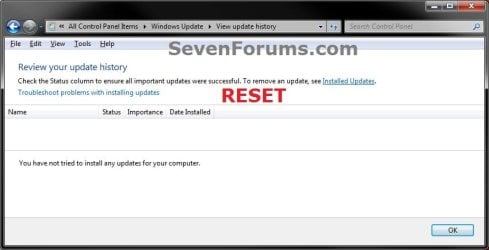
6. If opened, close and reopen Windows Update to verify that it has been reset.
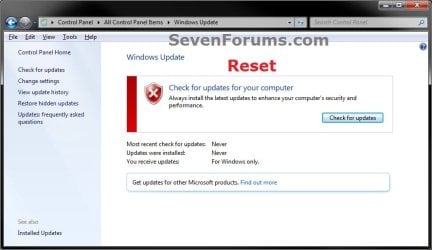
Reset.jpg

Update_History.jpg

7. Resetting the Windows Update history will also restore the default language packs being listed in Windows Upate again in the Windows 7 Ultimate and Enterprise editions after you check for updates next.
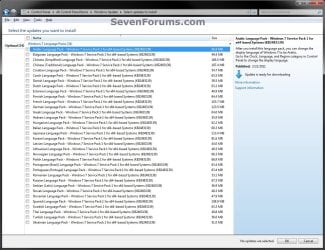
Language_Packs.jpg


OPTION TWO

To Reset and Re-register Windows Update Components


NOTE: This option is the Windows version of: How do I reset Windows Update components?. It will reset Windows Update Components and re-register the BITS files and the Windows Update files to help fix Windows Update errors. This option will not clear the view update history details list as it does in OPTION ONE above.
1. Click/tap on the Download button below to download this file below.
Reset_Reregister_Windows_Update_Components.bat


Download


2. Save the .bat file to your Desktop.

3. Right click or press and hold on the downloaded .bat file, and click/tap on Run as administrator.

4. If prompted by UAC click on Run, then Yes/Continue (if administrator) or type in administrator's password (if standard user).

5. You will now see an elevated command prompt open and run. When it's finished, it will close automatically.

6. Restart the computer afterwards to apply.

7. If this still does not help, then run the Microsoft Fix it tool here:
How do I reset Windows Update components?

See also: Unable to install updates in Windows Vista, Windows 7, Windows Server 2008 and Windows Server 2008 R2


OPTION THREE

To Reset and Re-register Windows Update Components AND Reset Update History in One Easy Click


   Note
This option combines OPTION ONE and OPTION TWO above in one .bat file.

1. Click/tap on the Download button below to download this file below.
Reset_Windows_Update_Full.bat


Download


2. Save the .bat file to your Desktop.

3. Right click or press and hold on the downloaded .bat file, and click/tap on Run as administrator.

4. If prompted by UAC click/tap on Run, then Yes/Continue (if administrator) or type in administrator's password (if standard user).

5. You will now see an elevated command prompt open and run. When it's finished, it will close automatically.

6. Restart the computer afterwards to apply.

7. If this still does not help, then run the Microsoft Fix it tool here:

Download


How do I reset Windows Update components?

See also: Unable to install updates in Windows Vista, Windows 7, Windows Server 2008 and Windows Server 2008 R2
That's it,
Shawn


Attachments

Last edited:
I'm sorry to hear that Clint. What error message is it giving you?
None. It just keeps going for hours and nothing. I'm reinstalling Windows now.

If you have a 3rd party AV or firewall program installed, double check to make sure it's not blocking Windows Update.
 
Last edited:

My Computer

Computer type
PC/Desktop
Computer Manufacturer/Model Number
Self built custom
OS
64-bit Windows 11 Pro for Workstations
CPU
Intel i7-8700K OC'd to 5 GHz
Motherboard
ASUS ROG Maximus XI Formula Z390
Memory
64 GB (4x16GB) G.SKILL TridentZ RGB DDR4 3600 MHz
Graphics Card(s)
ASUS ROG-STRIX-GTX1080TI-O11G-GAMING
Sound Card
Integrated
Monitor(s) Displays
2 x Samsung Odyssey G7 27"
Screen Resolution
2560x1440
Hard Drives
1TB Samsung 990 PRO M.2,
4TB Samsung 990 PRO PRO M.2,
TerraMaster F8 SSD Plus NAS
PSU
Seasonic Prime Titanium 850W
Case
Thermaltake Core P3
Cooling
Corsair Hydro H115i
Keyboard
Logitech wireless K800
Mouse
Logitech MX Master 4
Internet Speed
2 Gb/s Download and 100 Mb/s Upload
Antivirus
Malwarebyte Anti-Malware Premium
Browser
Google Chrome
Other Info
Logitech Z625 speaker system,
Logitech BRIO 4K Pro webcam,
HP Color LaserJet Pro MFP M477fdn,
APC SMART-UPS RT 1000 XL - SURT1000XLI,
Galaxy S23 Plus phone
If you have a 3rd party AV or firewall program installed, double check to make sure it's not blocking Windows Update.

I didn't have any.
 

My Computer

Computer type
PC/Desktop
Computer Manufacturer/Model Number
Dell XPS 9100
OS
Windows 10 Pro 64-bit
CPU
Intel I7 920 @ 2.67 GHz
Motherboard
Dell
Memory
24 Gig
Graphics Card(s)
ATI 5670
Sound Card
Internal
Monitor(s) Displays
23" Wide Flat LED HDMI
Screen Resolution
1366 X 768
Hard Drives
Samsung 250 GB SSD
WD 1TB internal
Seagate 1TB internal
WD 2TB external USB 3
PSU
550 W
Case
Mid
Cooling
Fan
Keyboard
US USB
Mouse
USB
Internet Speed
3.84 Mbps down .44 Mbps up
Antivirus
MS Defener
Browser
IE 11
Other Info
1 Liteon DVD wrighter
1 Liteon BD drive
This and KB3138612

This worked for me but I found I had to run it twice in a row and then restart because i received some failure messages about stopping Windows Update.

I immediately installed the Standalone Update KB3138612-x64 following restart for the fix because previous attempts failed... this process did work after hours of trying other things to fix this issue. Thanks. Hope it helps others. This process did not work for me from a USB so try putting the executable and the standalone on your desktop before running if you run into issues.
 

My Computer

Computer type
PC/Desktop
Computer Manufacturer/Model Number
Dell Inspiron 531
OS
Windows 7 Professional SP1 x64
CPU
AMD Athlon 64 X2 6000 @ 3.00 GHz
Motherboard
M2N61-AX
Memory
4 GB PC6400
Graphics Card(s)
Onboard
Im having problems too. I want to install Windows 10 but Windows Update wont work. At first it did not start the download, it seemed to be running but it never ended; if you cancelled the process, it launched a message: "0% downloaded". After trying a few things I think I completely ruined the Windows Update application, now it wont even look for updates, it gets stucked in a "looking for updates..." screen for ever. I tried doing what you post in here and it wont work, help would be highly appreciated.
 

My Computer

Computer type
PC/Desktop
OS
Windows 7 Starter Pack, 32 bits

My Computer

Computer type
PC/Desktop
Computer Manufacturer/Model Number
Self built custom
OS
64-bit Windows 11 Pro for Workstations
CPU
Intel i7-8700K OC'd to 5 GHz
Motherboard
ASUS ROG Maximus XI Formula Z390
Memory
64 GB (4x16GB) G.SKILL TridentZ RGB DDR4 3600 MHz
Graphics Card(s)
ASUS ROG-STRIX-GTX1080TI-O11G-GAMING
Sound Card
Integrated
Monitor(s) Displays
2 x Samsung Odyssey G7 27"
Screen Resolution
2560x1440
Hard Drives
1TB Samsung 990 PRO M.2,
4TB Samsung 990 PRO PRO M.2,
TerraMaster F8 SSD Plus NAS
PSU
Seasonic Prime Titanium 850W
Case
Thermaltake Core P3
Cooling
Corsair Hydro H115i
Keyboard
Logitech wireless K800
Mouse
Logitech MX Master 4
Internet Speed
2 Gb/s Download and 100 Mb/s Upload
Antivirus
Malwarebyte Anti-Malware Premium
Browser
Google Chrome
Other Info
Logitech Z625 speaker system,
Logitech BRIO 4K Pro webcam,
HP Color LaserJet Pro MFP M477fdn,
APC SMART-UPS RT 1000 XL - SURT1000XLI,
Galaxy S23 Plus phone
I hope it goes well. :)
 

My Computer

Computer type
PC/Desktop
Computer Manufacturer/Model Number
Self built custom
OS
64-bit Windows 11 Pro for Workstations
CPU
Intel i7-8700K OC'd to 5 GHz
Motherboard
ASUS ROG Maximus XI Formula Z390
Memory
64 GB (4x16GB) G.SKILL TridentZ RGB DDR4 3600 MHz
Graphics Card(s)
ASUS ROG-STRIX-GTX1080TI-O11G-GAMING
Sound Card
Integrated
Monitor(s) Displays
2 x Samsung Odyssey G7 27"
Screen Resolution
2560x1440
Hard Drives
1TB Samsung 990 PRO M.2,
4TB Samsung 990 PRO PRO M.2,
TerraMaster F8 SSD Plus NAS
PSU
Seasonic Prime Titanium 850W
Case
Thermaltake Core P3
Cooling
Corsair Hydro H115i
Keyboard
Logitech wireless K800
Mouse
Logitech MX Master 4
Internet Speed
2 Gb/s Download and 100 Mb/s Upload
Antivirus
Malwarebyte Anti-Malware Premium
Browser
Google Chrome
Other Info
Logitech Z625 speaker system,
Logitech BRIO 4K Pro webcam,
HP Color LaserJet Pro MFP M477fdn,
APC SMART-UPS RT 1000 XL - SURT1000XLI,
Galaxy S23 Plus phone
I hope it goes well. :)

It didnt, each time I try to create the USB Installation, the process throws an error message after the download finishes. The error code is 0xC180010C - 0xA0019
 

My Computer

Computer type
PC/Desktop
OS
Windows 7 Starter Pack, 32 bits

My Computer

Computer type
PC/Desktop
Computer Manufacturer/Model Number
Self built custom
OS
64-bit Windows 11 Pro for Workstations
CPU
Intel i7-8700K OC'd to 5 GHz
Motherboard
ASUS ROG Maximus XI Formula Z390
Memory
64 GB (4x16GB) G.SKILL TridentZ RGB DDR4 3600 MHz
Graphics Card(s)
ASUS ROG-STRIX-GTX1080TI-O11G-GAMING
Sound Card
Integrated
Monitor(s) Displays
2 x Samsung Odyssey G7 27"
Screen Resolution
2560x1440
Hard Drives
1TB Samsung 990 PRO M.2,
4TB Samsung 990 PRO PRO M.2,
TerraMaster F8 SSD Plus NAS
PSU
Seasonic Prime Titanium 850W
Case
Thermaltake Core P3
Cooling
Corsair Hydro H115i
Keyboard
Logitech wireless K800
Mouse
Logitech MX Master 4
Internet Speed
2 Gb/s Download and 100 Mb/s Upload
Antivirus
Malwarebyte Anti-Malware Premium
Browser
Google Chrome
Other Info
Logitech Z625 speaker system,
Logitech BRIO 4K Pro webcam,
HP Color LaserJet Pro MFP M477fdn,
APC SMART-UPS RT 1000 XL - SURT1000XLI,
Galaxy S23 Plus phone

My Computer

Computer type
PC/Desktop
OS
Windows 7 Starter Pack, 32 bits
Hi Shawn
These services are interesting
After running option 3 here all were either on auto or auto delayed start only the installer was manual
Background intelligent transfer services
Cryptographic
Windows installer
Windows update

Today I noticed
Background intelligent transfer services
Was set at Manual as well as installer :/
Does that sound right
Settings being set at Check for update but let me decide whether to download and install them.

Seems Background.... would stay on auto delayed start or auto ?
 

My Computer

Computer type
PC/Desktop
Computer Manufacturer/Model Number
Custom assembled by me :}
OS
Win-7-Pro64bit 7-H-Prem-64bit
CPU
i7-5930K 2nd i9-9940x both water blocked VRM's too
Motherboard
ASUS SABERTOOTH X99 2nd ASUS x299 Apex
Memory
Trident-z 3200C14 2nd Trident-z 3600C16
Graphics Card(s)
EVGA 1080ti ftw3 2nd Titan Xp both water blocked
Sound Card
Built-in Realtek
Monitor(s) Displays
1-AOC G2460PG 24"G-Sync 144Hz/ 2nd 1-ASUS VG248QE 24" 144Hz
Screen Resolution
1920 x 1080 144Hz
Hard Drives
2-Samsung M.2 Evo & Evo Plus
2-Samsung 850 EVO 500GB SSD's/ 3-2.5 W.D. Black 1tb-&3-1tb/3-3.5 WD Black 1tb hdd's
PSU
EVGA SuperNOVA 1000-P2 2nd 1200-P2
Case
2-Corsair Obsidian Series 450D Black ATX Mid Tower
Cooling
Custom water loops
Keyboard
Logitech G710+/ 2nd Logitech G910
Mouse
2-RedDragon M901 Perdition 16400 dpi Gaming mouse = wired
Internet Speed
Comcast Ping 19ms 89.31mbps download speed 6.12mbps upload
Antivirus
Malwarebytes Pro/ Superantispyware Pro
Browser
FireFox & Pale moon
Other Info
2nd ASUS X299 Apex/Intel i9-9940x with Custom water loop/7H-Prem-x64/Corsair 450D case/Ram Trident-z 3600C16 4x8gb / Samsung970Evo plus 500gb SSD/Dual ssd EZ swap evo/PSU EVGA SuperNova 1200w-P2 80+Platinum/GPU Titan Xp /8-ML-140 on push-pull on 2-280GTX rads
Hey Mike, :)

Yeah, the .bat file will change them to automatic and start to make sure it's running afterwards for Windows Update, but it won't hurt anything to change them from manual since Windows will still automatically stop and run them as needed.
 

My Computer

Computer type
PC/Desktop
Computer Manufacturer/Model Number
Self built custom
OS
64-bit Windows 11 Pro for Workstations
CPU
Intel i7-8700K OC'd to 5 GHz
Motherboard
ASUS ROG Maximus XI Formula Z390
Memory
64 GB (4x16GB) G.SKILL TridentZ RGB DDR4 3600 MHz
Graphics Card(s)
ASUS ROG-STRIX-GTX1080TI-O11G-GAMING
Sound Card
Integrated
Monitor(s) Displays
2 x Samsung Odyssey G7 27"
Screen Resolution
2560x1440
Hard Drives
1TB Samsung 990 PRO M.2,
4TB Samsung 990 PRO PRO M.2,
TerraMaster F8 SSD Plus NAS
PSU
Seasonic Prime Titanium 850W
Case
Thermaltake Core P3
Cooling
Corsair Hydro H115i
Keyboard
Logitech wireless K800
Mouse
Logitech MX Master 4
Internet Speed
2 Gb/s Download and 100 Mb/s Upload
Antivirus
Malwarebyte Anti-Malware Premium
Browser
Google Chrome
Other Info
Logitech Z625 speaker system,
Logitech BRIO 4K Pro webcam,
HP Color LaserJet Pro MFP M477fdn,
APC SMART-UPS RT 1000 XL - SURT1000XLI,
Galaxy S23 Plus phone
Hi,
Okay just checking I thought it was an interesting change in settings :)
Good to know it's normal :party:
Great .bat by the way :)
 

My Computer

Computer type
PC/Desktop
Computer Manufacturer/Model Number
Custom assembled by me :}
OS
Win-7-Pro64bit 7-H-Prem-64bit
CPU
i7-5930K 2nd i9-9940x both water blocked VRM's too
Motherboard
ASUS SABERTOOTH X99 2nd ASUS x299 Apex
Memory
Trident-z 3200C14 2nd Trident-z 3600C16
Graphics Card(s)
EVGA 1080ti ftw3 2nd Titan Xp both water blocked
Sound Card
Built-in Realtek
Monitor(s) Displays
1-AOC G2460PG 24"G-Sync 144Hz/ 2nd 1-ASUS VG248QE 24" 144Hz
Screen Resolution
1920 x 1080 144Hz
Hard Drives
2-Samsung M.2 Evo & Evo Plus
2-Samsung 850 EVO 500GB SSD's/ 3-2.5 W.D. Black 1tb-&3-1tb/3-3.5 WD Black 1tb hdd's
PSU
EVGA SuperNOVA 1000-P2 2nd 1200-P2
Case
2-Corsair Obsidian Series 450D Black ATX Mid Tower
Cooling
Custom water loops
Keyboard
Logitech G710+/ 2nd Logitech G910
Mouse
2-RedDragon M901 Perdition 16400 dpi Gaming mouse = wired
Internet Speed
Comcast Ping 19ms 89.31mbps download speed 6.12mbps upload
Antivirus
Malwarebytes Pro/ Superantispyware Pro
Browser
FireFox & Pale moon
Other Info
2nd ASUS X299 Apex/Intel i9-9940x with Custom water loop/7H-Prem-x64/Corsair 450D case/Ram Trident-z 3600C16 4x8gb / Samsung970Evo plus 500gb SSD/Dual ssd EZ swap evo/PSU EVGA SuperNova 1200w-P2 80+Platinum/GPU Titan Xp /8-ML-140 on push-pull on 2-280GTX rads
:thumbsup:
 

My Computer

Computer type
PC/Desktop
Computer Manufacturer/Model Number
Self built custom
OS
64-bit Windows 11 Pro for Workstations
CPU
Intel i7-8700K OC'd to 5 GHz
Motherboard
ASUS ROG Maximus XI Formula Z390
Memory
64 GB (4x16GB) G.SKILL TridentZ RGB DDR4 3600 MHz
Graphics Card(s)
ASUS ROG-STRIX-GTX1080TI-O11G-GAMING
Sound Card
Integrated
Monitor(s) Displays
2 x Samsung Odyssey G7 27"
Screen Resolution
2560x1440
Hard Drives
1TB Samsung 990 PRO M.2,
4TB Samsung 990 PRO PRO M.2,
TerraMaster F8 SSD Plus NAS
PSU
Seasonic Prime Titanium 850W
Case
Thermaltake Core P3
Cooling
Corsair Hydro H115i
Keyboard
Logitech wireless K800
Mouse
Logitech MX Master 4
Internet Speed
2 Gb/s Download and 100 Mb/s Upload
Antivirus
Malwarebyte Anti-Malware Premium
Browser
Google Chrome
Other Info
Logitech Z625 speaker system,
Logitech BRIO 4K Pro webcam,
HP Color LaserJet Pro MFP M477fdn,
APC SMART-UPS RT 1000 XL - SURT1000XLI,
Galaxy S23 Plus phone
Just wanted to post I did everything under the sun to try and solve this problem and got it to finally work in my situation. Wanted to post my findings.

Setup:
Dell Precision M6400 Clean install of Windows 7 Pro.

After a clean install (installed a SSD) and Windows update installed the update agent to 7.6.7600.320 windows update would get stuck at "checking for updates" and would never do anything else.

How I solved it:

I am not sure what exactly solved it. However, this is the combined methods that ended up fixing it for me.

1. Performed all 3 options on first page of this forum (trying windows update between each one and problem persisted).
2. Installed Intel Rapid Storage Technology v9.6.0.1014 from Dell.
3. Installed this update manually https://support.microsoft.com/en-us/kb/3083324.
4. Installed this update manually https://support.microsoft.com/en-us/kb/3102810.
5. Attempted step 1 again and then tried windows update with same problem.
6. Noticed there were a couple devices in device manager without drivers so installed those from the Dell website which consisted of multimedia card slot, graphics card(wasn't missing but was using standard vga), wifi card(wasn't missing but updated it anyways) and security control point. I think I also updated the chipset driver which fixed a couple missing devices in device manager.
7. Performed step 1 again and attempted windows update and BAM:what: windows found updates and installed. Windows update now works. :party::cool::D:geek::grouphug:

Why did this problem happen from a clean install? My assumption was that windows update was hanging on trying to locate driver(s) for the missing device(s) in device manager and was "hanging" on one or more of those missing devices.

Good luck!

UPDATE: 2-22-2016

Confirmed with another Dell machine. I did the following to get windows updates to work.

1. Perform step 3 above. Reboot when prompted.
2. Perform step 4 above. Open up windows updates and it should work.

Good luck!

Your post was the Miracle Cure for fixing my broken Windows Updates. Thanks a ton, RoverDawg

Jim :D
 

My Computer

Computer type
PC/Desktop
Computer Manufacturer/Model Number
Dell Dimension E521
OS
Windows 7 Ultimate x86 w/SP1
Memory
3GB
I just want to say thanks for making those batch files. I tried #2 then #3 which finally got rid of the stupid "Install updates" thing. Hopefully I can turn on automatic updates again (I had hidden that one that keeps hassling you about upgrading to 10, looks like I might have to hide it again but that's OK).
 

My Computer

Computer type
PC/Desktop
OS
win7 pro 64

My Computer

Computer type
PC/Desktop
Computer Manufacturer/Model Number
Self built custom
OS
64-bit Windows 11 Pro for Workstations
CPU
Intel i7-8700K OC'd to 5 GHz
Motherboard
ASUS ROG Maximus XI Formula Z390
Memory
64 GB (4x16GB) G.SKILL TridentZ RGB DDR4 3600 MHz
Graphics Card(s)
ASUS ROG-STRIX-GTX1080TI-O11G-GAMING
Sound Card
Integrated
Monitor(s) Displays
2 x Samsung Odyssey G7 27"
Screen Resolution
2560x1440
Hard Drives
1TB Samsung 990 PRO M.2,
4TB Samsung 990 PRO PRO M.2,
TerraMaster F8 SSD Plus NAS
PSU
Seasonic Prime Titanium 850W
Case
Thermaltake Core P3
Cooling
Corsair Hydro H115i
Keyboard
Logitech wireless K800
Mouse
Logitech MX Master 4
Internet Speed
2 Gb/s Download and 100 Mb/s Upload
Antivirus
Malwarebyte Anti-Malware Premium
Browser
Google Chrome
Other Info
Logitech Z625 speaker system,
Logitech BRIO 4K Pro webcam,
HP Color LaserJet Pro MFP M477fdn,
APC SMART-UPS RT 1000 XL - SURT1000XLI,
Galaxy S23 Plus phone
Done! and thanks again.
All the trouble started when I originally hid KB3035583 and a couple other annoying "recommended" updates to stop it from bugging me about Win10. Microsoft Fixit didn't, nor did a few other things I tried. Yours worked.
 

My Computer

Computer type
PC/Desktop
OS
win7 pro 64
I'm glad it could help. :)
 

My Computer

Computer type
PC/Desktop
Computer Manufacturer/Model Number
Self built custom
OS
64-bit Windows 11 Pro for Workstations
CPU
Intel i7-8700K OC'd to 5 GHz
Motherboard
ASUS ROG Maximus XI Formula Z390
Memory
64 GB (4x16GB) G.SKILL TridentZ RGB DDR4 3600 MHz
Graphics Card(s)
ASUS ROG-STRIX-GTX1080TI-O11G-GAMING
Sound Card
Integrated
Monitor(s) Displays
2 x Samsung Odyssey G7 27"
Screen Resolution
2560x1440
Hard Drives
1TB Samsung 990 PRO M.2,
4TB Samsung 990 PRO PRO M.2,
TerraMaster F8 SSD Plus NAS
PSU
Seasonic Prime Titanium 850W
Case
Thermaltake Core P3
Cooling
Corsair Hydro H115i
Keyboard
Logitech wireless K800
Mouse
Logitech MX Master 4
Internet Speed
2 Gb/s Download and 100 Mb/s Upload
Antivirus
Malwarebyte Anti-Malware Premium
Browser
Google Chrome
Other Info
Logitech Z625 speaker system,
Logitech BRIO 4K Pro webcam,
HP Color LaserJet Pro MFP M477fdn,
APC SMART-UPS RT 1000 XL - SURT1000XLI,
Galaxy S23 Plus phone
Today exactly 6 years this thread started and still very very helpfull.
I had to run the .bat files a few times before it didnt give me any errors. Now windows is installing 174 updates.

Can we give Brink an applause for his 6 year lustrum!
:party::party::party::thumbsup:
 

My Computer

Computer type
Laptop
Computer Manufacturer/Model Number
Dell 7737
OS
W7-Pro-64
Back
Top