Windows will not recognise my backup image on external hard drive?

Are you telling me that the image that you created with Macrium went AWOL. Where did you put it originally. It would look something like this. Note the Macrium icon in the front.
right, i have this when i go into my computer. It is there in the same spot. However, when i boot through the CD and navigate, the folder is not there. only like 5 folders are there. I can boot on CD and take a pic with my phone and show if you think that might better help you
 

My Computer My Computer

At a glance

windows 7 home premium 64 bit
OS
windows 7 home premium 64 bit
OK, understand. That might be a quirk with the Linux recovery CD. I recently found out that it has quite a few restrictions.

I suggest you burn the WindowsPE recovery DVD from Macrium. That is a bit lengthy (like more than 1 hour) because it will download a 1.7GB Microsoft installer. But the WinPE DVD gives you more options. Sorry, I should have known that before, but I did not. And this now is a DVD and not a CD.
 

My Computer My Computer

At a glance

Vista, Windows7, Mint Mate, Zorin, Windows 8from 1.6GHz Duo to i7
Computer Manufacturer/Model Number
HP, Dell, Gateway, Toshiba - 4 laptops and 2 desktops
OS
Vista, Windows7, Mint Mate, Zorin, Windows 8
CPU
from 1.6GHz Duo to i7
Monitor(s) Displays
2x HP w2207
Hard Drives
5x HDD, 7x SSD, 12x Externals
Keyboard
with trackball - no mices
Mouse
Trackball mice
Internet Speed
DSL 6000
OK, understand. That might be a quirk with the Linux recovery CD. I recently found out that it has quite a few restrictions.

I suggest you burn the WindowsPE recovery DVD from Macrium. That is a bit lengthy (like more than 1 hour) because it will download a 1.7GB Microsoft installer. But the WinPE DVD gives you more options. Sorry, I should have known that before, but I did not. And this now is a DVD and not a CD.
no problem at all, im just grateful that you are helping me. Ok, I am doing the backup with the windows installer now on DVD.
 

My Computer My Computer

At a glance

windows 7 home premium 64 bit
OS
windows 7 home premium 64 bit
OK, understand. That might be a quirk with the Linux recovery CD. I recently found out that it has quite a few restrictions.

I suggest you burn the WindowsPE recovery DVD from Macrium. That is a bit lengthy (like more than 1 hour) because it will download a 1.7GB Microsoft installer. But the WinPE DVD gives you more options. Sorry, I should have known that before, but I did not. And this now is a DVD and not a CD.
no problem at all, im just grateful that you are helping me. Ok, I am doing the backup with the windows installer now on DVD.
See what I marked in red:
Just so that we are clear. You are not doing the backup, but you produce the Macrium Recovery DVD, right.
 

My Computer My Computer

At a glance

Vista, Windows7, Mint Mate, Zorin, Windows 8from 1.6GHz Duo to i7
Computer Manufacturer/Model Number
HP, Dell, Gateway, Toshiba - 4 laptops and 2 desktops
OS
Vista, Windows7, Mint Mate, Zorin, Windows 8
CPU
from 1.6GHz Duo to i7
Monitor(s) Displays
2x HP w2207
Hard Drives
5x HDD, 7x SSD, 12x Externals
Keyboard
with trackball - no mices
Mouse
Trackball mice
Internet Speed
DSL 6000
ok yes I understand, I keep forgetting that part.
 

My Computer My Computer

At a glance

windows 7 home premium 64 bit
OS
windows 7 home premium 64 bit
the download fails every time i download the microsoft 1.6gb file at the very end. Would you happen to know a direct link from microsoft where i can download that file?
 

My Computer My Computer

At a glance

windows 7 home premium 64 bit
OS
windows 7 home premium 64 bit

My Computer My Computer

At a glance

Vista, Windows7, Mint Mate, Zorin, Windows 8from 1.6GHz Duo to i7
Computer Manufacturer/Model Number
HP, Dell, Gateway, Toshiba - 4 laptops and 2 desktops
OS
Vista, Windows7, Mint Mate, Zorin, Windows 8
CPU
from 1.6GHz Duo to i7
Monitor(s) Displays
2x HP w2207
Hard Drives
5x HDD, 7x SSD, 12x Externals
Keyboard
with trackball - no mices
Mouse
Trackball mice
Internet Speed
DSL 6000
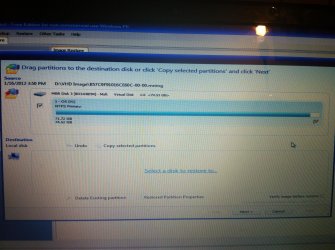
ok, i made it to this point and got past everything else successfully. I was just curious which drive i load the backup to?
 

Attachments

  • photo.jpg
    photo.jpg
    827.9 KB · Views: 20

My Computer My Computer

At a glance

windows 7 home premium 64 bit
OS
windows 7 home premium 64 bit
You drag it to your C: disk. Are you now on your system that is defunct - because I do not see your C: disk.
 

My Computer My Computer

At a glance

Vista, Windows7, Mint Mate, Zorin, Windows 8from 1.6GHz Duo to i7
Computer Manufacturer/Model Number
HP, Dell, Gateway, Toshiba - 4 laptops and 2 desktops
OS
Vista, Windows7, Mint Mate, Zorin, Windows 8
CPU
from 1.6GHz Duo to i7
Monitor(s) Displays
2x HP w2207
Hard Drives
5x HDD, 7x SSD, 12x Externals
Keyboard
with trackball - no mices
Mouse
Trackball mice
Internet Speed
DSL 6000
You drag it to your C: disk. Are you now on your system that is defunct - because I do not see your C: disk.
no the C drive is an option. I just wanted to make sure before I did anything stupid.
 

My Computer My Computer

At a glance

windows 7 home premium 64 bit
OS
windows 7 home premium 64 bit
Ok I'm the process of restoring C drive from the backup on D drive. Is there anything else I need to do or this is it?
 

My Computer My Computer

At a glance

windows 7 home premium 64 bit
OS
windows 7 home premium 64 bit
When that tells you that the restore is done and was successful. you can close the WinPE window. After that your system should automatically boot and be at the level where it was when you took the original Windows7 image. Lets keep our fingers crossed that thisd happens and plse report when it did.

Given your experience, and that of many others got me to write a tutorial about this recovery method. http://www.sevenforums.com/tutorials/210195-recover-your-system-broken-windows7-image.html If your system revives, I will know that it is good. So you are part of it.
 

My Computer My Computer

At a glance

Vista, Windows7, Mint Mate, Zorin, Windows 8from 1.6GHz Duo to i7
Computer Manufacturer/Model Number
HP, Dell, Gateway, Toshiba - 4 laptops and 2 desktops
OS
Vista, Windows7, Mint Mate, Zorin, Windows 8
CPU
from 1.6GHz Duo to i7
Monitor(s) Displays
2x HP w2207
Hard Drives
5x HDD, 7x SSD, 12x Externals
Keyboard
with trackball - no mices
Mouse
Trackball mice
Internet Speed
DSL 6000
So now when I turn my computer on it does nothing....
 

My Computer My Computer

At a glance

windows 7 home premium 64 bit
OS
windows 7 home premium 64 bit
Is the drive to where you restored the image #1 in the BIOS boot sequence. What make is that system (in case you do not know how to get into the BIOS boot order).

It could also be an MBR problem. But we will handle that later.
 

My Computer My Computer

At a glance

Vista, Windows7, Mint Mate, Zorin, Windows 8from 1.6GHz Duo to i7
Computer Manufacturer/Model Number
HP, Dell, Gateway, Toshiba - 4 laptops and 2 desktops
OS
Vista, Windows7, Mint Mate, Zorin, Windows 8
CPU
from 1.6GHz Duo to i7
Monitor(s) Displays
2x HP w2207
Hard Drives
5x HDD, 7x SSD, 12x Externals
Keyboard
with trackball - no mices
Mouse
Trackball mice
Internet Speed
DSL 6000
Yeah I switched the boot order from CD back to the HDD and it still isn't booting
 

My Computer My Computer

At a glance

windows 7 home premium 64 bit
OS
windows 7 home premium 64 bit
do you get any message - like e.g. 'bootmgr missing'
 

My Computer My Computer

At a glance

Vista, Windows7, Mint Mate, Zorin, Windows 8from 1.6GHz Duo to i7
Computer Manufacturer/Model Number
HP, Dell, Gateway, Toshiba - 4 laptops and 2 desktops
OS
Vista, Windows7, Mint Mate, Zorin, Windows 8
CPU
from 1.6GHz Duo to i7
Monitor(s) Displays
2x HP w2207
Hard Drives
5x HDD, 7x SSD, 12x Externals
Keyboard
with trackball - no mices
Mouse
Trackball mice
Internet Speed
DSL 6000
do you get any message - like e.g. 'bootmgr missing'

No, just a blinking dash line...and I left it there for over an hour and nothing. I somehow managed to boot from CD again so I'm trying the restore again.
 

My Computer My Computer

At a glance

windows 7 home premium 64 bit
OS
windows 7 home premium 64 bit
A new restore will not be helpful. I have to see what is on this disk to where you restored the image. We are probably dealing with a MBR/bootmgr problem. That can be fixed, but I must first see what's on the disk.

Download the bootable CD of Partition Wizard. It is the last box on this webpage. Burn this .iso to a CD.

Then load from that CD (do not forget to change the BIOS boot order). Once the program shows a good picture of your partitions, take a good readable picture of the screen with the camera and post that here. Do not click on anything in that window. I just want to see what's on the disk.
 

My Computer My Computer

At a glance

Vista, Windows7, Mint Mate, Zorin, Windows 8from 1.6GHz Duo to i7
Computer Manufacturer/Model Number
HP, Dell, Gateway, Toshiba - 4 laptops and 2 desktops
OS
Vista, Windows7, Mint Mate, Zorin, Windows 8
CPU
from 1.6GHz Duo to i7
Monitor(s) Displays
2x HP w2207
Hard Drives
5x HDD, 7x SSD, 12x Externals
Keyboard
with trackball - no mices
Mouse
Trackball mice
Internet Speed
DSL 6000
A new restore will not be helpful. I have to see what is on this disk to where you restored the image. We are probably dealing with a MBR/bootmgr problem. That can be fixed, but I must first see what's on the disk.

Download the bootable CD of Partition Wizard. It is the last box on this webpage. Burn this .iso to a CD.

Then load from that CD (do not forget to change the BIOS boot order). Once the program shows a good picture of your partitions, take a good readable picture of the screen with the camera and post that here. Do not click on anything in that window. I just want to see what's on the disk.

Is there anyway I can get in safe mode or anyway I can burn that CD on te computer I'm on because it'll be tomorrow before I can get that CD burned
 

My Computer My Computer

At a glance

windows 7 home premium 64 bit
OS
windows 7 home premium 64 bit
Back
Top