- Local time
- 12:00 AM
- Messages
- 565
Hi cedar,
Sir,
1. All is well with the printer & other devices now. Maintain the status.
2.
(a) Cheers. That's what we were looking for from the recovery partition! Go for 'Reinstall Windows' option. It would not be like a normal install/reinstall & would be more of a restore where all of the important settings will be chosen for itself. Just go with the default settings & it will take care of.
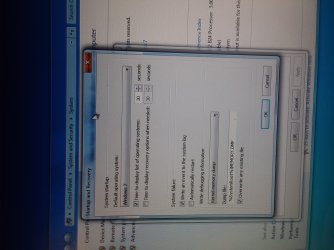
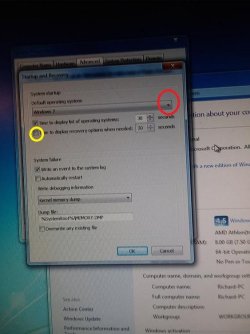
(b) For understanding the process & make out/avoiding any mistakes, just be ready with a notebook & pen. Wherever you have a doubt or make an input, make a note of it. It would be always good if you can make a video ( Last time your video was upside down! ).
3.Seniors/Pros say/recommend to make Windows Updates as soon as you are done. ( But i won't! I would make them only, once i have made a stable system & imaged it )
I would expect that your first contact with internet should be for installing/activating antivirus program & that too as soon as possible! As i said its not a clean install, so it may be that it includes a free 30/60 days trial of a security suite/program. You have to decide whether you want to enjoy the free trial. To enjoy free trial, you may need to connect to internet to activate the free trial. It depends.
If you don't want to enjoy the free trial, you will need to remove it properly. The removal process would depend upon the security suite installed. Then install the one you want.
I believe you should use/access only fully secure/scanned external media before that.
As for external devices, it would be better to make sure that your basic devices are installed & working properly. Then connect to internet & connect/insert them one by one.
So, for now proceed with the 'Reinstall Windows' option, follow the on screen instructions carefully & report once the process is finished.
Thanks & Regards. ...
Edit : Better concentrate on the process than making video. Still better don't make any video Just note down the doubts & inputs!
Sir,
1. All is well with the printer & other devices now. Maintain the status.
2.
(a) Cheers. That's what we were looking for from the recovery partition! Go for 'Reinstall Windows' option. It would not be like a normal install/reinstall & would be more of a restore where all of the important settings will be chosen for itself. Just go with the default settings & it will take care of.
(b) For understanding the process & make out/avoiding any mistakes, just be ready with a notebook & pen. Wherever you have a doubt or make an input, make a note of it. It would be always good if you can make a video ( Last time your video was upside down! ).
3.Seniors/Pros say/recommend to make Windows Updates as soon as you are done. ( But i won't! I would make them only, once i have made a stable system & imaged it )
I would expect that your first contact with internet should be for installing/activating antivirus program & that too as soon as possible! As i said its not a clean install, so it may be that it includes a free 30/60 days trial of a security suite/program. You have to decide whether you want to enjoy the free trial. To enjoy free trial, you may need to connect to internet to activate the free trial. It depends.
If you don't want to enjoy the free trial, you will need to remove it properly. The removal process would depend upon the security suite installed. Then install the one you want.
I believe you should use/access only fully secure/scanned external media before that.
As for external devices, it would be better to make sure that your basic devices are installed & working properly. Then connect to internet & connect/insert them one by one.
So, for now proceed with the 'Reinstall Windows' option, follow the on screen instructions carefully & report once the process is finished.
Thanks & Regards. ...
Edit : Better concentrate on the process than making video. Still better don't make any video Just note down the doubts & inputs!
Last edited:
My Computer
- Computer type
- Laptop
- Computer Manufacturer/Model Number
- hp compaq presario c795VU notebook pc
- OS
- Windows 7 Ultimate x32 With Sp1 + Vista Ultimate x32 with Sp1 & Sp2 !!
- CPU
- Intel Mobile Core 2 Duo T5750 @ 2.00GHz Merom 65nm Technolog
- Motherboard
- Hewlett-Packard 30D9 (CPU)
- Memory
- 2.00GB Dual-Channel DDR2 @ 332MHz (5-5-5-15)
- Graphics Card(s)
- Mobile Intel(R) 965 Express Chipset Family
- Sound Card
- High Definition Audio Device
- Monitor(s) Displays
- LP154WX4-TLCB on Mobile Intel 965 Express Chipset Family
- Screen Resolution
- 1280x800 @ 60Hz
- Hard Drives
- 149GB Western Digital WDC WD1600BEVS-60VAT0 ATA Device (SATA)
- Keyboard
- Standard 101/102-Key or Microsoft Natural PS/2 Key + HP QLB
- Mouse
- ALPS pointing device
- Antivirus
- Kaspersky AV 2017(Win 7) & AVG AntiVirus Free 2016 (VISTA)
- Browser
- google chrome