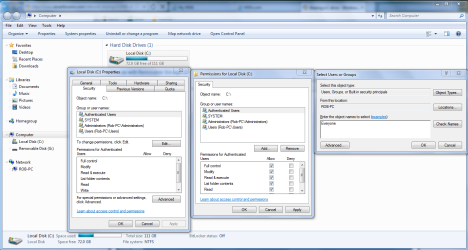
I have a Win7x64 pro system in one building and an XP SP3 system in another.
I had a terrible time getting the network setup and running. I read every tutorial and tried every suggestion posted here...except reformatting my XP system (got that too).
But finally I managed to get it up and running. Although it necessitated changing the XP box so that I had to log on everytime I booted it up.
Everything has been going along swimmingly until about two weeks ago when the mobo on the XP Box went tips up.
So...now I've got a new motherboard, processor, more ram and a new video card. I had the old hard drive with XP on it re-installed (legacy software which I both need and am fond of).
Everything is working perfectly...except! You guessed it the network.
Now here's the strange part: the XP machine still sees the Win 7 machine just like it did. But the Win 7 machine only sees one folder/directory (and sub directories) on the XP machine out of about six or seven that I had enabled for sharing previously. I can share files in both directions. But the Win 7 machine refuses to see the other directories on the XP system.
I have diligently check the sharing settings on all the missing directories to be certain that they are the same as on the one directory that Win 7 see...they are identical. And all of them, including the one directory that is visible, unchanged since before the mobo upgrade.
Obviously the network is still working but Windows 7 is partially blind.
Can anyone tell me what is going on and offer some thoughts as to how to deal with this problem?
I had a terrible time getting the network setup and running. I read every tutorial and tried every suggestion posted here...except reformatting my XP system (got that too).
But finally I managed to get it up and running. Although it necessitated changing the XP box so that I had to log on everytime I booted it up.
Everything has been going along swimmingly until about two weeks ago when the mobo on the XP Box went tips up.
So...now I've got a new motherboard, processor, more ram and a new video card. I had the old hard drive with XP on it re-installed (legacy software which I both need and am fond of).
Everything is working perfectly...except! You guessed it the network.
Now here's the strange part: the XP machine still sees the Win 7 machine just like it did. But the Win 7 machine only sees one folder/directory (and sub directories) on the XP machine out of about six or seven that I had enabled for sharing previously. I can share files in both directions. But the Win 7 machine refuses to see the other directories on the XP system.
I have diligently check the sharing settings on all the missing directories to be certain that they are the same as on the one directory that Win 7 see...they are identical. And all of them, including the one directory that is visible, unchanged since before the mobo upgrade.
Obviously the network is still working but Windows 7 is partially blind.
Can anyone tell me what is going on and offer some thoughts as to how to deal with this problem?
My Computer
At a glance
Windows 7 Ultimate x64Intel Core i5 320ghz4gbDDR2 800mhzNvidia Gforce 9800
- Computer Manufacturer/Model Number
- custom
- OS
- Windows 7 Ultimate x64
- CPU
- Intel Core i5 320ghz
- Memory
- 4gbDDR2 800mhz
- Graphics Card(s)
- Nvidia Gforce 9800
- Sound Card
- Creative Audigy 2 ZS
- Monitor(s) Displays
- NEC
- Screen Resolution
- 1280x1024
- Hard Drives
- 500gb ATA
320gb ATA