Solved diskpart/clean by accident....need to recover partitions,begging :'(

uploaded.
 

My Computer

Computer Manufacturer/Model Number
HP Pavilion G6
OS
Windows 7 Ultimate x64
CPU
Core I5 - 2430
Memory
6GB DDR3 1333
Graphics Card(s)
Intel HD 3000 with ATI Radeon HD 6470
Monitor(s) Displays
HP BrightView LED
Screen Resolution
1366x768
Hard Drives
Hitachi 5400RPM 640GB
Cooling
Sitting on custom made laptop cooler
Internet Speed
21mbps downlink, 2mbps uplink
Yes, clear enough. Before going further I would double click to explore content first.
 

My Computer

OS
Windows 7 Ultimate x64
Yes, clear enough. Before going further I would double click to explore content first.
Is that possible on a not yet recovered partition? Nice feature
 

My Computer

Computer type
Laptop
Computer Manufacturer/Model Number
ACER ASPIRE 5742G
OS
Microsoft Windows 7 Home Premium 64-bits 7601 Multiprocessor Free Service Pack 1
CPU
Intel(R) Core(TM) i3 CPU M 370 @ 2.40GHz
Motherboard
Acer Aspire 5742G
Memory
4,00 GB
Graphics Card(s)
ATI Mobility Radeon HD 5400 Series
Sound Card
(1) AMD High Definition Audio Device (2) Realtek High Defi
Screen Resolution
1366 x 768 x 32 bits (4294967296 colors) @ 60 Hz
Hard Drives
WDC WD5000BEVT-22ZAT0
ah, that works. I can see them. All are there. :D:D:D:D:D:D:D:D:D:D:D:D:D:D:D:D:D:D:D:D:D:D:D:D:D:D:D:D:D:D:D:D

I thank god in 2nd place but you all in first place. Dont know why it showed wrong used space, but all there. Seems E mising some vmwares I made lately. But almost its there.

So, what should be the next step? I didnt know that double click would explore the disk.
 

My Computer

Computer Manufacturer/Model Number
HP Pavilion G6
OS
Windows 7 Ultimate x64
CPU
Core I5 - 2430
Memory
6GB DDR3 1333
Graphics Card(s)
Intel HD 3000 with ATI Radeon HD 6470
Monitor(s) Displays
HP BrightView LED
Screen Resolution
1366x768
Hard Drives
Hitachi 5400RPM 640GB
Cooling
Sitting on custom made laptop cooler
Internet Speed
21mbps downlink, 2mbps uplink
ah, that works. I can see them. All are there. :D:D:D:D:D:D:D:D:D:D:D:D:D:D:D:D:D:D:D:D:D:D:D:D:D:D:D:D:D:D:D:D

I thank god in 2nd place but you all in first place. Dont know why it showed wrong used space, but all there. Seems E mising some vmwares I made lately. But almost its there.

So, what should be the next step? I didnt know that double click would explore the disk.

Can you post a screenshot of what you see?
 

My Computer

OS
Windows 7 Ultimate x64
I love this software. Thanks archie in the first place. I thnk i wanna hug you :)

So, next steps, should I only recover D and E and then while im installing windows, make a new C with unallocated space or shall I get all the 100mb reserved , 100gb C along with D and E?
 

My Computer

Computer Manufacturer/Model Number
HP Pavilion G6
OS
Windows 7 Ultimate x64
CPU
Core I5 - 2430
Memory
6GB DDR3 1333
Graphics Card(s)
Intel HD 3000 with ATI Radeon HD 6470
Monitor(s) Displays
HP BrightView LED
Screen Resolution
1366x768
Hard Drives
Hitachi 5400RPM 640GB
Cooling
Sitting on custom made laptop cooler
Internet Speed
21mbps downlink, 2mbps uplink
Screenshot? You can take your time, nothing's gonna change by taking your time...
 

My Computer

OS
Windows 7 Ultimate x64
05072012385-001.jpg05072012386-001.jpg
 

My Computer

Computer Manufacturer/Model Number
HP Pavilion G6
OS
Windows 7 Ultimate x64
CPU
Core I5 - 2430
Memory
6GB DDR3 1333
Graphics Card(s)
Intel HD 3000 with ATI Radeon HD 6470
Monitor(s) Displays
HP BrightView LED
Screen Resolution
1366x768
Hard Drives
Hitachi 5400RPM 640GB
Cooling
Sitting on custom made laptop cooler
Internet Speed
21mbps downlink, 2mbps uplink
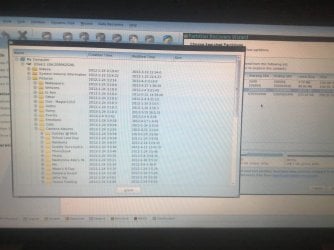
1 pic shows folder structure with there exact names and i took second to show u file sizes are exactly what it was ( I assume they are correct)

So, whatz next? Like I asked, should I recover all and then install windows or should I recover only D and E and then make the C while installing? What is the safe method? Wouldn I make new partitions again while installing hurt the table(although I have done this to many xp machines when upgrading to win7)
 

My Computer

Computer Manufacturer/Model Number
HP Pavilion G6
OS
Windows 7 Ultimate x64
CPU
Core I5 - 2430
Memory
6GB DDR3 1333
Graphics Card(s)
Intel HD 3000 with ATI Radeon HD 6470
Monitor(s) Displays
HP BrightView LED
Screen Resolution
1366x768
Hard Drives
Hitachi 5400RPM 640GB
Cooling
Sitting on custom made laptop cooler
Internet Speed
21mbps downlink, 2mbps uplink
Only recover D and E. Did you check the filesystems yet? any errors?
 

My Computer

Computer type
Laptop
Computer Manufacturer/Model Number
ACER ASPIRE 5742G
OS
Microsoft Windows 7 Home Premium 64-bits 7601 Multiprocessor Free Service Pack 1
CPU
Intel(R) Core(TM) i3 CPU M 370 @ 2.40GHz
Motherboard
Acer Aspire 5742G
Memory
4,00 GB
Graphics Card(s)
ATI Mobility Radeon HD 5400 Series
Sound Card
(1) AMD High Definition Audio Device (2) Realtek High Defi
Screen Resolution
1366 x 768 x 32 bits (4294967296 colors) @ 60 Hz
Hard Drives
WDC WD5000BEVT-22ZAT0
Thinking....

File sizes seem appropriate for relatively low res photos, dates look pretty good although a couple of odd ones.

If you double or right click a file does it allow you to do anything with it, like copy it to other media?
 

My Computer

OS
Windows 7 Ultimate x64
Recover D and E only. And perform a filesystem check. All fine...no errors? Then install win7 in unallocated space
 

My Computer

Computer type
Laptop
Computer Manufacturer/Model Number
ACER ASPIRE 5742G
OS
Microsoft Windows 7 Home Premium 64-bits 7601 Multiprocessor Free Service Pack 1
CPU
Intel(R) Core(TM) i3 CPU M 370 @ 2.40GHz
Motherboard
Acer Aspire 5742G
Memory
4,00 GB
Graphics Card(s)
ATI Mobility Radeon HD 5400 Series
Sound Card
(1) AMD High Definition Audio Device (2) Realtek High Defi
Screen Resolution
1366 x 768 x 32 bits (4294967296 colors) @ 60 Hz
Hard Drives
WDC WD5000BEVT-22ZAT0
ah that I didnt check. No worries about dates. Those are long aged ones and new. Those were pics from a 5mp phne. And transfered from old storage to this and some are edited. So modifie date changes and exif info are gone.

Just checkd, nothing happens when ryt clicked or even presing ctrl+c and ctrl+v.
 

My Computer

Computer Manufacturer/Model Number
HP Pavilion G6
OS
Windows 7 Ultimate x64
CPU
Core I5 - 2430
Memory
6GB DDR3 1333
Graphics Card(s)
Intel HD 3000 with ATI Radeon HD 6470
Monitor(s) Displays
HP BrightView LED
Screen Resolution
1366x768
Hard Drives
Hitachi 5400RPM 640GB
Cooling
Sitting on custom made laptop cooler
Internet Speed
21mbps downlink, 2mbps uplink
Only recover D and E. Did you check the filesystems yet? any errors?


No, not yet. Waiting for both of you 2 agree. U guys are realy nice.

So, 5fing and kaktusoft, shal i proceed? Recovering only D and E and then installing windows.

Remember, i thnk I dont have mbr yet i thnk. So would it cause any malfunction not to recover 100mb and C?
 

My Computer

Computer Manufacturer/Model Number
HP Pavilion G6
OS
Windows 7 Ultimate x64
CPU
Core I5 - 2430
Memory
6GB DDR3 1333
Graphics Card(s)
Intel HD 3000 with ATI Radeon HD 6470
Monitor(s) Displays
HP BrightView LED
Screen Resolution
1366x768
Hard Drives
Hitachi 5400RPM 640GB
Cooling
Sitting on custom made laptop cooler
Internet Speed
21mbps downlink, 2mbps uplink
"system reserved" not needed! Unless you want to encrypt C using bitlocker. Install win7 in unallcated space.
check filsystem of D and E first!!

no mbr??? what do you mean. partition table is in mbr. Do you mean correct mbr boot code?
 

My Computer

Computer type
Laptop
Computer Manufacturer/Model Number
ACER ASPIRE 5742G
OS
Microsoft Windows 7 Home Premium 64-bits 7601 Multiprocessor Free Service Pack 1
CPU
Intel(R) Core(TM) i3 CPU M 370 @ 2.40GHz
Motherboard
Acer Aspire 5742G
Memory
4,00 GB
Graphics Card(s)
ATI Mobility Radeon HD 5400 Series
Sound Card
(1) AMD High Definition Audio Device (2) Realtek High Defi
Screen Resolution
1366 x 768 x 32 bits (4294967296 colors) @ 60 Hz
Hard Drives
WDC WD5000BEVT-22ZAT0
and kaktussoft, can I recover partitions 1 by one? Like 1st C: to see if that works., then D or E. Or should not. Cuz it will be writing and writing over the partition table? So, waiting, how do I proceed?

1. One by one( if its not harmful, I like to recover and check befor I do anything with D and E)

2. Only D and E in a one instance and then reinstall windows? ( dont know would this Either damage partition table)

3. Or recover all four of these?

What would be the most suitble in safety of data?
 

My Computer

Computer Manufacturer/Model Number
HP Pavilion G6
OS
Windows 7 Ultimate x64
CPU
Core I5 - 2430
Memory
6GB DDR3 1333
Graphics Card(s)
Intel HD 3000 with ATI Radeon HD 6470
Monitor(s) Displays
HP BrightView LED
Screen Resolution
1366x768
Hard Drives
Hitachi 5400RPM 640GB
Cooling
Sitting on custom made laptop cooler
Internet Speed
21mbps downlink, 2mbps uplink
and kaktussoft, can I recover partitions 1 by one? Like 1st C: to see if that works., then D or E. Or should not. Cuz it will be writing and writing over the partition table? So, waiting, how do I proceed?

1. One by one( if its not harmful, I like to recover and check befor I do anything with D and E)

2. Only D and E in a one instance and then reinstall windows? ( dont know would this Either damage partition table)

3. Or recover all four of these?

What would be the most suitble in safety of data?
Don't recover C it's useless now (just formatted)
system reseerved not needed.

Recover D and E at once and do a filesystem check (check only).
 

My Computer

Computer type
Laptop
Computer Manufacturer/Model Number
ACER ASPIRE 5742G
OS
Microsoft Windows 7 Home Premium 64-bits 7601 Multiprocessor Free Service Pack 1
CPU
Intel(R) Core(TM) i3 CPU M 370 @ 2.40GHz
Motherboard
Acer Aspire 5742G
Memory
4,00 GB
Graphics Card(s)
ATI Mobility Radeon HD 5400 Series
Sound Card
(1) AMD High Definition Audio Device (2) Realtek High Defi
Screen Resolution
1366 x 768 x 32 bits (4294967296 colors) @ 60 Hz
Hard Drives
WDC WD5000BEVT-22ZAT0
"system reserved" not needed! Unless you want to encrypt C using bitlocker. Install win7 in unallcated space.
check filsystem of D and E first!!

no mbr??? what do you mean. partition table is in mbr. Do you mean correct mbr boot code?

That thing I talked, isn't something i know. I had a doubt that they were difrent because of this includes a command to rebuild mbr and then partition recovery. I asked that before too. Anyway, if its not concern about my data safety, I dont care :D
 

My Computer

Computer Manufacturer/Model Number
HP Pavilion G6
OS
Windows 7 Ultimate x64
CPU
Core I5 - 2430
Memory
6GB DDR3 1333
Graphics Card(s)
Intel HD 3000 with ATI Radeon HD 6470
Monitor(s) Displays
HP BrightView LED
Screen Resolution
1366x768
Hard Drives
Hitachi 5400RPM 640GB
Cooling
Sitting on custom made laptop cooler
Internet Speed
21mbps downlink, 2mbps uplink
and kaktussoft, can I recover partitions 1 by one? Like 1st C: to see if that works., then D or E. Or should not. Cuz it will be writing and writing over the partition table? So, waiting, how do I proceed?

1. One by one( if its not harmful, I like to recover and check befor I do anything with D and E)

2. Only D and E in a one instance and then reinstall windows? ( dont know would this Either damage partition table)

3. Or recover all four of these?

What would be the most suitble in safety of data?
Don't recover C it's useless now (just formatted)
system reseerved not needed.

Recover D and E at once and do a filesystem check (check only).

Okay, and kaktussoft, do u know how long it wil take? Because we just had a power cut. Now notebook is runing on batter and it would enough for 1nd half hours of heavy hard drive spin. ::(
 

My Computer

Computer Manufacturer/Model Number
HP Pavilion G6
OS
Windows 7 Ultimate x64
CPU
Core I5 - 2430
Memory
6GB DDR3 1333
Graphics Card(s)
Intel HD 3000 with ATI Radeon HD 6470
Monitor(s) Displays
HP BrightView LED
Screen Resolution
1366x768
Hard Drives
Hitachi 5400RPM 640GB
Cooling
Sitting on custom made laptop cooler
Internet Speed
21mbps downlink, 2mbps uplink
"system reserved" not needed! Unless you want to encrypt C using bitlocker. Install win7 in unallcated space.
check filsystem of D and E first!!

no mbr??? what do you mean. partition table is in mbr. Do you mean correct mbr boot code?

That thing I talked, isn't something i know. I had a doubt that they were difrent because of this includes a command to rebuild mbr and then partition recovery. I asked that before too. Anyway, if its not concern about my data safety, I dont care :D
Trust me.. .do what I adviced you to do. Please post if filsystem check works without errors. And if partitions are NTFS. Maybe you have to reboot to PW after recovery so PW maps drive letters to it. Only partitions with drive letters can be file system checked
 

My Computer

Computer type
Laptop
Computer Manufacturer/Model Number
ACER ASPIRE 5742G
OS
Microsoft Windows 7 Home Premium 64-bits 7601 Multiprocessor Free Service Pack 1
CPU
Intel(R) Core(TM) i3 CPU M 370 @ 2.40GHz
Motherboard
Acer Aspire 5742G
Memory
4,00 GB
Graphics Card(s)
ATI Mobility Radeon HD 5400 Series
Sound Card
(1) AMD High Definition Audio Device (2) Realtek High Defi
Screen Resolution
1366 x 768 x 32 bits (4294967296 colors) @ 60 Hz
Hard Drives
WDC WD5000BEVT-22ZAT0
Back
Top