Solved Cannot boot or repair Windows 7 x64; error 0xc0000225

Klonoa

New member
Local time
3:17 AM
Messages
10
Hi. I desperately need help recovering Windows 7. I am receiving the following error:

0xc0000225

I have an Asus Zenbook ultrabook without a optical drive. However, I have attempted to create a recovery USB stick a dozen or so times with both recovery and Win7 ISOs I downloaded. It loads but every single time I receive a message that it is 'not compatible' with my version of Windows. My windows license says I have 'Windows 7 Home Prem OA for Asus'. My only thought is that 'for Asus' is the problem here, but I really have no idea.

I can also load a copy of Ubuntu I have on another USB stick, but I am not educated enough to understand how I can fix this problem from within Linux either, without step by step instructions.

I'd really appreciate any help or advice. Thanks in advance. :)
 

My Computer My Computer

At a glance

Windows 7 Home Prem x64
OS
Windows 7 Home Prem x64
Use the latest official ISO for your same bit version and licensed OS from Step 5 in Troubleshooting Windows 7 Failure to Boot. You need to have SP1 installed, however, for it to be compatible.

With that error you need to first Mark Partition Active Win7 or it's 100mb System Reserved partition (preferred if you have it) then run Startup Repair - Run 3 Separate Times.

If this fails work through the other steps from the top. Many of the boot disks required are on Ultimate Boot CD (UBCD) from a USB flash drive | USB Pen Drive Linux
 
Hey Greg, thanks for the reply!

It seems like I am stuck at the first thing, getting the latest official ISO of the same version. I know that my system is Win 7 x64 Home Prem, so I tried every version of the ISO I could find. However, each time I get an error that it's the wrong version.

My only thought why it's not working is that the windows certificate says "for Asus", otherwise is it possible that the problem is because it's international, as I bought my laptop in Sweden. I really have no idea, that's just amateur speculation.

I don't know if I have SP1 installed, since I can't load Windows to check? I tried both ISO versions however.

I am going through your other links to see what I might be able to try, barring being able to boot to the recovery CD (USB). Thanks!
 

My Computer My Computer

At a glance

Windows 7 Home Prem x64
OS
Windows 7 Home Prem x64
It seems if you had SP1 then you would know it as it requires install via Windows Updates and is quite large. So maybe you will need to find a pre-SP1 installer or Repair CD to try the Repairs.

Just to clarify: You are getting this error once you burn to DVD using the tool in Step 2 of tutorial (so you know it's a good burn) and boot into Repair My Computer?

Meanwhile you can use the Partition Wizard on UBCD to complete Step 8 in the tutorial. I would disinfect first using bootable AV on PW stick as it may not rebuild the MBR or repair unless any infection is cleaned up first.

If these other steps in Troubleshooting Windows 7 Failure to Boot don't help then you can rescue your files and move on to run Factory Recovery or Clean Reinstall - Factory OEM Windows 7 which is always better than getting a new computer since they come loaded with bloatware which throttles Win7 anyway.
 

My Computer My Computer

At a glance

Windows 7 Home Prem x64
OS
Windows 7 Home Prem x64
I would instead use Hiren's BootCD From USB Flash Drive (Pen Drive) » www.hiren.info

A list of its bootable tools is here: Hiren's BootCD 15.1 - All in one Bootable CD » www.hiren.info

I would run Malwarebytes to disinfect.

Then Partition Wizard to make sure Win7 partition or it's 100mb System Reserved partition are marked Active and then Rebuild MBR: How to Set Active/Inactive partition -Partition Wizard Video Help.
Partition Wizard Rebuild MBR Video Help.

If necessary you can copy your files out to external, DVD or another HD the mini-XP Explorer. It will put you in an XP OS so you can browse to your files and drag them.

You can test your RAM with memtest86, and your HD with the maker's HD Diagnostics scan which includes a list from almost every maker.

The DiskGenius can rebuild the partition table which sometimes works as a last resort.

I would continue to try to boot into installer Repair console or Repair CD. You can burn a Repair CD on another PC of the same bit-version which should work. System Repair Disc - Create
 
It's a new laptop, is it possible it has SP1 pre-installed? In any case I tried ISOs with and without SP1 because they were not so hard to find. I receive the same error no matter which one I choose, that it's not the correct version. I even tried the same versions from different download sources, just in case it was a bad file. No dice.

My laptop does not have an optical drive, so I am 'burning' a USB stick. It seems to work fine, I always can boot to the stick and then Windows asks me for my language and/or keyboard. On the next page it says it's the wrong version. With the full Windows CD, which I also tried, I would get the error when I'd click to make repairs rather than install.

My system is not infected, it was me who somehow screwed it up when making a new partition. So it seems like it just can't boot windows because it does not know how or where it is. I can see that everything is still there from within Linux, however.

I can't get to the recovery partition either. I would be happy with doing that, even though it's a nuisance, because it's less of a nuisance than this. However when I turn on the laptop I get the error 0xc0000225 screen. If I put something on the USB stick like Ubuntu or the Ultimate Boot CD it works fine, so if I can't get the Windows recovery CD to work, which seems doubtful, I think I need to fix the problem from within Linux or some other resource I can put on the USB.

I am gonna check out Partition Wizard now, from the instructions you linked.

Thanks again for your time and help, it is much appreciated. :)
 

My Computer My Computer

At a glance

Windows 7 Home Prem x64
OS
Windows 7 Home Prem x64
I would instead use Hiren's BootCD From USB Flash Drive (Pen Drive) » www.hiren.info

A list of its bootable tools is here: Hiren's BootCD 15.1 - All in one Bootable CD » www.hiren.info

I would run Malwarebytes to disinfect.

Then Partition Wizard to make sure Win7 partition or it's 100mb System Reserved partition are marked Active and then Rebuild MBR: How to Set Active/Inactive partition -Partition Wizard Video Help.
Partition Wizard Rebuild MBR Video Help.

If necessary you can copy your files out to external, DVD or another HD the mini-XP Explorer. It will put you in an XP OS so you can browse to your files and drag them.

You can test your RAM with memtest86, and your HD with the maker's HD Diagnostics scan which includes a list from almost every maker.

The DiskGenius can rebuild the partition table which sometimes works as a last resort.

I would continue to try to boot into installer Repair console or Repair CD. You can burn a Repair CD on another PC of the same bit-version which should work. System Repair Disc - Create

Ok, I will follow these steps and hope something works.

I am happy that I have some things to try.
 

My Computer My Computer

At a glance

Windows 7 Home Prem x64
OS
Windows 7 Home Prem x64
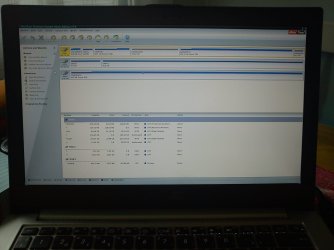
I took a picture of what Partition Wizard says with my mobile, I think it's easier than explaining how everything is… especially because I don't quite understand it all.

Thanks again for your help, or anyone else who has any ideas.
 

Attachments

  • partition01.jpg
    partition01.jpg
    326.2 KB · Views: 66

My Computer My Computer

At a glance

Windows 7 Home Prem x64
OS
Windows 7 Home Prem x64
You have an EFI BIOS which means you must boot into it to repair the same way as to reinstall, shown here: UEFI (Unified Extensible Firmware Interface) - Install Windows 7 with - Windows 7 Forums
Thanks again Greg. This is starting to make a little sense to me now, finally, so hopefully we're on the right track.

Furthermore, when I looked at the contents of the first partition (SYSTEM) in Partition Wizard I saw that there were a lot of efi files (as well as efi.mui files) and my BIOS screen looks the same as what is on the page you linked.

So I'll work thru this stuff and see what I can figure out/try/etc. :)

--

On the other front, I was wondering if I should try to make the Windows Recovery USB from within Linux on the very same computer, if that would make it different because my old laptop runs 32-bit Vista. In either case, I think the EFI thing is the reason all the other ones I tried failed? Does that make sense and if so do you think you could point me in the right direction for burning a recovery CD which will actually work for my laptop?

Thanks again for your time and help!
 

My Computer My Computer

At a glance

Windows 7 Home Prem x64
OS
Windows 7 Home Prem x64
After several days, I solved the problem!

I will explain for the benefit of anyone who might have a similar problem in the future and finds this thread.

I followed all of the steps up to 6 on this page:
Prepare an usb thumb drive, to boot windows 7 in U... - Lenovo Community

The only difference was that 'Windows 7 USB/DVD Download Tool' did not result in a bootable USB, so I made it with a different program and proceeded with the rest of the directions and it resulted in a version of Windows 7 x64 on the USB which my EFI laptop approved of. Finally.

I used my old Windows Vista x32 system to make the bootable USB, so it did not need to be done on a x64 system, as I had read in several places.

So… after step 6, I tried the USB again and this time when I clicked to repair I received no error — it found the problem and that did the trick, one click, really easy.

Anyway thanks so much your help, every little bit helped me become educated enough to find the solution! :)

Cheers.
 

My Computer My Computer

At a glance

Windows 7 Home Prem x64
OS
Windows 7 Home Prem x64
Thanks for reporting back. So you didn't need to boot into EFI using the same procedure as for installation to run Repairs?

Was this Startup Repair?

Do you remember how many passes it required or what it found exactly?
 
I am a little confused and I am not sure how to answer, so I'll just explain more clearly what the entire procedure was:

I turned on the PC and as usual it went directly to the 0xc0000225 error screen. Same as always, if I had a bootable USB inserted and clicked enter it would boot to whatever was in the USB and this time was no exception.

In the past when it failed it was because I always received an error which stated I was using the wrong version. The difference was this time I went through all of those steps in the above link to make this Windows USB 'EFI friendly'.

The error always came up when I clicked to repair Windows. This time when I cleared that part I was so happy because it was uncharted territory! I did not make note of exactly what it said, but it basically told me that it detected a problem with boot or startup and asked me if I wanted to fix it. I clicked yes or confirmed or something and then it took care if itself. I never touched anything else until it booted my Windows installation (in the same state as it was before the fiasco).

It did not require multiple attempts or passes. There was no further notifications from Windows. If it generated a log file or something and you can tell me how to find it, I'll check it out. But it was basically one click and I was back in business. :)
 

My Computer My Computer

At a glance

Windows 7 Home Prem x64
OS
Windows 7 Home Prem x64
Good news. Thanks for the follow up.

It seems the Lenovo link shows another method to boot into EFI to run Repairs. We'll need to keep it on hand.
 
Yeh it's totally crazy how complicated it was to find this info and how complicated the procedure itself was because in the end the fix seemed so simple.

Hopefully this info can at least save someone else from hours or days of frustration in the future.

Thanks again for the help and knowledge. :)
 

My Computer My Computer

At a glance

Windows 7 Home Prem x64
OS
Windows 7 Home Prem x64
After several days, I solved the problem!

I will explain for the benefit of anyone who might have a similar problem in the future and finds this thread.

The only difference was that 'Windows 7 USB/DVD Download Tool' did not result in a bootable USB, so I made it with a different program and proceeded with the rest of the directions and it resulted in a version of Windows 7 x64 on the USB which my EFI laptop approved of. Finally.

Cheers.
What program did you use to create the bootable stick? I've got the same exact error on a Zenbook Prime UX21A. Mine came about on the reboot after partioning C drive with EaseUs.

After finishing step 6, I tried the USB stick. At some point I clicked Exit and that started Windows loading. However, "Repair your computer" returns the same incompatible version error. Any ideas?
 
Last edited:

My Computer My Computer

At a glance

Win 7 Home Premium and Win XP/SP3 Home 32 bit...AMD Phenom II X3 720 Black Edition (unlocked)6 GBXFX Radeon HD 5670
OS
Win 7 Home Premium and Win XP/SP3 Home 32 bit (desktop); Win 7 x64 Home Premium (laptop)
CPU
AMD Phenom II X3 720 Black Edition (unlocked)
Motherboard
Gigabyte GA-MA790X-UD4P (rev. 1.0) - version F9 BIOS
Memory
6 GB
Graphics Card(s)
XFX Radeon HD 5670
Monitor(s) Displays
Dell U2412M
Hard Drives
Corsair Force 3 SSD 60 GB
Seagate ST31000528AS - 1T
WD7500AAKS - 750GB
WD1600JBRTL - 160 GB
PSU
Corsair VX450
Case
Cooler Master
Cooling
front/back fans, CPU/PSU stock
The steps given are for Lenovo and may not be the same for Asus. Read your Manual on the model's Support Downloads webpage.

For repairs are you using an installer with SP1 or a Repair CD made after SP1 was installed, on an OS which should already have SP1 installed?

What I would do is get the superior Clean Reinstall - Factory OEM Windows 7 while bypassing EFI mode in BIOS setup by enabling Legacy BIOS, removing EFI boot disk from Boot Order, then wiping the HD with Diskpart Clean Command to clear the GPT formatting and reinstall.

If you want the preinstalled bloatware then I'd boot in to run Factory Recovery if the Repair cannot be made to work. The standard key to tap to trigger Asus Recovery is F8, then Repair, then Recovery. But your model may be different so consult the Manual.
 
Thanks for the link and suggestions. In post 12 from the OP, the Lenovo instructions were what he used for the same laptop as mine - Zenbook Prime UX21A (i5).

On the phone with MS Signature tech support this morning, Diskpart Clean didn't clear the GPT. Nothing did, not even reformatting. Which is why after a considerable time trying various ideas, I suggested that they just send another one. They agreed. I bought this laptop through the MS Store, which means under the Signature program that they go through it and get rid of the bloatware (except some MS stuff that I don't need). http://www.microsoftstore.com/store/msstore/html/pbPage.MicrosoftSignature.
 

My Computer My Computer

At a glance

Win 7 Home Premium and Win XP/SP3 Home 32 bit...AMD Phenom II X3 720 Black Edition (unlocked)6 GBXFX Radeon HD 5670
OS
Win 7 Home Premium and Win XP/SP3 Home 32 bit (desktop); Win 7 x64 Home Premium (laptop)
CPU
AMD Phenom II X3 720 Black Edition (unlocked)
Motherboard
Gigabyte GA-MA790X-UD4P (rev. 1.0) - version F9 BIOS
Memory
6 GB
Graphics Card(s)
XFX Radeon HD 5670
Monitor(s) Displays
Dell U2412M
Hard Drives
Corsair Force 3 SSD 60 GB
Seagate ST31000528AS - 1T
WD7500AAKS - 750GB
WD1600JBRTL - 160 GB
PSU
Corsair VX450
Case
Cooler Master
Cooling
front/back fans, CPU/PSU stock
You might try the command "Convert MBR" after Clean command, although Clean should be enough.
 
Back
Top