
What backup & relocation strategy for User profiles and Program Data
Hello,
In a configuration with a single HDD with 2 partitions (one for OS+Progs and one for data), how do we properly back up the OS and progs given the fact that the ProgramData and Users folders have been relocated to the Data partition ?
In order for the OS and programs to work properly once I put the OS image back, do these two folders also need to be backed up ? ProgramData would be easy to copy paste.
But a user's folder is a mix of program related data (AppData, Start Menu, Application Data shortcut, some of which are hidden and some of which are hidden and are also system files) and one's personal files (music etc). The fact that these two kind of data exist in one's user folder, makes it difficult for me to see what do i need to backup (if anything at all) in order to be able to easily make a simple OS+progs restore. (without my data)
Given the fact that:
Here are three options, which one is easy for restore AND without paths errors, etc.?
Option 1: three partitions ?
Option 2: two partitions ?
I read issues with windows, for security reasons, changing the ownership of folders etc..
So, my guess is that it's maybe not a good idea to mix imaging (of 1) with manual copying of system folders?
Option 3: two simple partitions ?
Any thoughts are welcome.
Adrien
Hello,
In a configuration with a single HDD with 2 partitions (one for OS+Progs and one for data), how do we properly back up the OS and progs given the fact that the ProgramData and Users folders have been relocated to the Data partition ?
In order for the OS and programs to work properly once I put the OS image back, do these two folders also need to be backed up ? ProgramData would be easy to copy paste.
But a user's folder is a mix of program related data (AppData, Start Menu, Application Data shortcut, some of which are hidden and some of which are hidden and are also system files) and one's personal files (music etc). The fact that these two kind of data exist in one's user folder, makes it difficult for me to see what do i need to backup (if anything at all) in order to be able to easily make a simple OS+progs restore. (without my data)
Given the fact that:
- I don't want to also make an image of the whole data partition, since I don't want to include in it my data such as music etc. (I use a syncronization tool for that, copying the files to an external drive).
- I don't want to use Windows backup tool. I'm ok with Paragon free (or another if needed).
- I just want to be sure that after I put back my OS+progs image, my OS and ALL of the programs will work without broken links paths errors etc.
- I'm not interrested in getting back program specific settings and preferences, bookmarks etc, since the important ones are included in my sync.
- I want to be sure that my start up menu, for example, will not contain shortcuts to the newly added programs, that are not in the image restored.
- I'm not a big fan of Libraries
Here are three options, which one is easy for restore AND without paths errors, etc.?
Option 1: three partitions ?
- OS and Progs
- ProgramData + Users. With Users containing AppData, system folders, etc. but somehow linking to an actual data partition
- data
Option 2: two partitions ?
- OS and Progs
- ProgramData + Users + Data
I read issues with windows, for security reasons, changing the ownership of folders etc..
So, my guess is that it's maybe not a good idea to mix imaging (of 1) with manual copying of system folders?
Option 3: two simple partitions ?
- OS and Progs + Users folders + ProgramData folder
- DATA (in this case, actual music files wouldn't be in the first partition, yet the My Music folder would)
Any thoughts are welcome.
Adrien
Last edited:
My Computer
- Computer type
- Laptop
- Computer Manufacturer/Model Number
- Asus N55SF
- OS
- Windows 7 Home Premium 64 bit
- CPU
- Intel Core i5 2410M @ 2.30GHz Sandy Bridge 32nm Technology
- Motherboard
- ASUSTeK Computer Inc. N55SF
- Memory
- 8,00 GB Dual-Channel DDR3 @ 1333 MHz (PC3-10600)
- Graphics Card(s)
- NVIDIA GeForce GT 555M, Intel HD Graphics 3000
- Sound Card
- Realtek High Definition Audio
- Screen Resolution
- 1600x900@60Hz
- Hard Drives
- 699GB Seagate ST9750423AS (SATA) 5400rpm
- Other Info
- Optical drive: Slimtype DVD A DS8A5SH

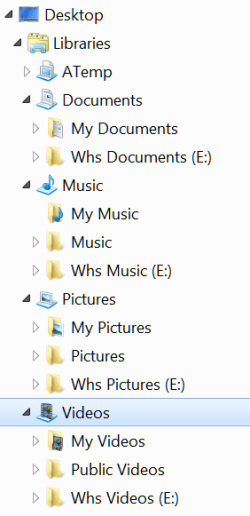

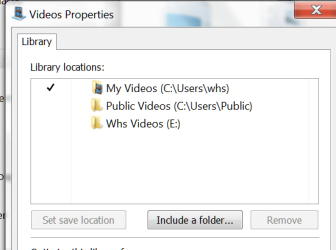


 Ohmigosh no! That would take too long and too many disks!
