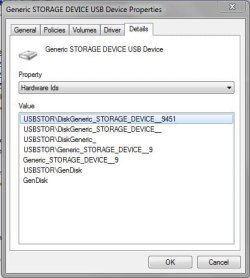
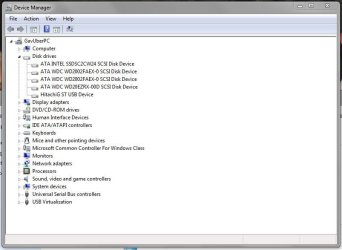
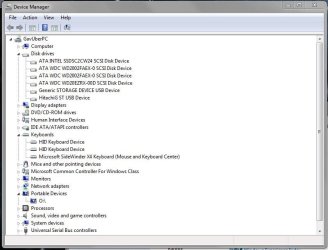
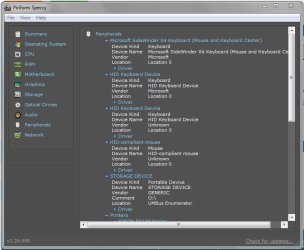
how come it's showing as a storage device when nothing's actually plugged into it and never has been
Think of what you see when you connect a USB CD/DVD drive (USB CD drive is also USB Mass Storage device). When you connect a USB CD drive:
> The CD/DVD drive appears as a CD drive device,
whether or not a CD actually inserted
> You just can't open/use the CD device until media is inserted
Likewise, a card reader appears as disk storage device whether or not media is present. You just can't open/use the reader device until media is there.
And what connection does it have to the WPD as the two are definitely linked?
At some point during the evolution of Portable devices, Windows started considering a flash drive (and all removable storage devcies) as Portable devices.
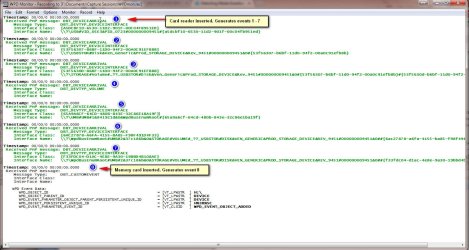
Everything that happens is best demonstrated by example (see snapshot below) what happens inside Windows when a card reader is connected. I have a WPD Monitor trace tool. It shows you the Plug and Play events when a Portable device is inserted/removed. Here's a trace of my card reader.
First, I connect the card reader
with NO media card inserted. Note events 1 -7 are all generated
before a media card is present. Only event 8 (which I guess reports media is now available) occurs when i insert the media card
Note that events 1,2 and 3 are device
interface events. Each one registers an interface
> Event 1 - A USB Mass Storage Device
> Event 2 - A Disk (this is the Storage device - generated regardless if media inserted)
> Event 3 - A Storage Volume
My guess is Event 4 notifies Windows that the Device interfaces are done and the hardware device is now connected.
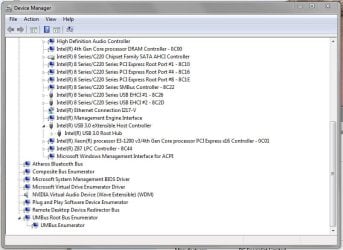
Events 5, 6 and 7 immediately follow 4 (ie. media card still not inserted). Event 5 notifies the UMB Bus enumerator of a new device (UMB enumerates WPD devices) Events 6 and 7 show that the card reader is being enumerated as a Portable device.
That's the end of the card reader connect sequence. Only upon inserting media, Event 8 occurs.. It looks like that event tells Windows media is now present and the media volume gets mounted to drive letter H:\
So notice all those devices (including the Disk Storage device) appear before any media inserted (Will follow up later with your question about why you believe you'r e just seeing the storage device now)



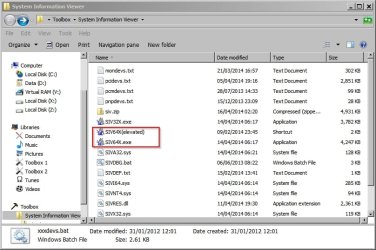

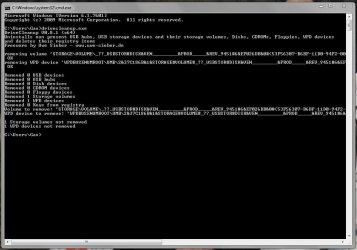
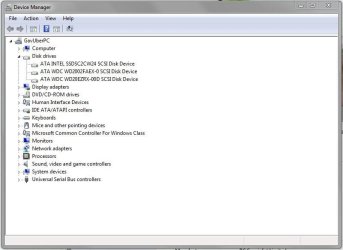

 Feels good to actually crack a Windows mystery! And NO worry as to time to respond. As i said from the start "at your leisure"
 But that's the reason you're seeing the difference