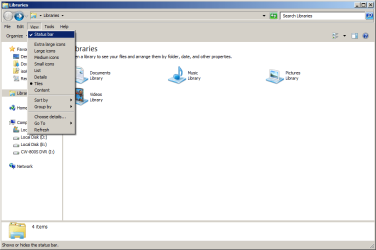
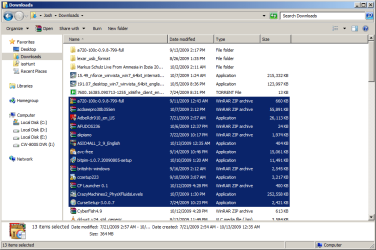
I agree that this is a small, but significant issue for me. I find it problematic, because say I have a number of .rar and .par files in a directory (over 15), and I've repaired and extracted the content, and want to delete those .rar and .par files. With XP, I'd always glance at the total file size to make sure I hadn't accidentally selected something I didn't want to delete. It is even more important, now that I am new to W7, and I don't recognize all the filetype icons yet, so I want to make sure the files I have selected are the expected size. To do that, I now have to click "show more details" which then steals focus. So I can no longer simply hit "delete" on my keyboard, as the focus is on the bottom bar. To get focus back on the 15+ selected items, you can't click one item, as the deselects the list, or you can't click on the background either for the same reason. You have to right click on one of the selections. And at this point, I'm better off selecting "delete" from the right-click menu than using the keyboard stroke. Yeah, it may be a nitpick, but still it is annoying. Moving the curser halfway across the screen, clicking, then moving the curser halfway back and right clicking and selecting "delete" from the menu, when before I didn't have to do any of that since I could select 15+ items, glance at the size, and hit delete on my keyboard. Much more streamlined.
It seems like there should be a simple registry item to change the number of items selectable. I know even XP stopped showing details after a certain amount as well, but that number was much higher (maybe around 50 selected items?) I hope someone figures out a way to make an adjustment so either "show more details" is always selected, or the number of items can be raised from 15. If not, I really hope that Windows considers adding this functionality in the future (doesn't seem as likely).
But I can understand other situations where knowing the file size of a group of 15+ files can be helpful, such as transferring files to other media such as CDs and flash drives (and at least the selection focus issue doesn't affect copying and moving, you can still click and move the 15+ files, even if the bottom bar has the focus. I just tested it).
So if anyone figures out a way around this (or a way to "fix" it), please send me a message. Thanks!



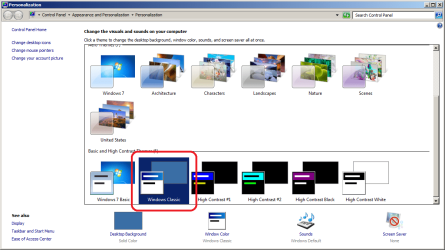


 has). MS really lit a match in the dynamite shed on this one
 , can hide the oversized (and frustratingly unhelpful) Details Pane, and be happy with Windows again
 . It shows remaining disk size as well as the sum of the size of folder contents/selected files/folders - even in the Recycle Bin. Restores what MS tried to rob us of. I am running it on Win 7 64-bit.

