I'm not sure if this is the right place to post this, im somewhat new to the forums, but I thought I'd throw my 2 cents in about libraries.
Admittedly, i hated the libraries feature for a while. My biggest annoyance was that the start menu links pointed to libraries instead of actual folders since i keep all of my data within their corresponding folders, and because when veiwing through the library system, it would not display independent folder views.
For example, setting the library to display large icons sorted by name, would cause any folder/subfolder you navigate to to be displayed that way, compared to direct folders which retain independent view styles.
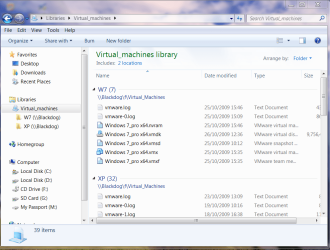
When i finally started seeing the light as it we're, was when i finally set "Arrange By" in the context menu to something other than folder. Having the library arranged by folder mimics the actual folder structure and provides minimal features over the actual folders, especially in my case where i only have 1 folder that i need to display in each library
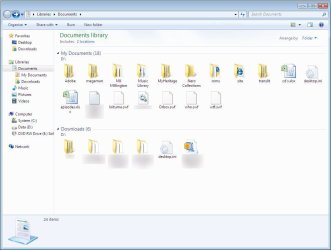
For example, i now have my documents library to arrange by type, which will display a list of file types, and no longer seperates folder locations. Selecting a file type will display files of that type from all locations included in the library.
As far as documents being in two places, they are in only one place. Creating a file in, or moving a file onto a library window will put the file in the folder set as the library's default folder.
If you are completely adament about disabling libraries, there is an article on another site with a zip file containing 3 .reg files that modify the registry. 1 to remove libraries from the navigation pane in explorer. 1 to disable libraries completely. and 1 to restore the default settings.
I used this at one point but quickly restored the original settings for two major reasons. For one, it has the side effect of removing the Documents/Music/Pictures/Videos link from the start menu even if theyre set to show. It also has the side effect of making windows media player unable to manage the folders it includes in its media library
Edit: after having a problem setting my music library to display arranged by artist, where all my files we're listed as unspecified. After a quick search, i found out that the files needed to be indexed for it to work.
http://www.sevenforums.com/music-pictures-video/30039-music-library-arrange.html
1. The default Arrange by:folder mimics the actual folder structures
2. Arrange by: Type combines folders included in the library