Codie
New member
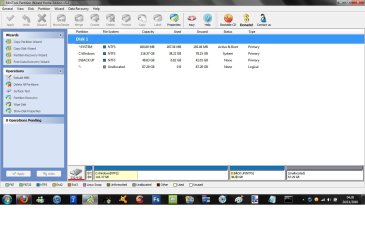
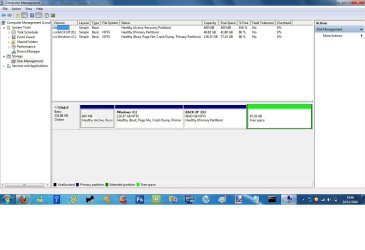
Right, My Toshiba laptop had 116GB assigned to C and 116GB assigned to D.
I resized the D partition to 50GB so now I have 60 something gig of spare unallocated space lying around. I wanted to extend the C partition origionally so I could have more room on there but ive now discovered Windows management won't allow an extension on C, Im now buggered me thinks.
All I need to do is allocate the space taken off D, to C.
How can I do this?
Thank you all
I resized the D partition to 50GB so now I have 60 something gig of spare unallocated space lying around. I wanted to extend the C partition origionally so I could have more room on there but ive now discovered Windows management won't allow an extension on C, Im now buggered me thinks.
All I need to do is allocate the space taken off D, to C.
How can I do this?
Thank you all
My Computer
- Computer Manufacturer/Model Number
- Toshiba Satellite T130 13K. 13.3"
- OS
- Windows 7 Home Premium 64bit, 6.1 build (7600)
- CPU
- Intel Pentium U2700 1.3Ghz, ~1.3Ghz
- Memory
- 3GB DDR3
- Graphics Card(s)
- Mobile Intel 4series express chipset
- Monitor(s) Displays
- LCD HD
- Screen Resolution
- 1366 x 768
- Hard Drives
- 250GB, 2.5" SATA (5400 RPM)
C:\ 116GB
D:\ 116GB
- Internet Speed
- 802.11 b/g/n