It has been four weeks since you started this thread. Would you refresh my memory on why you even need Vista? Is there a reason you can't just do a clean install of Windows 7?
If you ever activated Windows 7 on that computer it should activate again automatically. If not then don't you have the original product key for Windows 7 so you can use that for activation.
Last week a computer of mine with Windows 7 Home would no longer boot. A repair install failed. I had to reinstall it. Unfortunately the Windows activation failed. However doing a Windows activation over the phone did work.
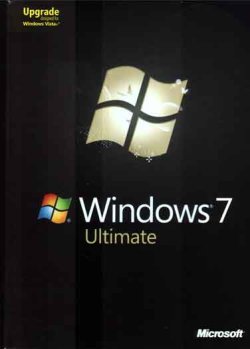
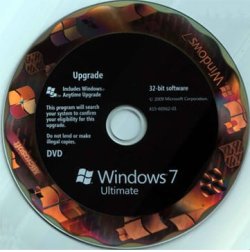
I don't need Vista, but that was the OEM install on that old emachines desktop, fully authenticated/verified/certified/registered/legislated and working well. And it has quite a bit of installed software that for various reasons would be difficult to replace now, which is why a clean install of any OS is not a viable option. It was always my intention to refurbish it and keep it in operation but priority was to a newer 64 bit Win7 desktop for which I was slowly gathering parts. Plan was to "convert" the Vista install to a VM and move that HD to the new system to run in Win7 x64. In the meantime I've been using this antique Inspiron 1720 laptop (originally Vista, previous owner had installed W10, I reformatted and installed Win7 Ulimate 32 from my disk).
In May the vid card in the laptop starts failing, first not going to x4 mode, then not even into x2 mode, finally no 3D mode at all; useless to replace it since I'd just be getting another 10 year old vid card; no idea how long it will last, problem slowly getting worse. So I took the power supply intended for the "new" desktop and put in the old Vista system; it still worked well with the installed software but had issues with some new software. Wasted the summer trying to get some java software working (it works fine on this laptop - same program, same java, same everything except Win7 on the laptop). So apparently I would have to do an upgrade install of Win7 over Vista in order to run the new software plus keep the old registered software. So used the same Win7 disk I'd used for the laptop (no worry of same install on two systems since once desktop was running I'd format the laptop HD and give it away, throw it away, or use it to play with Linux), basic Win7 installed and fired up with no issues but many programs, such as Malwarebytes and the java program, wouldn't run; eventually found I needed certain Win7 updates but first and foremost needed SP1. And here we are.
FWIW!
I now have SP1 installed and the java program is working, next will be Malwarebytes and, I assume, the Simplex installer from here, not I'm not sure if the other KB files I have are needed along with it. DVD drive was back in Device Manager until I restarted system, now it's disappeared again (seems a common issue, judging from number of threads i found regarding it).
System shows I have Win7 Ultimate SP1 "29 days to activate" .... that is the next hurdle. Wonder if a call to MS now would take care of this. MGA results below -
xxxxxxxxxxxxxxxxxxxxxxxxxxxxxxx
Diagnostic Report (1.9.0027.0):-----------------------------------------Windows Validation Data-->Validation Code: 0Cached Online Validation Code: N/A, hr = 0xc004f012Windows Product Key: *****-*****-TMVMJ-BBMRX-3MBMVWindows Product Key Hash: 55n8g6xdzhe4AOWhmTzdzQoLfa4=Windows Product ID: 00426-292-0000007-85259Windows Product ID Type: 5Windows License Type: RetailWindows OS version: 6.1.7601.2.00010100.1.0.001ID: {A50AAA1A-C719-4CF6-A127-A0343E116313}(3)Is Admin: YesTestCab: 0x0LegitcheckControl ActiveX: N/A, hr = 0x80070002Signed By: N/A, hr = 0x80070002Product Name: Windows 7 UltimateArchitecture: 0x00000000Build lab: 7601.win7sp1_rtm.101119-1850TTS Error: Validation Diagnostic: Resolution Status: N/AVista WgaER Data-->ThreatID(s): N/A, hr = 0x80070002Version: N/A, hr = 0x80070002Windows XP Notifications Data-->Cached Result: N/A, hr = 0x80070002File Exists: NoVersion: N/A, hr = 0x80070002WgaTray.exe Signed By: N/A, hr = 0x80070002WgaLogon.dll Signed By: N/A, hr = 0x80070002OGA Notifications Data-->Cached Result: N/A, hr = 0x80070002Version: N/A, hr = 0x80070002OGAExec.exe Signed By: N/A, hr = 0x80070002OGAAddin.dll Signed By: N/A, hr = 0x80070002OGA Data-->Office Status: 109 N/AOGA Version: N/A, 0x80070002Signed By: N/A, hr = 0x80070002Office Diagnostics: B4D0AA8B-604-645_025D1FF3-364-80041010_025D1FF3-229-80041010_025D1FF3-230-1_025D1FF3-517-80040154_025D1FF3-237-80040154_025D1FF3-238-2_025D1FF3-244-80070002_025D1FF3-258-3Browser Data-->Proxy settings: N/AUser Agent: Mozilla/4.0 (compatible; MSIE 8.0; Win32)Default Browser: C:\Program Files\Mozilla Firefox59\firefox.exeDownload signed ActiveX controls: PromptDownload unsigned ActiveX controls: DisabledRun ActiveX controls and plug-ins: AllowedInitialize and script ActiveX controls not marked as safe: DisabledAllow scripting of Internet Explorer Webbrowser control: DisabledActive scripting: AllowedScript ActiveX controls marked as safe for scripting: AllowedFile Scan Data-->File Mismatch: C:\Windows\system32\wat\watadminsvc.exe[Hr = 0x80070003]File Mismatch: C:\Windows\system32\wat\npwatweb.dll[Hr = 0x80070003]File Mismatch: C:\Windows\system32\wat\watux.exe[Hr = 0x80070003]File Mismatch: C:\Windows\system32\wat\watweb.dll[Hr = 0x80070003]Other data-->Office Details: <GenuineResults><MachineData><UGUID>{A50AAA1A-C719-4CF6-A127-A0343E116313}</UGUID><Version>1.9.0027.0</Version><OS>6.1.7601.2.00010100.1.0.001</OS><Architecture>x32</Architecture><PKey>*****-*****-*****-*****-3MBMV</PKey><PID>00426-292-0000007-85259</PID><PIDType>5</PIDType><SID>S-1-5-21-3867056976-849016701-749785769</SID><SYSTEM><Manufacturer>Gateway</Manufacturer><Model>T5246</Model></SYSTEM><BIOS><Manufacturer>Phoenix Technologies, LTD</Manufacturer><Version>6.00 PG</Version><SMBIOSVersion major="2" minor="4"/><Date>20071110000000.000000+000</Date></BIOS><HWID>7FE20100010000F6</HWID><UserLCID>0409</UserLCID><SystemLCID>0409</SystemLCID><TimeZone>Eastern Standard Time(GMT-05:00)</TimeZone><iJoin>0</iJoin><SBID><stat>3</stat><msppid></msppid><name></name><model></model></SBID><OEM><OEMID>GATEWA</OEMID><OEMTableID>SYSTEM </OEMTableID></OEM><GANotification/></MachineData><Software><Office><Result>109</Result><Products/><Applications/></Office></Software></GenuineResults> Spsys.log Content: 0x80070002Licensing Data-->Software licensing service version: 6.1.7601.17514Name: Windows(R) 7, Ultimate editionDescription: Windows Operating System - Windows(R) 7, RETAIL channelActivation ID: ac96e1a8-6cc4-4310-a4ff-332ce77fb5b8Application ID: 55c92734-d682-4d71-983e-d6ec3f16059fExtended PID: 00426-00170-292-000000-00-1033-7601.0000-3142021Installation ID: 014583114102301431718693803271335904607054800734642094Processor Certificate URL:
Bing Certificate URL:
Bing License URL:
Bing Key Certificate URL:
Bing Product Key: 3MBMVLicense Status: Initial grace periodTime remaining: 43140 minute(s) (29 day(s))Remaining Windows rearm count: 3Trusted time: 11/10/2021 5:09:43 PMWindows Activation Technologies-->HrOffline: 0x00000000HrOnline: N/AHealthStatus: 0x0000000000000000Event Time Stamp: N/AActiveX: Not Registered - 0x80040154Admin Service: Not Registered - 0x80040154HealthStatus Bitmask Output:HWID Data-->HWID Hash Current: LgAAAAAAAgABAAEAAQACAAAAAQABAAEAJJQ8QNb3kgBUK4J6BF+wAJxZeGEm6Q==OEM Activation 1.0 Data-->N/AOEM Activation 2.0 Data-->BIOS valid for OA 2.0: yesWindows marker version: 0x0OEMID and OEMTableID Consistent: yesBIOS Information: ACPI Table Name OEMID Value OEMTableID Value APIC GATEWA SYSTEM FACP GATEWA SYSTEM HPET GATEWA SYSTEM MCFG GATEWA SYSTEM SLIC GATEWA SYSTEM SSDT PTLTD POWERNOW