
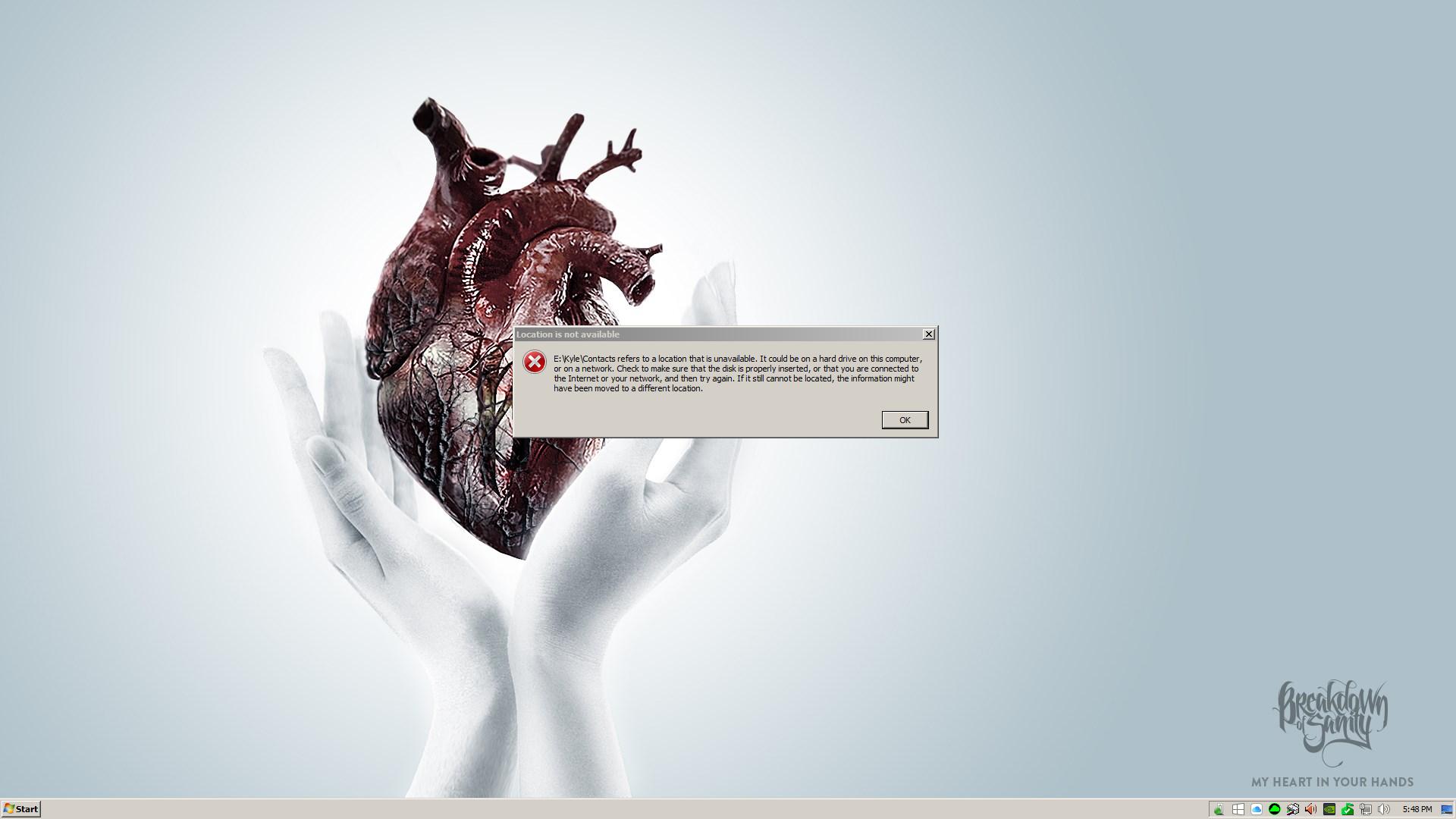
Alright so my issue here is every once in a while my computer will freeze for about 5 seconds, then unfreeze for 1 second, freeze for 5, unfreeze for 1 etc. I'm forced to just reset with the front reset button. Windows will load but then I get an error message that says E:\Kyle\Contacts refers to a location that is unavailable. I have a 250gb SSD and a 750gb HDD. When I had gotten new computer parts I got a fresh install of Windows 7 64-bit Home Premium. The guy that had always done work on my computer and fixed all my issues (unfortunately moved to Hawaii) I ever had with it, installed Windows on my SSD but partition the HDD to only hold small things, like documents, downloads etc. After a few weeks of having the fresh install, the freezing just randomly started happening. I noticed it only would happen when I'd listen to music (which was stored on my HDD) or using any programs that were installed on my HDD. I've had that HDD for about 6 years and it's been reformatted a good 20 times. When my computer would freeze I'd reset it, and get that error message stated above. Then I'd shut down the computer, turn it back on and it would load normally and get no error message. That got annoying but I just dealt with it. Now I had brought my computer to a friends house and when I hooked everything up and turned it on, it now freezes at the windows loading screen. I have not the slightest clue on what's wrong. I've even burned a USB with a Windows 7 ISO to do a fresh install of Windows 7 on just my SSD, but when I boot from the USB, it just loads into Windows (still with the error message about my HDD being inaccessible).
I mainly use my computer to just play games, browse YouTube and watch Twitch streams. The only game I really play is League of Legends and I'm not able to play it because it needs access to some stuff on my HDD for whatever reason, which no longer is read by my computer. I've uninstalled League and reinstalled it on my SSD and when I load the Launcher and hit the Launch button to go to the log in screen, it just sits at a black screen. Every single other game I have works just fine. Of course the one I want to play doesn't work. I've read forums on the issue and I saw one about making sure the registry shell paths match the correct drive. Some of the paths in the shell folders are to either my SSD and some are to my HDD. I did change all the ones directed at my HDD to my SSD but that still didn't do anything. I restored the computer so the registries went back to what they were.
Sorry I'm all over the place here but I just need some kind of clue as to what the problem would be.
Here's a SS of what comes up when it does load in.
System Specs
MOBO: Z97 Extreme
CPU: i5 4690k OC'd to 4.0ghz
GPU: 4gb 650 Ti BOOST
RAM: 16gb 1866mhz RIPJAW
PS: 550W Seasonic
Cooling: Rear fan and CPU Heat Sink
I mainly use my computer to just play games, browse YouTube and watch Twitch streams. The only game I really play is League of Legends and I'm not able to play it because it needs access to some stuff on my HDD for whatever reason, which no longer is read by my computer. I've uninstalled League and reinstalled it on my SSD and when I load the Launcher and hit the Launch button to go to the log in screen, it just sits at a black screen. Every single other game I have works just fine. Of course the one I want to play doesn't work. I've read forums on the issue and I saw one about making sure the registry shell paths match the correct drive. Some of the paths in the shell folders are to either my SSD and some are to my HDD. I did change all the ones directed at my HDD to my SSD but that still didn't do anything. I restored the computer so the registries went back to what they were.
Sorry I'm all over the place here but I just need some kind of clue as to what the problem would be.
Here's a SS of what comes up when it does load in.
System Specs
MOBO: Z97 Extreme
CPU: i5 4690k OC'd to 4.0ghz
GPU: 4gb 650 Ti BOOST
RAM: 16gb 1866mhz RIPJAW
PS: 550W Seasonic
Cooling: Rear fan and CPU Heat Sink
Last edited:
My Computer
- Computer type
- PC/Desktop
- Computer Manufacturer/Model Number
- Custom
- OS
- Windows 7 64-bit Home Premium
- CPU
- i5 4690k 4.0GHz OC
- Motherboard
- Z97 Extreme
- Memory
- 16gb 1866mhz RIPJAW
- Graphics Card(s)
- 4gb 650 Ti BOOST
- Hard Drives
- 250gb SSD
750gb HDD
- Antivirus
- None
- Browser
- Chrome


