Hello all,
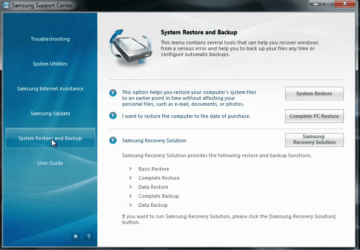
Recent disk crash on my Samsung has been the nightmare of all nightmares. The replacement drive has no recovery area setup, so cannot install the recovery software and thus recover from a backup made with it!
Either I spend a fortune at a Samsung service centre, or try one shot at recreating it.
So, my question is....
How do I create a partition WITHOUT a drive letter, with the Volume labelled as "RECOVERY"?
I suspect that this is not possible, but if it is, how then do I change the status to EISA configuration?
Here is a screenshot of somebody else's setup....
http://farm4.static.flickr.com/3401/3227732726_315258f6c2_o.jpg
I should add that I have recovery software that install windows etc. so no worries if it screws up my base system(without any of my data).
Recent disk crash on my Samsung has been the nightmare of all nightmares. The replacement drive has no recovery area setup, so cannot install the recovery software and thus recover from a backup made with it!
Either I spend a fortune at a Samsung service centre, or try one shot at recreating it.
So, my question is....
How do I create a partition WITHOUT a drive letter, with the Volume labelled as "RECOVERY"?
I suspect that this is not possible, but if it is, how then do I change the status to EISA configuration?
Here is a screenshot of somebody else's setup....
http://farm4.static.flickr.com/3401/3227732726_315258f6c2_o.jpg
I should add that I have recovery software that install windows etc. so no worries if it screws up my base system(without any of my data).
My Computer
- Computer type
- PC/Desktop
- Computer Manufacturer/Model Number
- Samsung
- OS
- Windows 7 Home prem 64 bit
- Hard Drives
- SATA
- Antivirus
- Mcafee
- Browser
- IE8

 rb: type cmd in the search box then right-click and choose Run as administrator type in DiskPart and press ENTER type in list disk when you see DISKPART>_and select your disk: DISKPART> select disk 0